Adobe has rolled out a significant update to its flagship video editing software.
And that is by calling it simply as Premiere, and dropping the "Pro" from its name in a subtle rebranding that aligns with how most users already refer to it. This version, Premiere 26, arrives with powerful AI-driven enhancements designed to streamline complex editing tasks while preserving the creative control professionals demand.
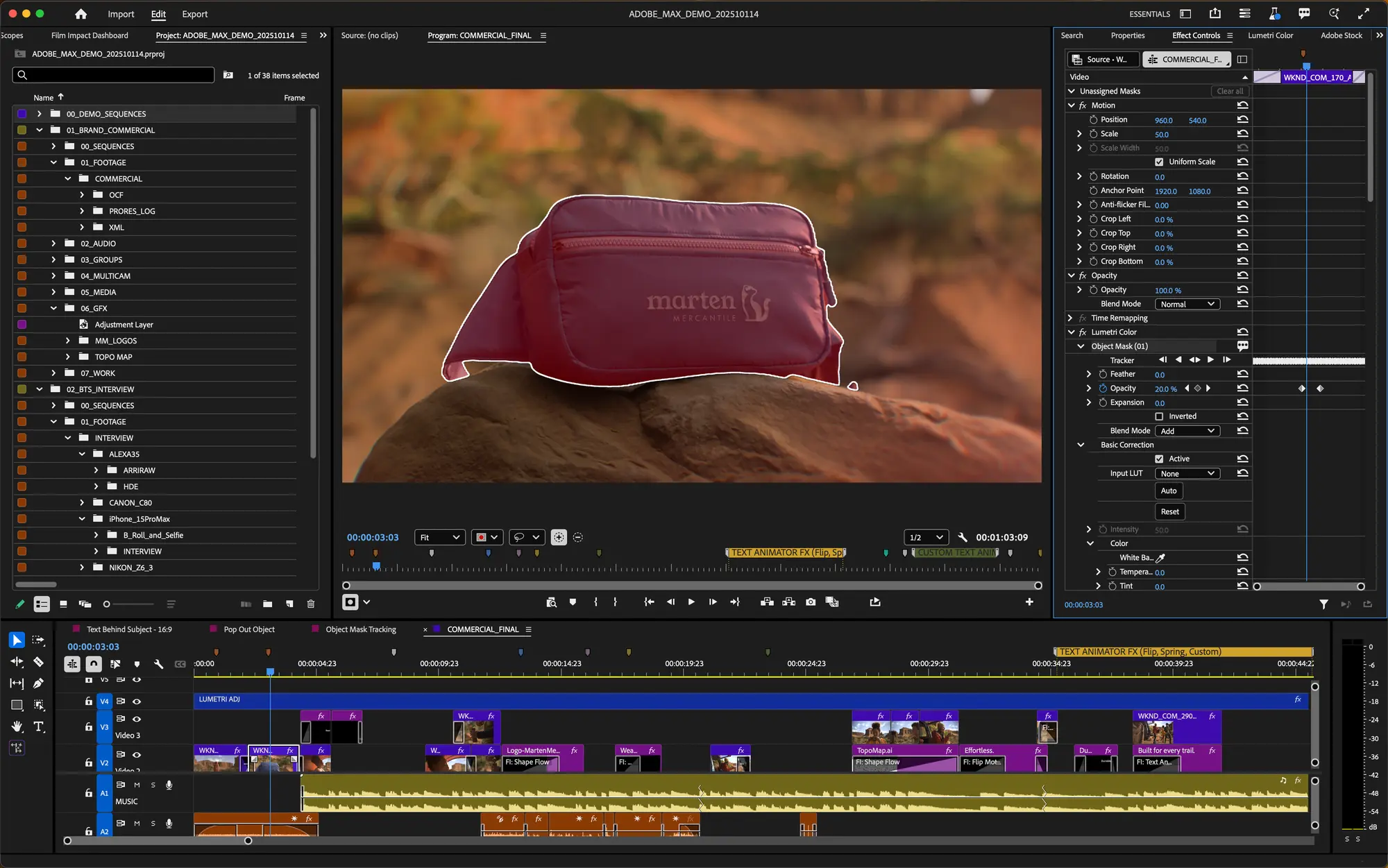
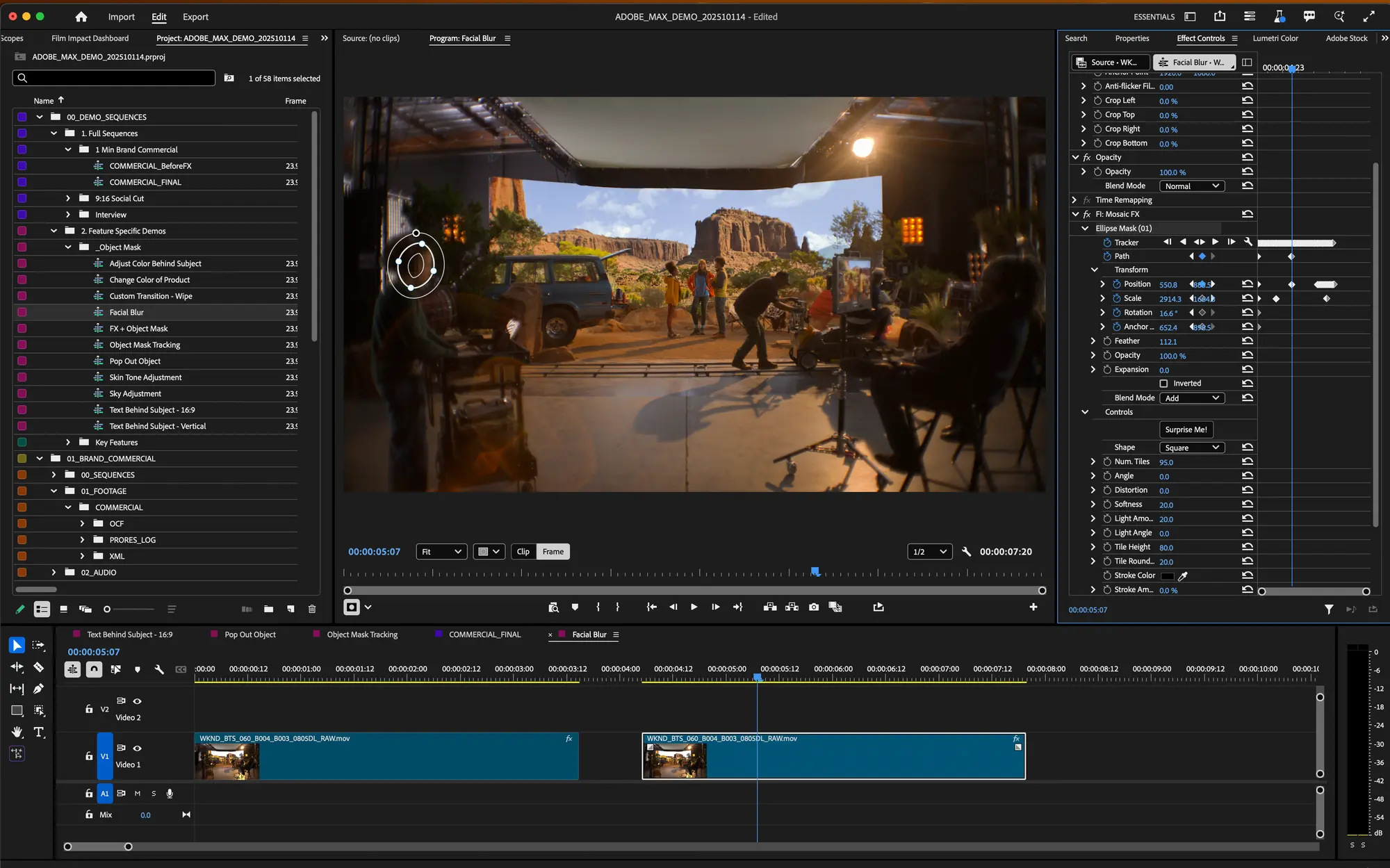
At the heart of the update is the new AI-powered 'Object Mask' tool, which transforms how editors isolate and track subjects in their footage.
Instead of tedious manual rotoscoping, users can simply hover over a person or object in the frame and click to generate a precise mask in seconds. Visual overlays highlight potential selections, snapping to the subject for accuracy, and built-in refinement options, like lasso or rectangular additions, subtractions, feathering, and expansion, allow quick tweaks if needed.
The tool, which was originally released in beta back in October 2025, relies on an on-device AI model that prioritizes privacy, avoiding the use of user data for training.
Objectively, the new Object Mask Tool in #Premiere (beta) is revolutionary. In just one click, Premiere identifies and tracks subject-matter in your footage, with the option to refine further yourself. The latest beta also features more efficiency gains like improved shape masks.… pic.twitter.com/MtHxez2DvK
— Adobe Video (@AdobeVideo) October 28, 2025
Once the Object Mask tool is applied, the mask tracks the subject smoothly across clips, supporting bi-directional tracking from any starting frame and even 3D perspective adjustments for elements like rotating screens or faces.
This makes it effortless to apply targeted effects, such as relighting a subject, blurring backgrounds, isolating color grades, or creating custom composites.
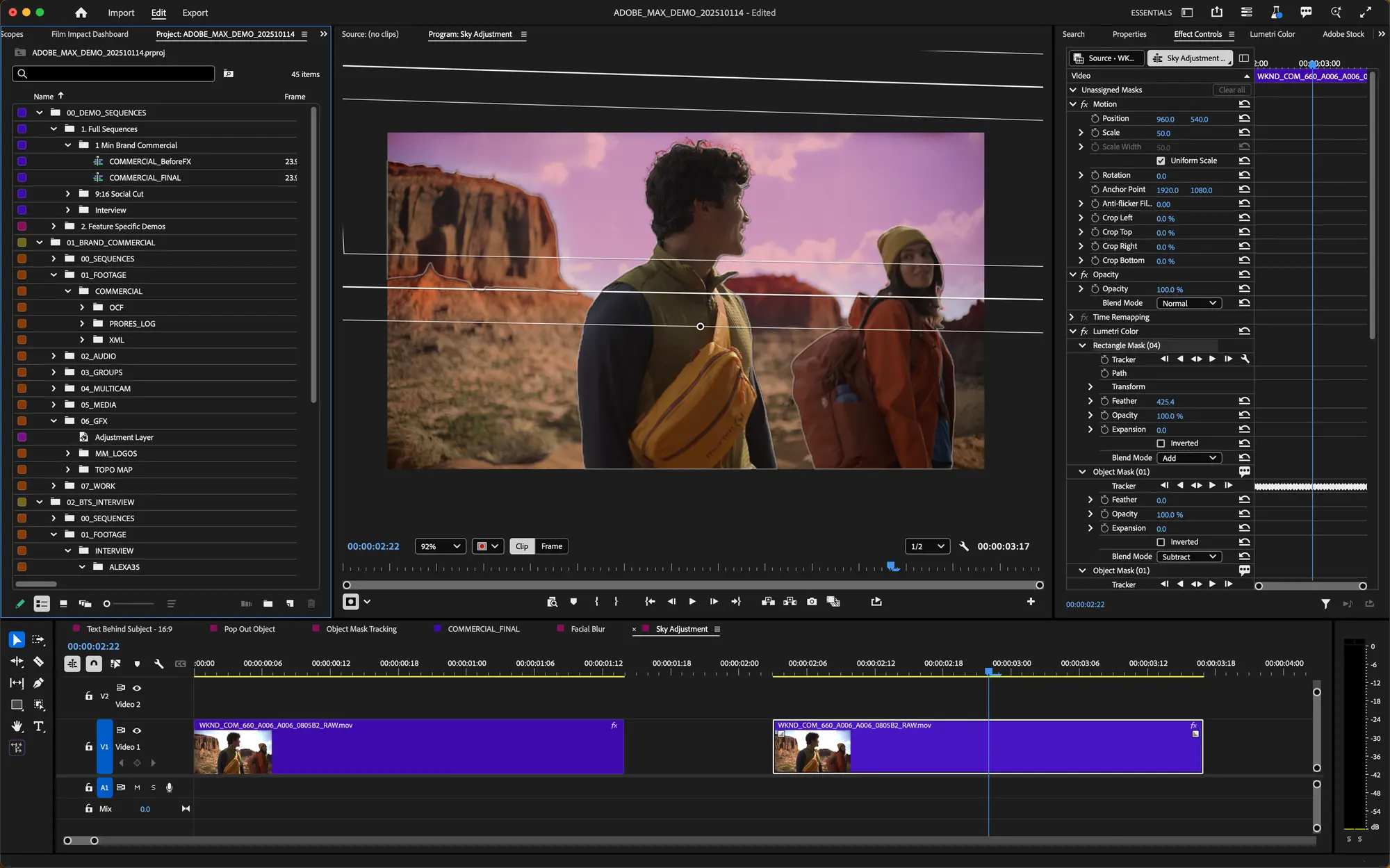
Complementing this is a complete redesign of Shape Masks, including Ellipse, Rectangle, and Pen tools now accessible directly from the toolbar.
These offer enhanced creative flexibility with improved Bezier curves, rotation, scaling, and blend modes for adding, subtracting, or mixing masked areas.
Tracking performance has surged up to 20 times faster than before, with live previews during playback and a new "Frame" editing mode that minimizes manual keyframe tweaks, often reducing dozens of adjustments to just a handful.
These advancements turn masking from a chore into a true creative asset, enabling editors to craft sophisticated looks without breaking their workflow.

Beyond masking, the update deepens integration across Adobe's ecosystem.
Firefly Boards, the AI-powered collaborative canvas for ideation and pre-production, now lets users import generated media, such as storyboards, b-roll fillers, or conceptual assets, directly into Premiere projects with a single click.
This bridges the gap between brainstorming and editing seamlessly.
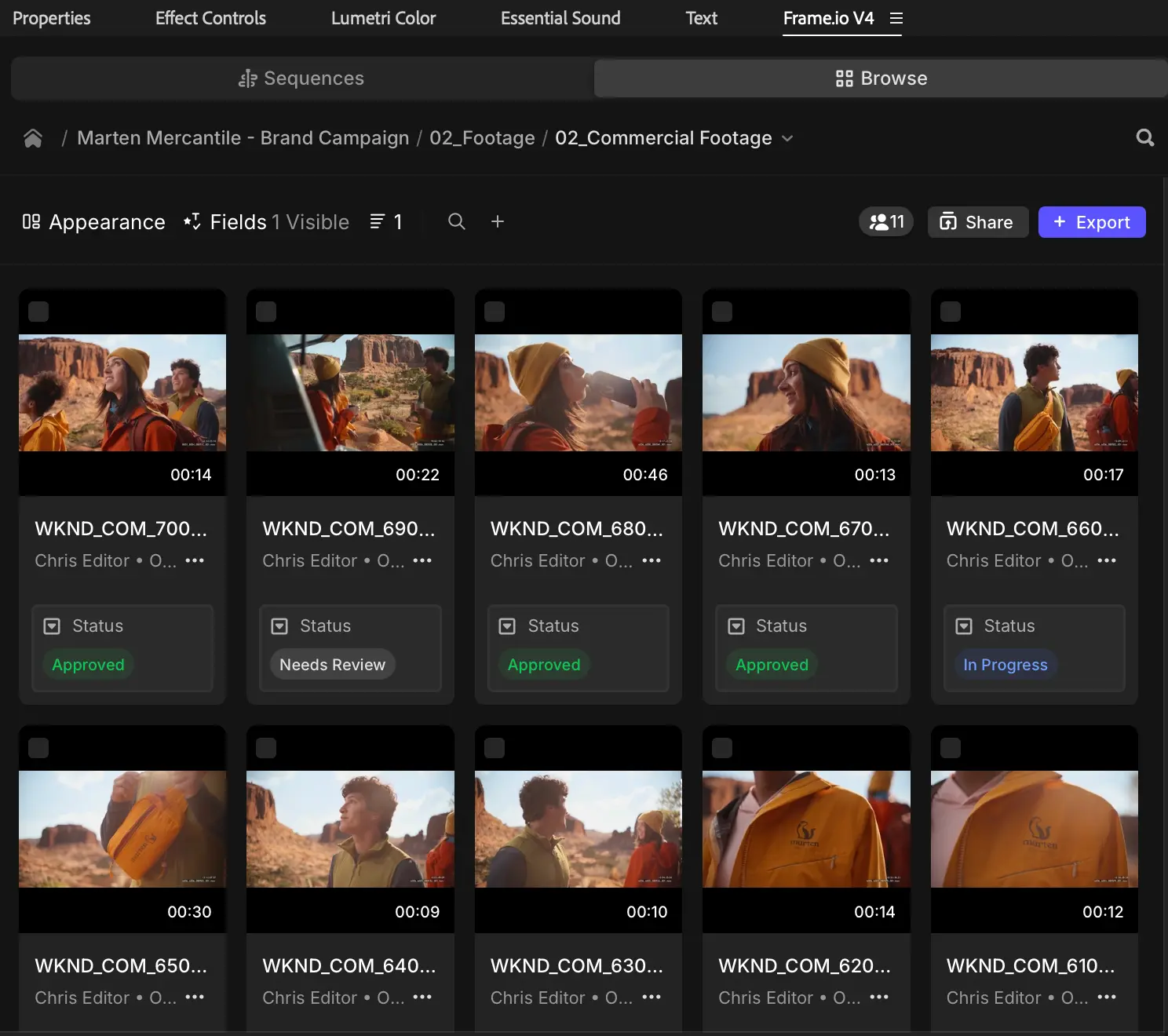
Collaboration also gets a boost with the integrated Frame.io V4 panel (currently in beta), which brings asset management, version stacking, timeline feedback, and real-time notes into the app without requiring external tools.
Adobe Stock integration provides instant access to over 52 million clips, including nearly 100,000 free options, for browsing, licensing, and importing right within the timeline.
In an era where AI permeates nearly every productivity tool, from writing assistants and image generators to automated social media schedulers, Adobe stands apart by embedding its intelligence directly into established professional pipelines rather than building standalone gimmicks.
While many AI video products focus on fully generative workflows or quick mobile edits, Premiere 26 prioritizes augmentation: speeding up repetitive steps like masking and tracking so creators retain full artistic control.
This approach aligns seamlessly with the broader Creative Cloud ecosystem, where Firefly Boards enable collaborative ideation and storyboarding before importing assets straight into the timeline with one click.
Frame.io V4 integration brings asset management, version control, and real-time feedback inside the app, and Adobe Stock offers instant access to millions of licensed clips. Meanwhile, the simultaneous After Effects 26 update adds native SVG support, parametric 3D meshes, Substance 3D materials, and advanced variable font animation, creating a cohesive environment for video and motion design.
While the focus here is on Premiere, the simultaneous update to After Effects 26.0 introduces major motion design upgrades, such as native SVG imports from Illustrator with preserved editability, new parametric 3D meshes for building custom shapes, access to thousands of Substance 3D materials, and enhanced variable font animation for dynamic typography.
These changes reinforce Adobe's ecosystem for creators working across video and motion graphics.
Timed with the 2026 Sundance Film Festival where a majority of premiering films rely on Creative Cloud, these tools reflect Adobe's ongoing commitment to empowering storytellers with faster, more intuitive methods.
Adone makes Premiere 26 available for Creative Cloud subscribers, inviting editors to update and explore how these innovations can accelerate their next project while keeping the focus firmly on the story.
Yet these tools aren't flawless.
Early user feedback and beta reports highlight occasional inaccuracies in complex scenes, such as crowded shots, rapid motion, or similar-toned objects, where the AI might misidentify subjects or lose track, requiring manual corrections that can eat into the promised time savings.
On-device processing, while privacy-focused, demands capable hardware; lower-spec machines may see slowdowns or reduced reliability.
Like many AI features, results can vary by footage quality, lighting, and subject complexity, meaning it's not a complete replacement for traditional rotoscoping in demanding professional work.

















































































































































































































































































