
Microsoft is quietly testing a series of behind-the-scenes improvements to Windows 11's File Explorer.
The goal is to make searches faster, and also less demanding on system resources. According to Windows Insider Preview Build 26220.7523 available in the Dev and Beta channels, Microsoft has introduced an optimization that reduces duplicate work during indexing, a change that should help lower RAM use and speed up search operations for many users.
File Explorer doesn't run its own independent search engine. Instead, it relies on the Windows Search Indexer, a system service that scans the system's drives, catalogs file metadata, and then answers queries quickly using that index.
Historically, this indexer has sometimes performed redundant tasks.
For example, when the same files are reachable through multiple logical paths, such as through symlinks, cloud placeholders like OneDrive, or removable drives, the indexer might scan the same content multiple times under different names. This duplicated work drives up CPU and disk activity and can transiently inflate memory usage.
And now, the change in the Insider build focuses on eliminating that duplicate file indexing operations.
In other words, the update makes File Explorer to stop scanning and indexing identical paths, the search process will skip duplicates and will rely on a single, consolidated index. What that means in practical terms is that the indexer now tries to detect and skip repeated scans of the same file objects, so Windows 11 won't waste time or memory reprocessing them.
By consolidating indexing work, the system can reduce extraneous disk reads, avoid spawning unnecessary background threads, and keep the memory footprint lower when large indexing jobs or wide search queries are in progress.
Eliminating this inefficiency not only reduces RAM consumption but also improves overall File Explorer responsiveness, especially when users are frequently searching across multiple folders and drives.
While the search feature really doesn't consume that much RAM, the fix should speed up the search process as File Explorer will now eliminate the duplicate file indexing operation.
This optimization might seem subtle, but it can have noticeable effects, especially on machines with limited RAM, slower storage, or extensive cloud sync activity.
On such systems, avoiding redundant indexer jobs can cut down on sudden spikes in RAM use and make Explorer feel more responsive when navigating or searching across large folders and multiple drives.
Alongside this indexing improvement, Microsoft's release notes also mention better handling of system and secondary drive locations in search operations.
These enhancements aim to make search results more reliable regardless of where users' files are stored.
The update is introduced after Microsoft has already addressed the issue of high resource use by preloading File Explorer in the background.
While the indexing deduplication does not fundamentally rewrite how search works under the hood, it addresses a long-standing inefficiency in the existing pipeline.
By cutting down on redundant work and freeing up system resources, users should notice quieter background activity, reduced RAM spikes, and snappier search results, particularly on larger systems or devices constrained by memory and storage.
At the moment, these changes are being tested in a controlled rollout for Windows Insiders who have enabled the "get the latest updates" setting in Windows Update. This means not all eligible testers will see the feature immediately.
In the meantime, Microsoft is collecting telemetry and user feedback before wider deployment. Once the experiments prove stable and beneficial, the optimization is expected to be enabled by default in future stable releases of Windows 11.
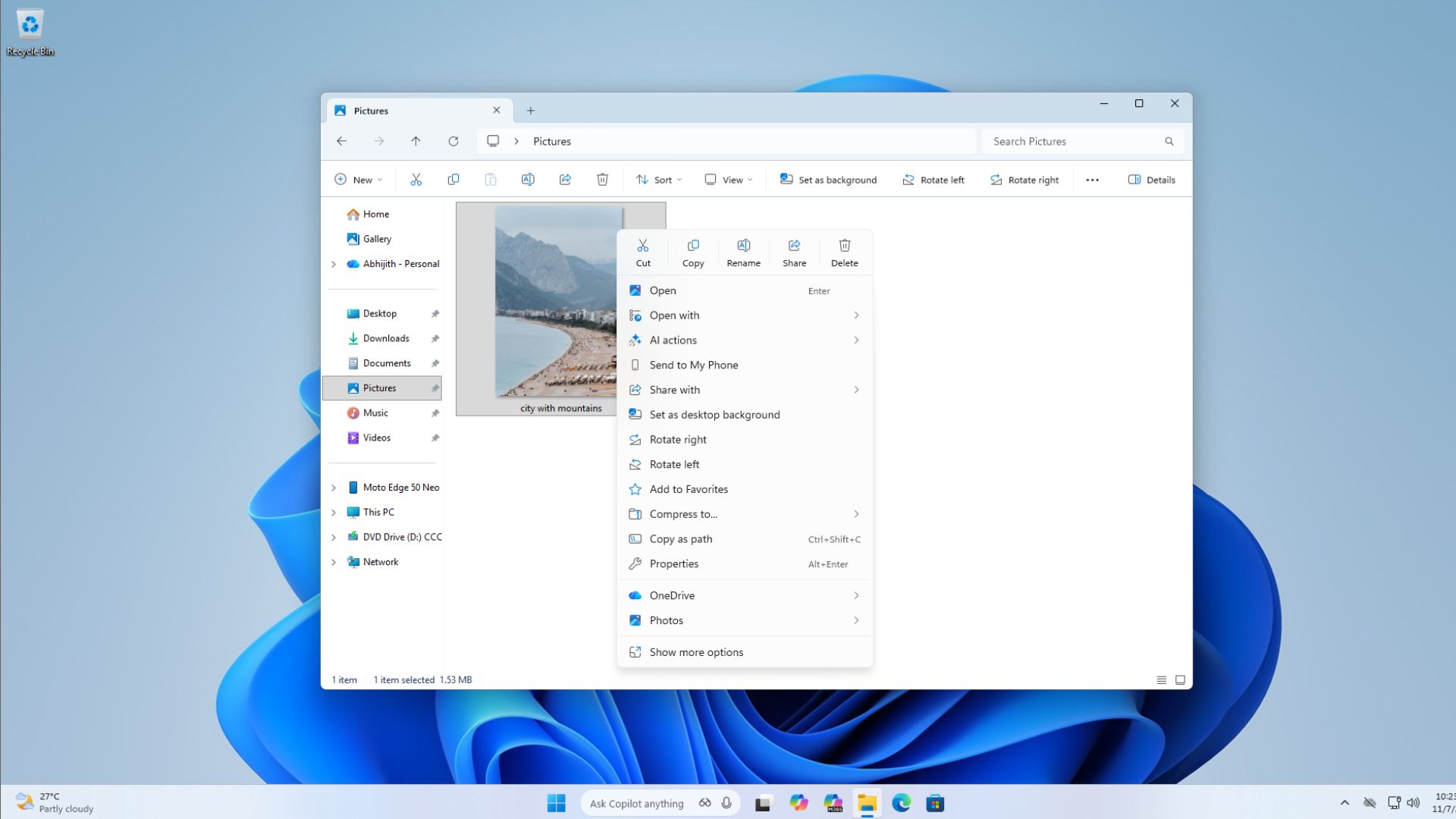
Microsoft is also reorganizing the File Explorer context menu to cut down on visual clutter.
Actions like 'Compress to,' 'Copy as path,' 'Rotate right,' 'Rotate left,' and 'Set as desktop background' are being moved out of the main menu and placed into a secondary submenu, which some users will see labeled as 'Manage file' and others as 'Other actions,' depending on their build.

















































































































































































































































































