
Blackmagic Design has released the public beta of 'DaVinci Resolve 21', marking a significant step in the software's evolution.
For years, Resolve has allowed users to import still images and treat them as clips on a video timeline, but the new dedicated Photo page, BlackDesign transforms this capability into a full-fledged photo management and editing environment. It is designed to handle large collections of images with tools for organization, rating, labeling, and batch processing, all while maintaining deep integration with the rest of Resolve's powerful post-production tools.
The Photo page supports a wide range of file formats, including common ones like JPEG and HEIC, as well as RAW files from major manufacturers such as Sony, Canon, Nikon, and Fujifilm.
This RAW support brings professional-level image processing directly into the application.
Introducing DaVinci Resolve 21! Major update adds hundreds of features including new AI tools such as IntelliSearch for fast content searching and CineFocus for focal point adjustment! Plus new motion graphic effects, Fairlight folder tracks and the Photo page for still images!… pic.twitter.com/CxzHgTVE5R
— Blackmagic Design (@Blackmagic_News) April 13, 2026
Users can import entire catalogs from Apple Photos or Adobe Lightroom, making the transition smoother for those looking to incorporate stills into existing video projects or explore Resolve as a primary photo workflow.
Albums created on the Photo page function much like collections in other software, and they also appear as accessible timelines in the Cut, Edit, and Color pages.
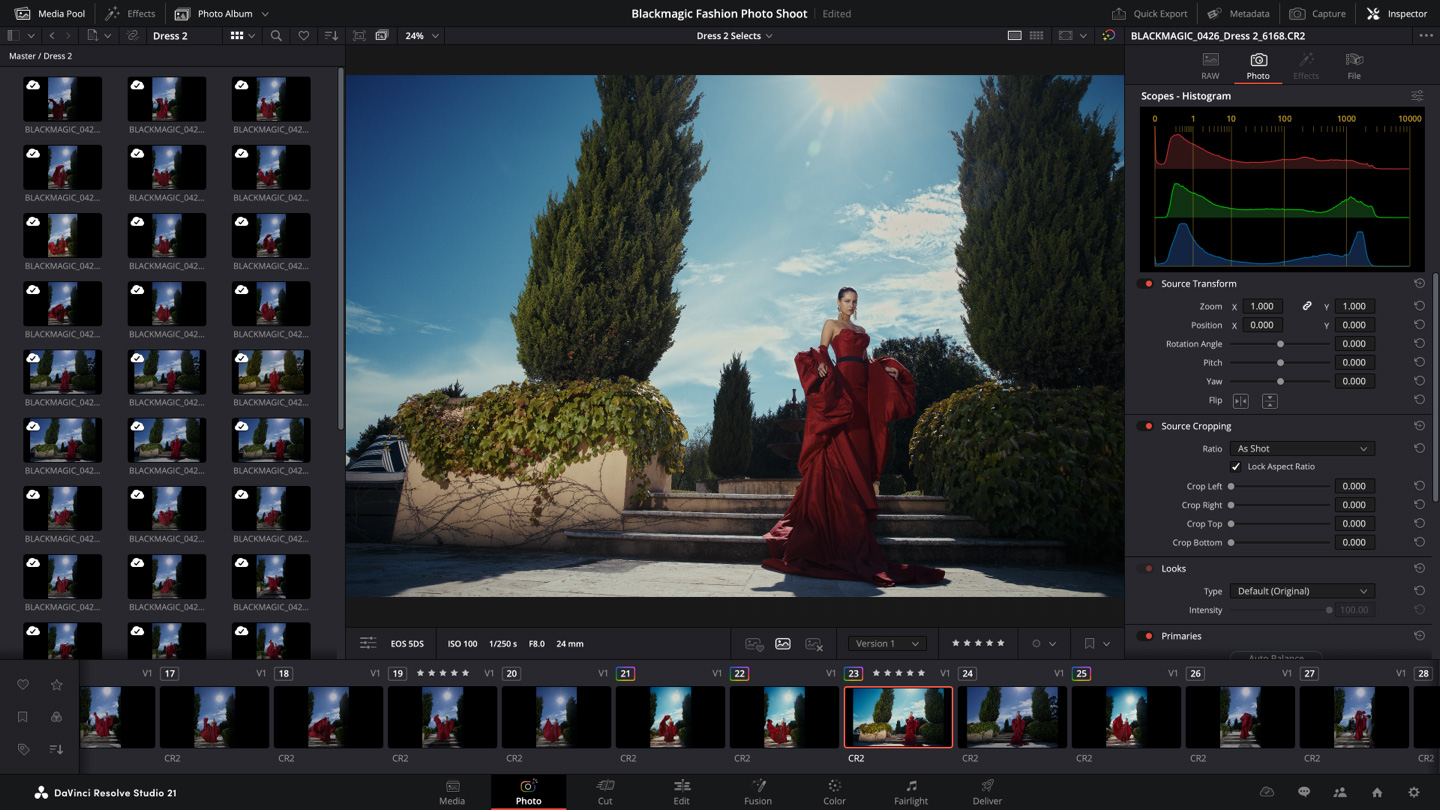
But what sets this new feature apart is its connection to Resolve's renowned node-based Color page.
Photographers and colorists can now apply primary corrections, curves, qualifiers, power windows, noise reduction, sharpening, and complex grading pipelines to still images using the same tools and logic applied to video footage. Nodes can be arranged in series or parallel, and shared nodes allow a single look or adjustment to be propagated across an entire album efficiently.
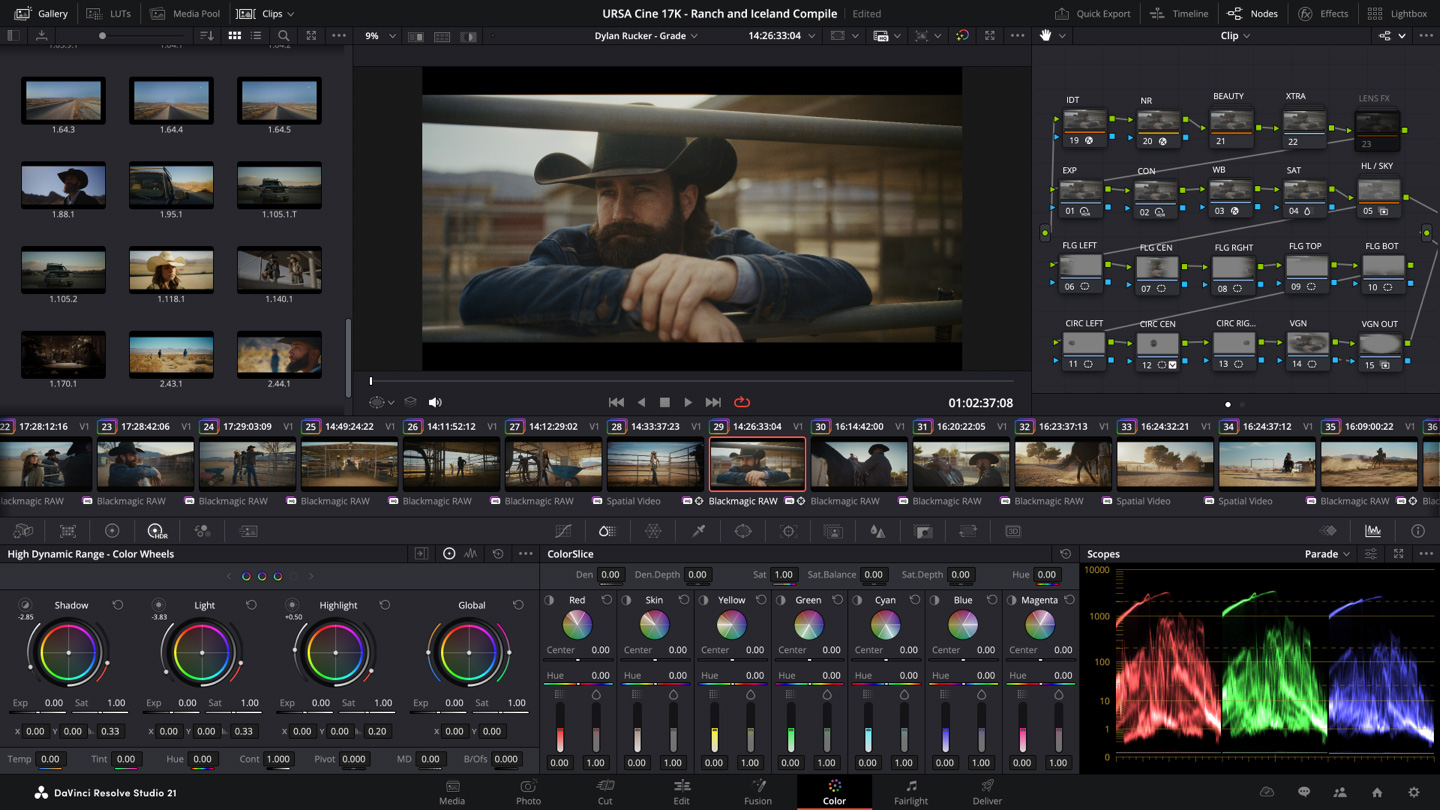
The LightBox view provides a live overview of the full collection, where selecting and grading one image updates the entire set in real time.
Users can filter images by ratings, flags, graded status, or other metadata, streamlining the review and adjustment process.
Additional practical features enhance the workflow for both photographers and hybrid creators.
Tethered shooting is supported for Canon and Sony cameras, offering live preview, direct capture into albums, and the ability to adjust camera settings like ISO, exposure, and white balance from within Resolve. Capture presets can be saved to maintain consistency during shoots.
When it comes time to output files, GPU-accelerated batch exports speed up the delivery of high-resolution images or conversions.
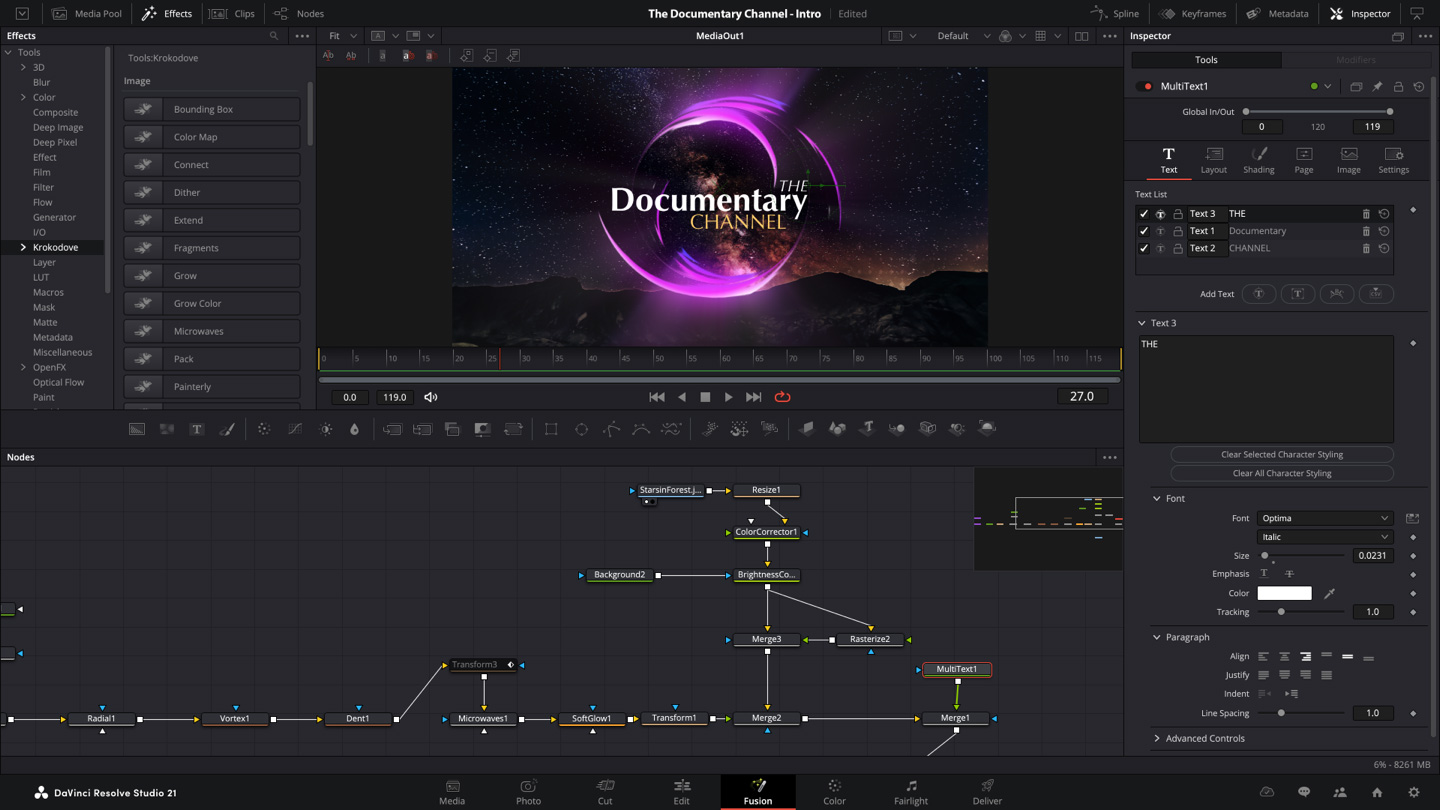
The Photo page also opens the door to Resolve’s other modules: images can be routed to the Fusion page for advanced compositing and effects, or enhanced with Resolve FX and OpenFX plugins, including AI-powered tools like Magic Mask for quick selections.
This expansion reflects a broader philosophy in Resolve's development: treating still and motion imagery within a unified environment.
Rather than maintaining separate applications for different media types, Blackmagic has consolidated tools so that a single project can seamlessly incorporate video, audio, motion graphics, and now still photography.
For colorists already comfortable with Resolve’s grading system, the Photo page extends familiar techniques to a new domain. Photographers accustomed to slider-based interfaces in tools like Lightroom may find the node system offers a more modular and precise way to build adjustments, though it represents a different creative approach that requires some adaptation.
Beyond the Photo page, DaVinci Resolve 21 includes numerous other enhancements.
New AI features for video include tools for facial refinement such as aging or reshaping subjects, along with IntelliSearch for intelligent content discovery and CineFocus for post-capture focal adjustments.
The Fusion page gains over 100 new motion graphics tools and effects, including the Krokodove toolkit, while Fairlight benefits from improved folder-based track organization for complex audio sessions. These updates continue Blackmagic’s pattern of steadily expanding the software’s capabilities across editing, visual effects, color, and audio.

The software continues to be offered in two tiers.
The free version includes core features of the Photo page and most of the new tools, while the paid Studio license unlocks higher resolutions, Blackmagic Cloud collaboration, and additional advanced options.
As a public beta, Resolve 21 is available now for macOS, Windows, and Linux users. Early impressions suggest the Photo page feels intuitive for those already familiar with Resolve, particularly in organizing images and applying consistent grades, though some traditional Lightroom users may initially miss certain specialized tools.
Overall, the introduction of dedicated photo capabilities in DaVinci Resolve 21 represents more than a simple feature addition. It positions the application as an increasingly comprehensive all-in-one post-production suite, reducing the need to switch between multiple programs for different media types.
Long story short, Resolve 21 is taking on Adobe Lightroom.
While it's far from being a proper image manipulator that compares to Adobe Photoshop, Resolve 21 has the tight integration with professional color tools and the absence of subscription requirements that can give it a noteworthy advantage for creators working across stills and video.




















































































































































































































































































