Chrome is one of the most famous web browser and also one of the most feature packed.
Using the web browser, users can save login credentials of the many websites they visit, fast and easy. The straightforward built-in password manager syncs between multiple signed-in devices, making things convenient.
But in some cases that users prefer to use dedicated password management apps which can do these things better, or if they want to move to another browser, or just because they don't like Chrome to save their credentials, because it's a Google product, they do have another option.
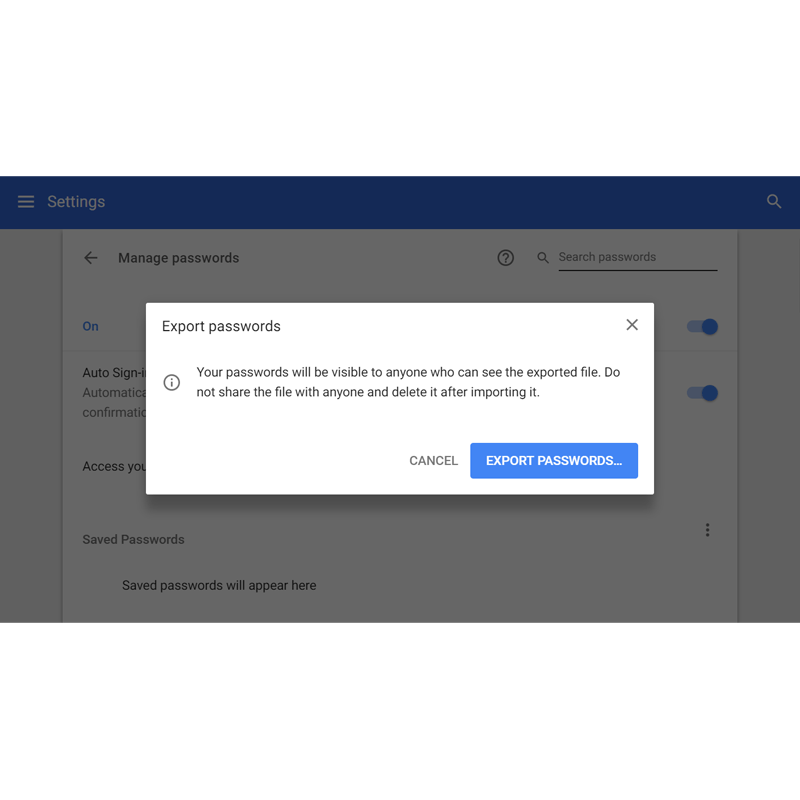
Starting Chrome version 64, Chrome allows users to export their passwords so they can easily import them into a different app.
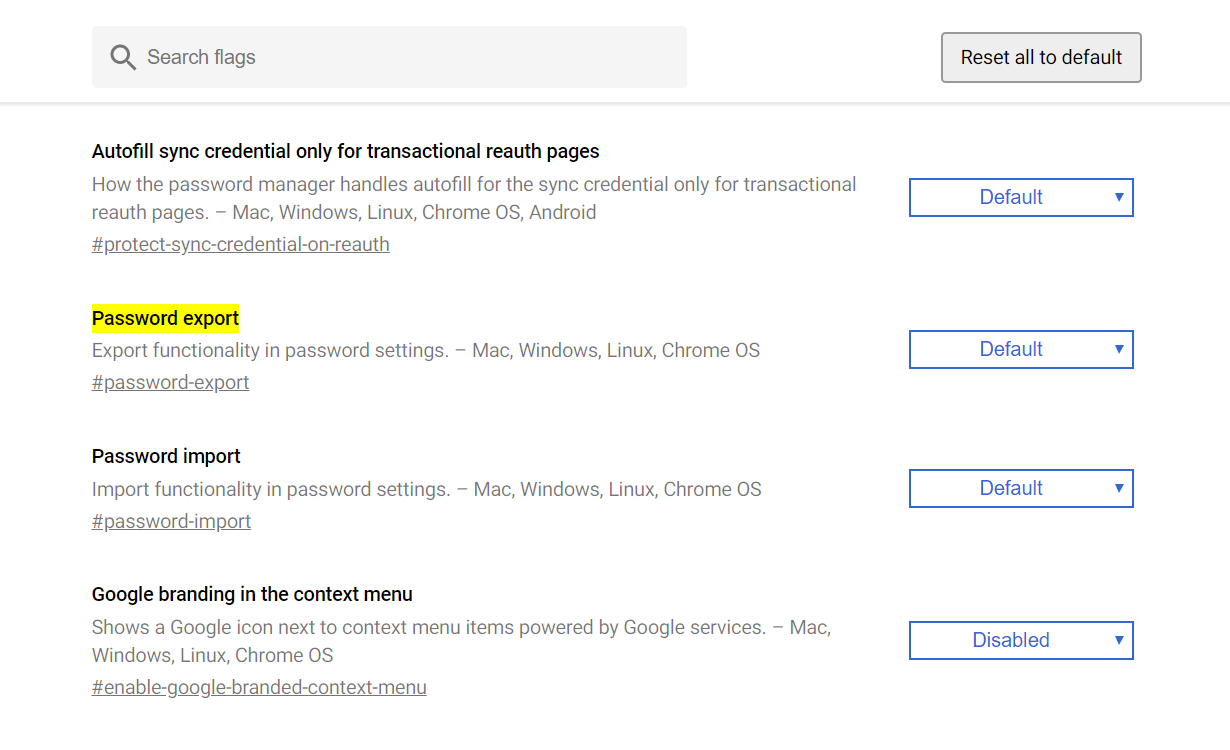
To do this, they need to enterchrome://flags/#password-export into the address bar, set the Password export feature to ‘Enabled,’ and then relaunch the browser.
After relaunching Chrome, they can head to 'Settings > Passwords and forms > Manage passwords'. Here they will find a three-dot menu alongside 'Saved passwords'. Choose this and click on 'Export'.
Chrome will then create a .csv file containing all login credentials saved on the browser.
A password manager is a great way to manage login credentials, saving them into one place for easy access.
Using one master password, the owner can unlock any information stored inside the database. Others who doesn't have the master password, won't be able to enter the database. They're also unable to see what's inside the database even if they have the access to the file due to encryption.
And because they can automatically generate and store passwords for new accounts the user creates, password managers negate the need to memorize odd strings of characters, or falling while logging in.
It's one solution to prevent unsafe habit of using the same password across several services.




















































































































































































































































































