Google has rolled out a set of new productivity-focused features in its Chrome browser.
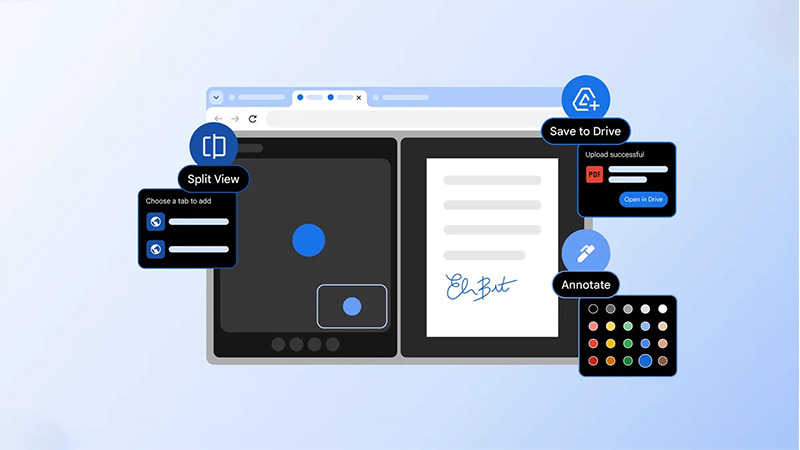
The idea is to make everyday browsing and document handling more efficient for users on desktop platforms like Windows, Mac, and Linux. These updates center on three main additions: a native split view for tabs, built-in PDF annotation tools, and a direct option to save PDFs to Google Drive.
In a blog post, Google said that:
Time to work smarter with our new features designed to help you make the most of your time & energy!
Leave yourself notes with PDF Annotations.
Open pages side-by-side in one tab with split view.
Stay organized by saving PDFs directly to Google Drive right from Chrome\ pic.twitter.com/gLB7Pwdy8I— Chrome (@googlechrome) February 19, 2026
First off, is the split view feature.
It allows users to display two tabs side by side within the same browser window, helping to reduce the constant switching between tabs that can slow down workflows. To activate it, users can right-click on a link or tab and select an option like "Open Link in Split View," which opens the content in a dual-pane layout below the address bar.
The panes can be resized by dragging the divider, and users have controls to separate, close, or reverse the views.
This setup proves particularly useful for tasks such as taking notes while watching a video, referencing documentation during coding, comparing information across pages, or keeping a meeting window alongside a document. The feature addresses a common multitasking need and brings Chrome in line with capabilities already present in some competing browsers.
Alongside this, Chrome's built-in PDF viewer has gained annotation support, enabling users to mark up documents directly without downloading them or switching to separate applications.
A scribble or squiggle icon in the toolbar opens tools for highlighting text, adding notes, drawing with a pen or highlighter in various colors and sizes, and using an eraser. These basic editing options make it easier to review reports, sign documents, highlight key sections in study materials, or add quick signatures. The annotations integrate seamlessly into the viewing experience, supporting faster feedback and collaboration on PDFs opened in the browser.
Complementing the annotation tools is a new "Save to Google Drive" button that appears near the download option in the PDF viewer. This allows users to upload the file directly to their Google Drive account, often placing it in a dedicated "Saved from Chrome" folder for easy access. It eliminates the extra steps of downloading locally and then uploading manually, streamlining workflows for those who rely on Google's cloud storage.
These enhancements, part of Chrome version 144 and 145 updates, are now widely available to users and reflect Google's ongoing efforts to turn the browser into a more capable productivity hub.
They cater to both professional and personal use cases, from work multitasking to quick document edits, helping people get more done without leaving the browser environment.






















































































































































































































































































