
In an era where generative AI is being used to craft near-perfect replicas of banking and corporate websites, the traditional advice to "look for typos" is no longer enough.
Phishing scams are one of the most persistent and evolving threats in the digital landscape, often relying on psychological manipulation to bypass even the most robust technical defenses. While modern password managers have long prevented autofill on suspicious sites, attackers have adapted by tricking users into manually copying and pasting their credentials.
This "manual override" by the user effectively bypasses the software's built-in protections, making the human element the weakest link in the security chain.
To combat this, 1Password has introduced a proactive warning system designed to intervene at the exact moment a mistake is about to happen.
Phishing is getting harder to spot. That’s why we’re adding a new layer of
protection to 1Password in the browser to help you stay safe from
sophisticated scams.
Learn more:
https://t.co/xxxxxxxxxx— 1Password (@1Password)
January 22, 2026
The new feature monitors the system clipboard and cross-references the destination URL with the user's stored data. If a user attempts to paste sensitive information into a site that doesn't match the authentic domain in their vault, a prominent warning appears to flag the discrepancy.
This strategic intervention forces a moment of reflection, disrupting the "autopilot" behavior that many scammers count on when they create a sense of false urgency.
However, no security measure is without its potential drawbacks or trade-offs.
One primary concern involves the "alert fatigue" common in digital security; if users encounter these warnings on legitimate sites, such as during a company-wide domain migration or while using a third-party login portal, they may begin to reflexively click through the prompts, eventually rendering the protection ineffective.
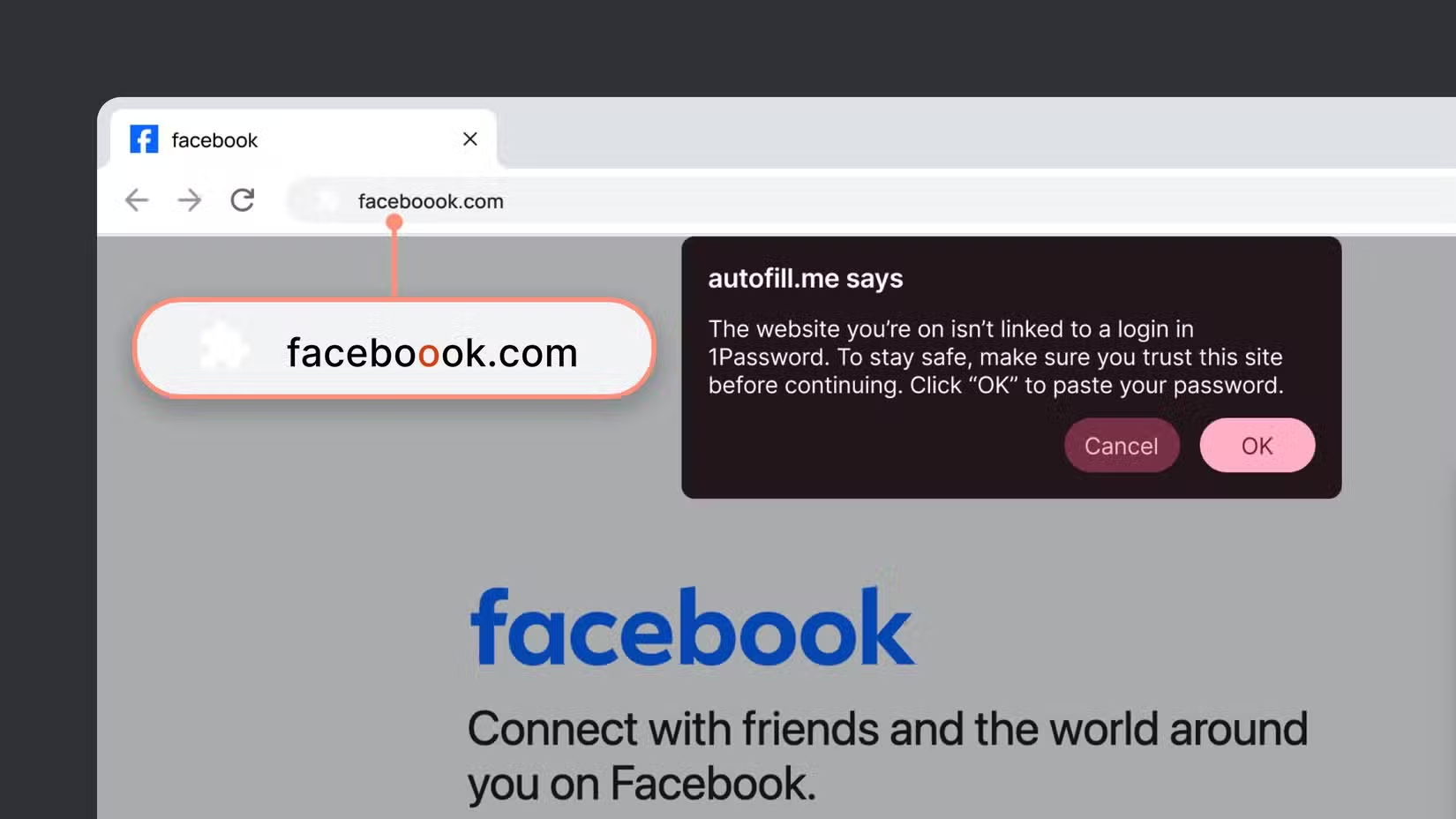
Additionally, while 1Password emphasizes a "privacy-by-design" approach where domain checking happens locally on the device, some privacy-conscious users may feel uneasy about a browser extension actively monitoring their clipboard activity and destination URLs.
There is also the inherent limitation that this tool is a "speed bump" rather than a hard block; it can warn a user, but it cannot physically stop them from proceeding if they are convinced the site is legitimate.
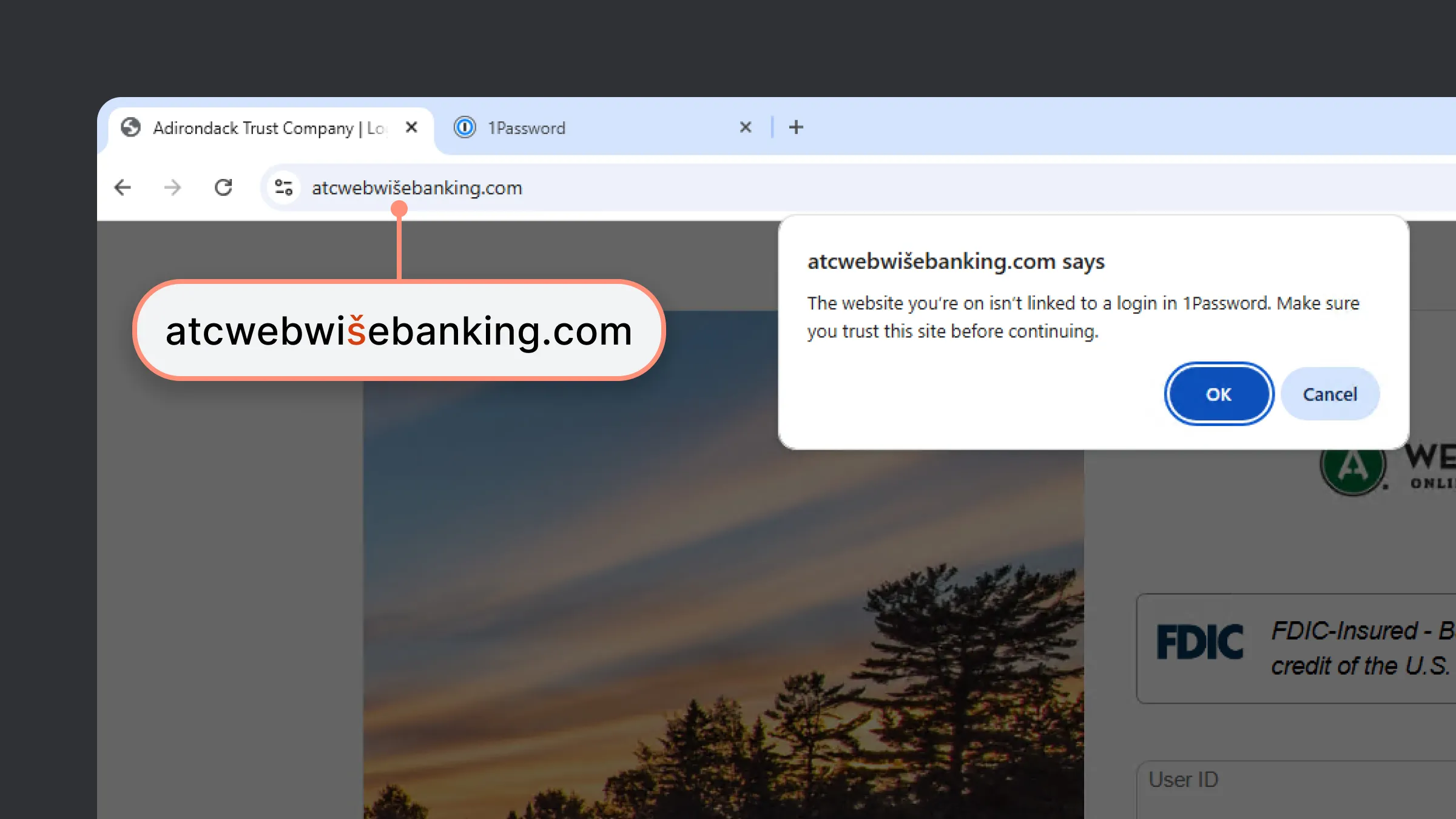
Furthermore, it is important to note that even the most advanced password manager protections cannot defend against every attack vector.
If a user’s local device is already compromised by malware, such as a keylogger or a clipboard hijacker, the credentials could be intercepted before the 1Password warning even has a chance to trigger.
Similarly, while this feature protects the transfer of credentials, it doesn't solve the underlying vulnerability of passwords themselves: a reality that has led the industry toward passkeys, which are inherently phishing-resistant.
For now, this update serves as a vital bridge, providing a necessary safety net for the billions of accounts that still rely on traditional, vulnerable credentials.

















































































































































































































































































