
In an expected but bold move to bring AI video generation to the masses, Microsoft introduces a big update to Bing.
In the advent of large language models that advance far beyond just text generation, what started as an arms race following the introduction of ChatGPT by OpenAI, Microsoft has entered the warzone with its own AI products.
Whereas Google has launched Veo 3, Microsoft is catching up fast with 'Bing Video Creator.'
But unlike Google and others, Microsoft utilizes its close partnership with OpenAI, and created the text-to-video AI tool using OpenAI’s powerful Sora model.
Microsoft, a longtime OpenAI partner, is embedding this exclusive access within the Bing app, giving users a hands-on taste of the next wave in generative AI.
This marks the first time Sora, previously available only to paying OpenAI users, is being offered to the public for free.
With this release, Microsoft is not just flexing its partnership with OpenAI—it’s offering a sneak peek into how AI video tools might soon shape digital storytelling, advertising, and social media content creation.
At launch, Bing Video Creator is available exclusively on mobile and currently supports vertical videos in a 9:16 format—clearly designed with social media platforms like TikTok and Instagram in mind.
Horizontal formats are expected to roll out soon.
While users can use Bing Video Creator for free, there are some limitations.
For starters, each video is capped at just 5 seconds in length. Users can only queue up to three generations at a time.
Anyone logged into a Microsoft account can generate up to 10 videos at no cost at all. But after that, each additional video requires 100 Microsoft Rewards points, which can be earned by searching with Bing (5 points per PC search, up to 150 per day) or shopping through the Microsoft Store.
Regardless of these limitations, the word "free" and "Sora" should be more than enough to get a good start.
Not only that, because th e tool also has a 'fast' mode that promises quick turnaround, despite users may still experience waiting times stretching into hours.
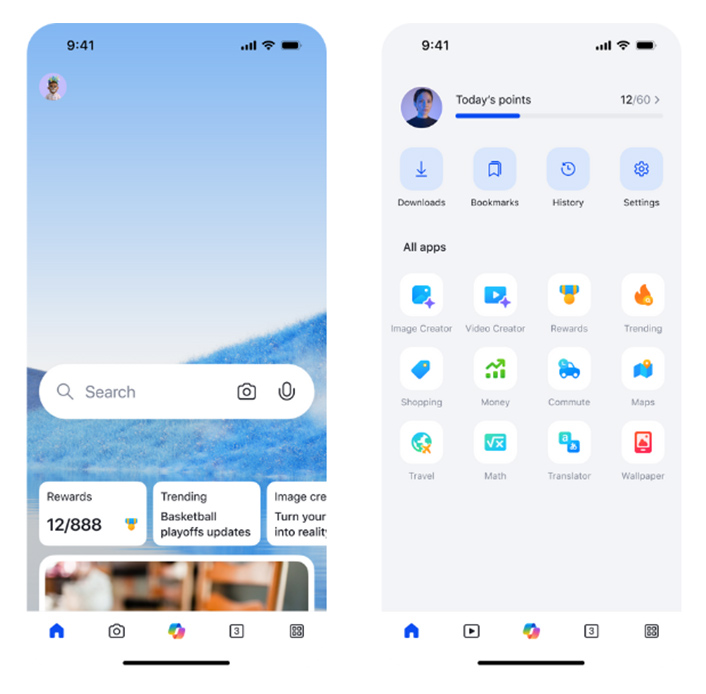
When using Bing Video Creator, Microsoft suggests users to be descriptive with their prompts for achieving the best results.
Instead of a vague phrase like “a person walking,” a more detailed prompt such as “a young woman in a red coat walking through a snowy forest at sunrise” allows the AI to generate richer, more accurate visuals. Including specifics like camera angles and lighting further enhances the output.
Microsoft also said that users better incorporate action-oriented and scene-setting language helps the AI capture motion and intent more effectively. Verbs like “dancing,” “exploring,” or “transforming” bring dynamism to the generated videos, while adjectives such as “cinematic,” “sunny,” or “dreamy” help establish the desired mood and atmosphere.
And lastly, users can experimenting with tone and style can dramatically influence the aesthetic of the video. Adding prompt modifiers like “in the style of a movie trailer” for a cinematic look, or “animated like a cartoon” for a playful feel, allows users to customize the overall vibe and create videos that align closely with their creative vision.






















































































































































































































































































