Microsoft is preparing to retire one of its most beloved mobile utilities, Microsoft Lens, signaling the end of a run for the simple yet highly effective document scanning app.
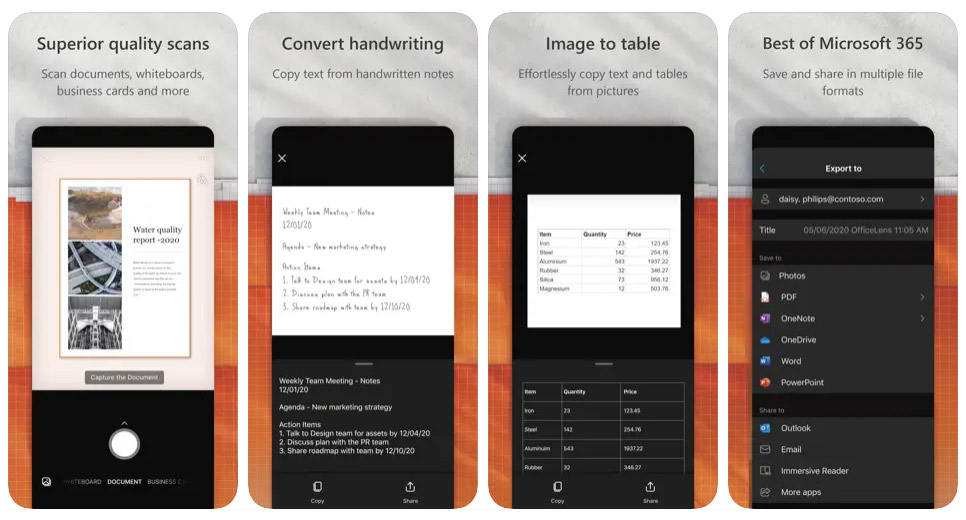
Launched in 2015 under its original name, Office Lens, and later rebranded in 2021, the app began life as a tool for Windows Phone users before expanding to iOS and Android. Over the years, it became a favorite among those who valued a no-nonsense solution for capturing and digitizing paper documents, business cards, receipts, handwritten notes, and even whiteboard scribbles.
Unlike many of its competitors, Lens never hid features behind a paywall or pushed users into subscriptions.
The tool performed its job very well, without fanfare, turning real-world text and images into neatly formatted PDF, Word, PowerPoint, Excel, or image files, while also offering useful filters to enhance readability, improve contrast, and create clean black-and-white versions of scans.
For convenience, users could also save their captures directly to Microsoft apps, other cloud services, or their phone’s camera roll, making the also experience quick and seamless.
Despite its steady popularity, with data from Appfigures showing 322,000 downloads across iOS and Android in the past 30 days and more than 92 million installs since 2017, Microsoft has decided to sunset Lens in favor of integrating scanning into its Microsoft 365 Copilot app.
The company said that the phase-out process shall start on September 15, 2025, when the app will stop receiving new installs.
By November 15, Lens will be removed entirely from both the Apple App Store and Google Play. Those who already have it installed can continue scanning until December 15, 2025.
After that date, no new scans will be possible, although existing ones will remain accessible in the app’s “MyScans” folder as long as the app stays installed on the device. Scans stored on OneDrive will still be available through the “MyCreations” section of the Copilot app.
The move marks yet another instance of Microsoft consolidating standalone tools into its AI-driven platforms.
While Copilot offers a scanning function, it lacks several of Lens’s hallmark capabilities, such as saving scans directly to OneNote, Word, or PowerPoint, importing business card scans into OneNote, and supporting accessibility features like read-aloud and Immersive Reader. Microsoft has suggested that more features shall be added to Copilot over time, but for now, power users of Lens will notice the gap.
The company’s decision follows a broader trend of trimming its app portfolio; in recent years, it has announced the end of Paint 3D, planned the discontinuation of Microsoft Publisher, and removed the password autofill feature from Microsoft Authenticator.
For long-time users, the retirement of Lens is bittersweet.
It was an app that embodied simplicity and reliability in a tech landscape increasingly dominated by all-in-one platforms and AI-powered assistants. While Copilot may eventually absorb much of Lens’s functionality, the loss of a focused, fuss-free tool will be felt by those who appreciated having an app that did one thing, and did it exceptionally well.
This transition reflects Microsoft’s broader strategic pivot toward embedding artificial intelligence into nearly every corner of its product ecosystem.
The company has made Copilot the centerpiece of this effort, positioning it not just as an AI chatbot, but as a universal productivity companion capable of handling tasks across Microsoft 365, Windows, Edge, and even within developer tools like GitHub.
By folding Lens’s scanning capabilities into Copilot, Microsoft is streamlining its app portfolio while encouraging users to live inside a single AI-powered environment.
The vision is clear: rather than having multiple standalone apps for specific tasks, Microsoft wants users to rely on Copilot as a central hub where scanning, document creation, research, communication, and automation converge under the guidance of generative AI.

















































































































































































































































































