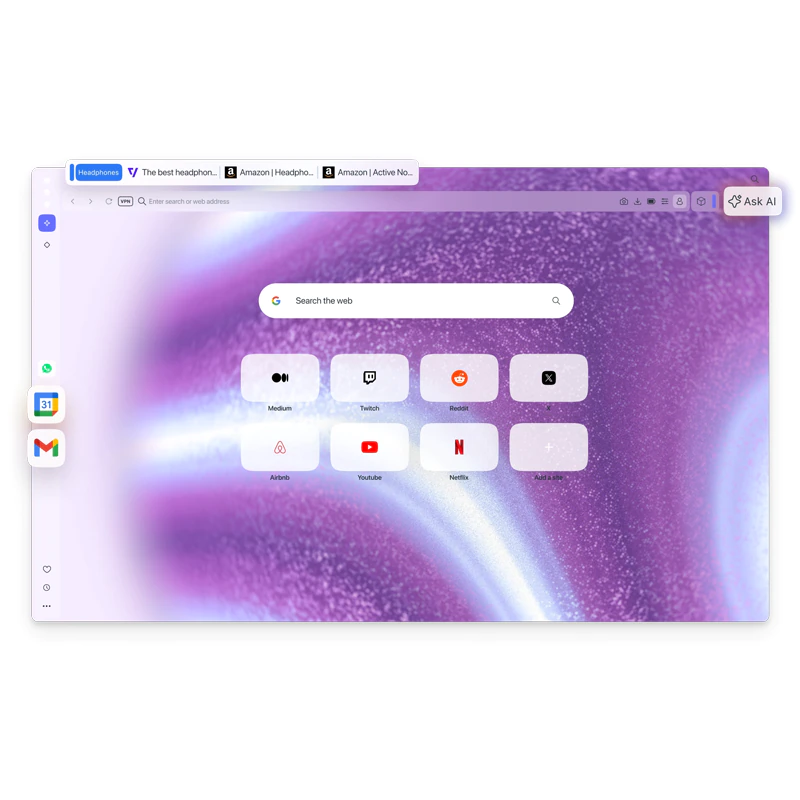
Opera continues to double down on what makes it different, and now, Opera One feel less like a chase for market dominance and more like a refinement of its own identity.
What happens here is that, Opera is releasing updates to Opera One refine how people actually use a browser day to day, and the recent push around its sidebar and Split Screen features makes that direction clearer. Instead of introducing entirely new concepts, Opera is expanding existing ones, particularly multitasking and built-in tools, into something closer to a contained workspace than a traditional browser.
The most visible change is the expansion of Split Screen.
What used to be a two-tab feature now supports up to four tabs at once, arranged in vertical, horizontal, or grid layouts depending on screen size and preference.
This effectively turns a single browser window into a multi-panel environment, where comparison, research, and writing can happen simultaneously without constant tab switching. The interface has also been simplified to keep things manageable, with a single shared address bar controlling all split tabs, which reduces visual clutter while maintaining access to each page.
Opera One expands with upgraded sidebar features & Split Screen
Here’s what’s new:
• Gemini in the sidebar
• Google Translate one click away
• Split Screen x 4
Start faster, with everything you need in one place. pic.twitter.com/qQFfMhshBu— Opera (@opera) March 25, 2026
Alongside this, the sidebar is being expanded in a way that reflects how people already use web services.
Opera has integrated more Google services directly into it, including Gmail and Google Calendar, allowing users to access them without opening separate tabs. More recently, as highlighted in Opera's own social posts, this integration extends further with support for Gemini in the sidebar, placing Google’s AI assistant alongside these tools.
The idea is less about adding another chatbot and more about embedding AI into the browsing flow, where it can interact with what’s already on screen.
The same applies to translation.
Instead of relying on external pages or extensions, Opera now includes a built-in translator that can be triggered directly from the interface, effectively putting Google Translate–style functionality one click away.
Combined with the sidebar integrations, this reduces the need to leave the current page or context, which seems to be a recurring theme across the update.
There’s also a broader shift in how AI is being handled inside the browser.
Opera’s updated system is designed to be context-aware, meaning it can respond based on the active tab or grouped tabs (what Opera calls “Tab Islands”), rather than treating each query in isolation. With Gemini now part of the sidebar ecosystem, this creates an environment where AI assistance is less of a separate destination and more of a layer on top of browsing.
Opera One with Gemini in the sidebar pic.twitter.com/YIj1QHi4qM
— Opera (@opera) March 25, 2026
What stands out is that Opera, the underdog of web browsers, isn’t trying to compete directly with the likes of Google Chrome or other dominant players on their terms.
Instead, it’s leaning into a different approach, like treating the browser as a central workspace where tools, communication, and browsing coexist. Features like Split Screen x4, embedded AI, and one-click translation aren’t positioned as headline-grabbing innovations on their own, but as incremental steps toward reducing friction in everyday tasks.
In a space where most browsers are converging around similar foundations, Opera’s updates feel more like a divergence in philosophy than a race for feature parity.
The focus isn't necessarily on being the fastest or the most widely used, but on rethinking how much of a user's workflow can realistically happen inside a single browser window.






















































































































































































































































































