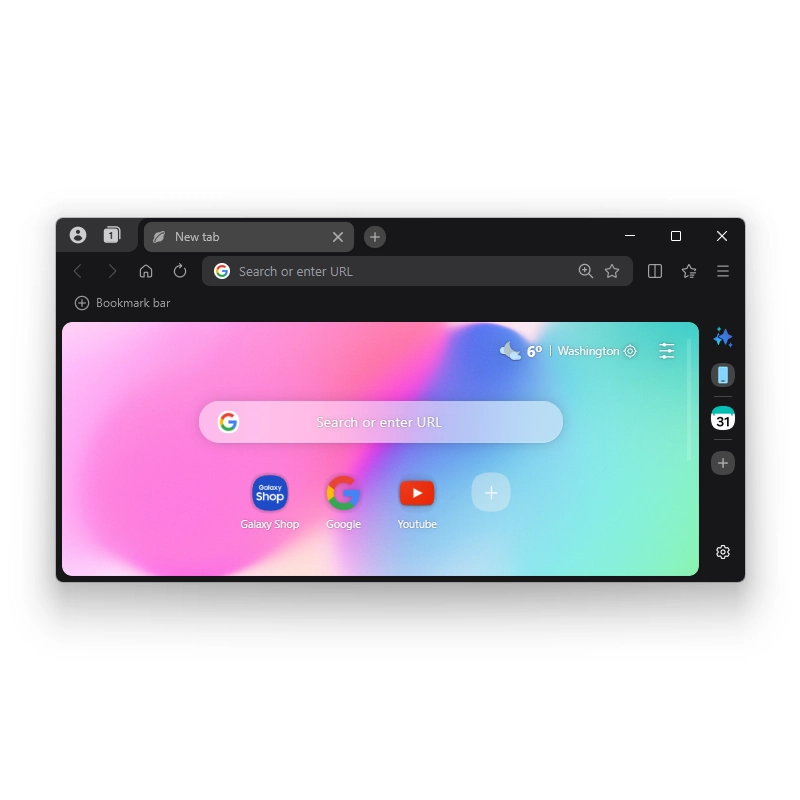
Samsung has officially released its browser for Windows PCs.
What marks as a significant expansion beyond its longstanding availability on Galaxy smartphones and tablets, at its core, the PC version of Samsung Browser is built on the Chromium engine, ensuring broad compatibility with modern websites while incorporating features tailored for users already invested in the Samsung ecosystem.
Signing in with a Samsung account enables synchronization of bookmarks, browsing history, and open tabs across devices.
One particularly useful continuity element allows users to pick up a webpage exactly where they left off on a Galaxy phone or tablet, including the precise scroll position, rather than simply reopening a link.
Tabs can also be sent between mobile and desktop, and the integration extends to Samsung Pass, which securely stores and autofills login credentials, addresses, and payment information across platforms.
On the PC side, this requires installing Samsung Continuity Service or the Galaxy Connect app, currently optimized for certain Galaxy Book models like the Book3 through Book6 series, with broader device support planned for the future.
The most prominent new addition is an agentic AI assistant developed in partnership with Perplexity.
Accessed via a sidebar interface, this tool goes beyond basic queries by understanding the context of the current webpage, content from multiple open tabs, and even elements of the user’s browsing history. Users can ask natural language questions and receive responses that draw directly from the viewed material.
For example, users can request a structured travel itinerary based on details from an open page about a destination like Seoul.
The AI can summarize lengthy articles, compare information such as product specifications across different tabs, translate selected text, or generate notes that integrate with Samsung Notes.
It also demonstrates an ability to analyze video content on supported pages, identifying specific moments mentioned in a query and jumping directly to those timestamps for playback.
Additionally, users can search their browsing history conversationally, describing past sessions in plain language instead of manually scrolling through lists.
During launch, the AI capabilities are launched for users in the U.S. and South Korea only, with Samsung indicating that expansion to additional markets will follow in due course.
The features require an active internet connection and a Samsung account, and performance can vary depending on region, language, and query complexity. While the AI aims to handle more proactive, context-aware tasks—sometimes referred to as agentic behavior—it stops short of fully autonomous actions outside the browser environment.
In terms of everyday interface and performance, the browser presents a relatively clean home screen that avoids the news feeds or promotional clutter found in some competing Chromium-based options.
It includes a built-in ad blocker that helps reduce distractions and improve loading times, along with support for dark mode.
Early impressions from the beta period described the experience as smooth and comparatively light on system resources, though individual results depend on hardware configuration and the number of open tabs.
Standard browser functions such as tab management, extensions (via the Chromium framework), and private browsing mode are all present, maintaining familiarity for users transitioning from Chrome or Edge.
Samsung Browser does not currently support macOS or Linux, limiting its appeal to Windows users. Autofill and certain Samsung Pass functions may also vary by country due to local regulations.
The overall design reflects an emphasis on connected experiences for those who already use Galaxy devices, allowing browsing sessions to flow more naturally between phone, tablet, and PC without repeated manual setup.
For users outside the supported AI regions, the core browsing and synchronization features remain fully functional.
The release follows several months of beta testing that began in late 2025, initially in select markets before broadening.
With the stable rollout now complete, interested users can visit the official download page to try the browser themselves. While it competes in a space dominated by established players, its combination of cross-device continuity and context-aware AI offers a distinct option for those seeking tighter integration within the Samsung environment.
The stable version, now accessible worldwide for users running Windows 10 (version 1809 or later) or Windows 11, can be downloaded directly from Samsung’s official site at browser.samsung.com, where users simply run the installer to get started. No Microsoft Store exclusivity applies, making installation straightforward on compatible systems.




















































































































































































































































































