From its very beginning, DuckDuckGo was established as an alternative to the search engine model represented by Google, one centered on extensive user tracking and data collection to support targeted advertising.
Gabriel Weinberg launched the service in 2008 with an initial emphasis on delivering relevant results with fewer intrusions, and by 2010 the project had sharpened its focus on privacy by committing not to store individual search histories or build profiles for commercial purposes.
This foundation led to steady expansion over the years.
And more recently, DuckDuckGo reported increased interest in its browser following Google's broader push toward AI-powered search.
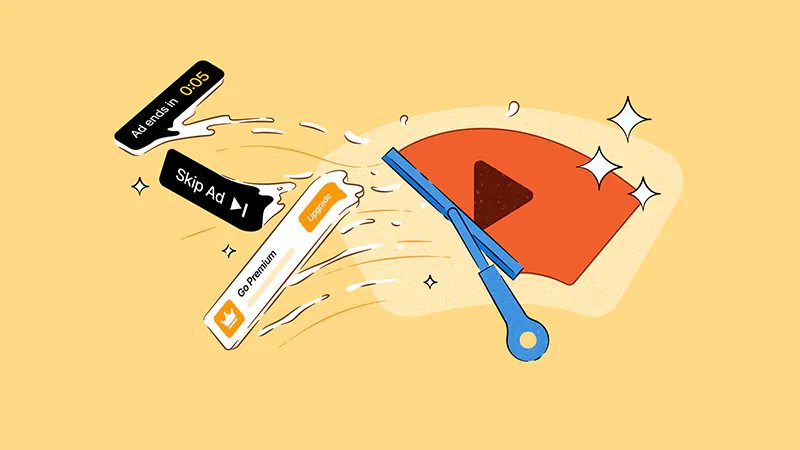
Building on that momentum, the company has introduced another feature aimed at distinguishing its browser: video advertisement blocking for YouTube.
The capability removes most advertisements that play before or during videos on the YouTube website by using community-maintained filter lists from projects such as uBlock Origin, with supplementary rules applied for improved compatibility.
🚨 New Feature Alert: YouTube Ad Blocking
Sick of ads interrupting your videos? Us, too. The DuckDuckGo browser now blocks most video ads, including on YouTube! On by default for iPhone, Windows and Mac. (Android users, opt in via Settings for now.)https://t.co/FCTBcYp8xA— DuckDuckGo (@DuckDuckGo) July 8, 2026
The change extends the browser's existing default protections.
Those already cover many tracker-driven web advertisements, automatic management of cookie consent notices on supported websites, and the sending of Global Privacy Control signals that request websites not to sell or share personal data.
DuckDuckGo also offers a separate built-in viewing option for YouTube content that applies stricter privacy settings to embedded videos.
The new advertisement blocking, however, works directly on the standard YouTube website and can operate alongside the browser's other privacy features.
Platform support differs during the initial rollout.
Video advertisement blocking is enabled by default in updated versions of the browser for iPhone, Windows, and Mac. Android users can activate the feature through the browser's settings under ad blocking controls, with DuckDuckGo planning to enable it by default in a future update. On mobile devices, the feature applies only when YouTube pages are opened within the DuckDuckGo browser, as it does not function inside the standalone YouTube application.
🚨 New Feature Alert: YouTube Ad Blocking
Sick of ads interrupting your videos? Us, too. The DuckDuckGo browser now blocks most video ads, including on YouTube! On by default for iPhone, Windows and Mac. (Android users, opt in via Settings for now.)https://t.co/FCTBcYp8xA— DuckDuckGo (@DuckDuckGo) July 8, 2026
YouTube has relied on video advertising as a core part of its business model for many years, with advertisements appearing before and throughout videos.
Google has consistently maintained that advertising supports creators while keeping most of YouTube's content available to viewers without requiring a subscription.
Browser-based advertisement blocking has become one option for users seeking fewer interruptions while continuing to watch videos on the platform.
DuckDuckGo's implementation relies on regularly updated community-maintained filter lists and, like similar blocking systems, may occasionally introduce a brief delay before playback begins as advertisements are filtered.
The setting can be enabled or disabled at any time through the browser's advertisement blocking preferences.
On desktop, an indicator near the address bar also provides quick access to toggle the feature while watching videos.
If a user disables advertisement blocking during playback, DuckDuckGo may optionally request anonymous feedback to help improve the feature over time.
Duck Tales 🎬 A behind-the-scenes look at DuckDuckGo
Ep.37: Our browser blocks invasive web ads, cookie pop-ups and now...most video ads, including on YouTube!
Full episode: https://t.co/GBfbKgikWi | 'Inside DuckDuckGo' on Spotify pic.twitter.com/c0yKJZfEPs— DuckDuckGo (@DuckDuckGo) July 8, 2026




















































































































































































































































































