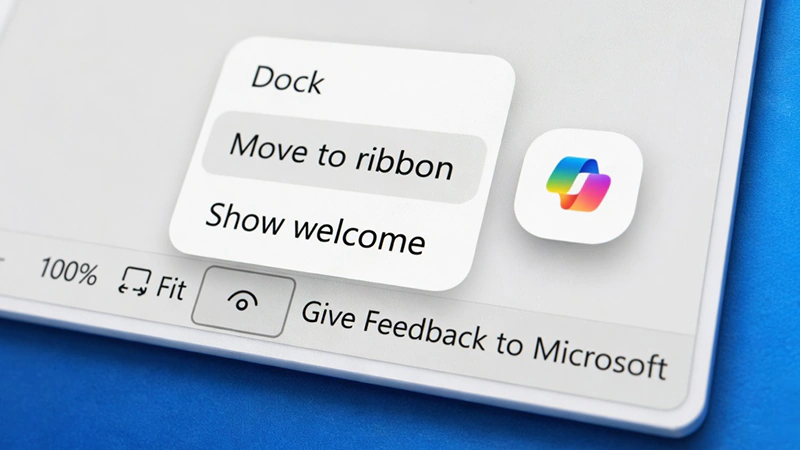
Microsoft has been trying to push Copilot deeper into more of its products.
And one of the more visible efforts involved adding a floating button for the AI assistant directly into Word, Excel, and PowerPoint. The button sat in the bottom right corner of the screen by default, designed as a constant prompt to encourage users to interact with the feature. Many people quickly found it intrusive, especially in Excel where it covered up cells and made everyday work feel cramped.
Complaints piled up fast, with users calling the always present icon disruptive and unnecessary for those who preferred accessing Copilot through the regular ribbon menu instead.
The company later admitted that forcing the floating button on everyone had been a misstep.
Even though internal data showed that engagement with Copilot increased because of the prominent placement, the backlash highlighted how much it got in the way of normal workflows.
Microsoft had intended the button to act like a helpful partner that appeared at the right moment rather than an interruption, but the execution clearly missed the mark for a large portion of the audience.
After listening to the feedback, the team decided to give users more control rather than keep the rigid approach.
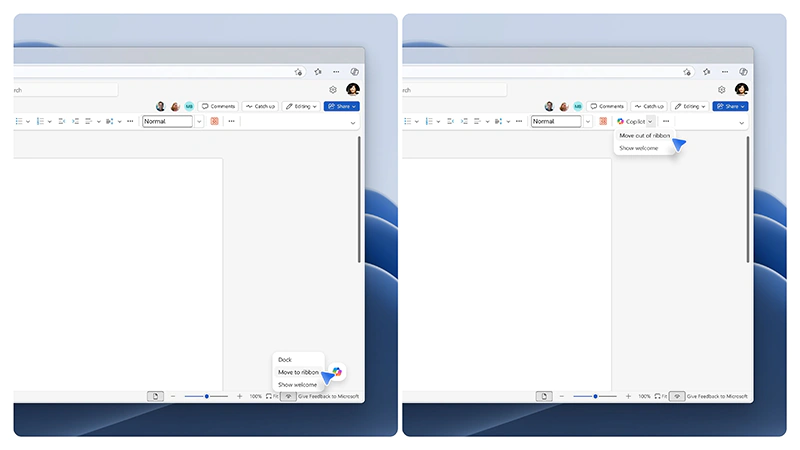
The latest update lets people right click the Copilot button to move it back to the ribbon at the top of the app or dock it neatly to the side of the window. Once docked, it now stays in place for the entire document session instead of bouncing back to the floating position every time someone uses it.
These changes started rolling out across Word, Excel, and PowerPoint on Windows, Mac, and the web in the final week of May 2026.
The adjustments apply whether users access the apps through the desktop versions or the browser based editions.
In a blog post announcing the roll back, Microsoft said that:
"As we continue to thoughtfully and intentionally shape how Copilot integrates with the tried-and-true workflows within Word, Excel and PowerPoint that you rely on, we’re listening, learning and improving as we go. To that end, we're already making a few updates based on feedback."
The move reflects a broader pattern with Copilot features where Microsoft experiments aggressively to boost adoption but then pulls back when the friction becomes too obvious.
For now, the floating button is no longer mandatory, which should ease some of the frustration that built up over the past months.




















































































































































































































































































