
Google's web browser Chrome 63 has promoted to the stable release channel. It comes with security fixes and improvements, especially for the enterprise audience, but not all is visible.
The biggest one, is the 'Site Isolation' feature. This forces Chrome to render content for each opened website in a separate process, isolated from other websites. This can be especially useful for enterprise IT administrators that deal with sensitive information.
Site isolation can be turned on for all websites, or for just a list of specific websites, like websites that users log in to, or sites that have sensitive information.
Initially at its release, Site Isolation is turned off by default. So one tab, one process, but they may share processes with each other and cross-site iframes may be rendered in the same process as their parent page. What this means, sometimes, due to some security flaws, malicious websites can enter the other data inside the browser which may grant hackers access to login credentials.
But with the feature turned on, Chrome will isolate the website, making it run in a Sandbox and the processes will be limited to that website solely. This way, it will make sure that a new process is started each time a new domain is visited.
So, even if a site bypasses the same-origin policy, this extra security will help stop the site from stealing data from another website.
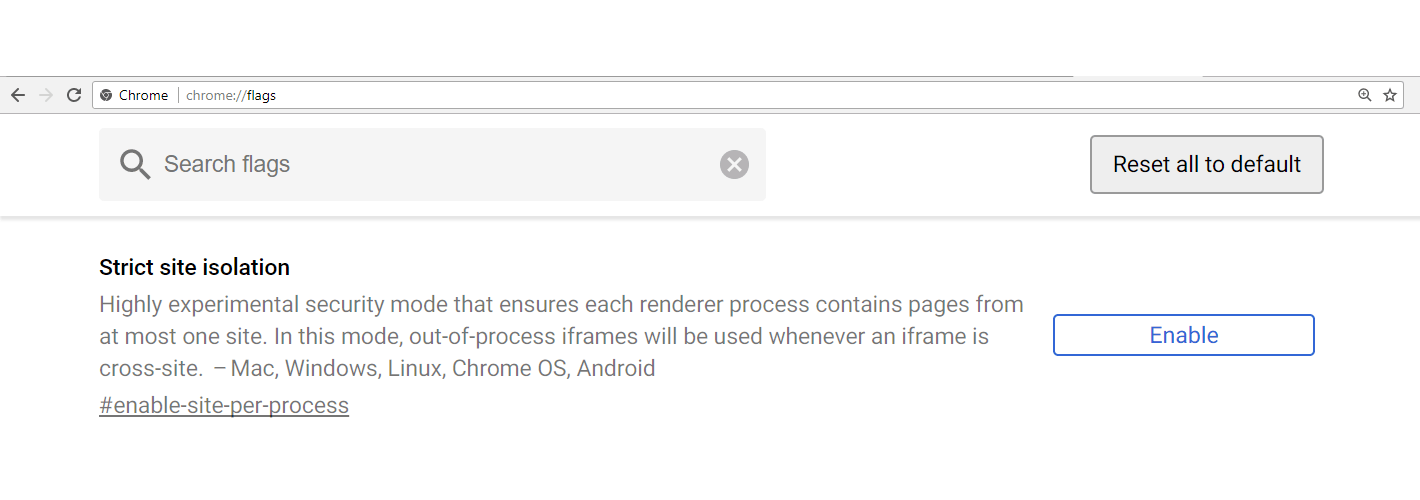
To enable Strict Site Isolation in Chrome:
- Open Chrome.
- Type chrome://flags in the address bar and hit the Enter key.
- Click Enable to turn the feature on.
- As you click Enable, a Relaunch Now button will appear.
Relaunching the Chrome browser will make the changes take effect. The browser will relaunch with all the tabs open.
IT administrators can also enable Site Isolation for their organization by enabling the policy within the Google Administrative Console.
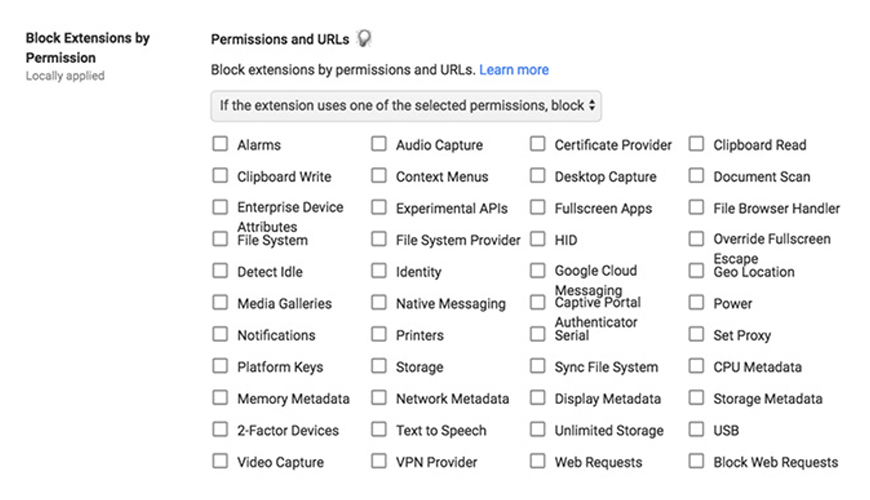
And in addition to whitelisting and blacklisting specific extensions, IT admins can also block the use of Chrome extensions based on which permissions they ask:
Chrome is known to use a lot of system resources. But here, Chrome's resource hog is for a good reason.
Each tab in the browser is dedicated a single process. This uses more resources, but if a website causes one tab to crash, the other tabs can continue working without issue and without crashing the entire web browser. But this is not always the case.
For example, an email client on one tab that opens a new tab from a link - both tabs will share a single process. Same domains will also share a single process.
With Site Isolation introduced in Chrome 63, each tab will get its own process, no matter what.
According to Google: "When you enable site isolation, content for each open website in the Chrome browser is always rendered in a dedicated process, isolated from other sites. This creates an additional security boundary between websites."
But again the drawback. Site Isolation has an impact of system memory: the Chrome browser will use 10 percent - 20 percent more RAM. So if your computer's memory is already low, you might not want to use this feature.




















































































































































































































































































