The web consists of networks of networks. It's vast and it's still growing. And from time to time, people can get lost.
In the past, people connect to the internet manually to visit certain websites, or to do something. In the modern days of the internet, people are literally connected all the time. It's easy for someone to browse something, to then wander elsewhere aimlessly.
It's extremely easy to get lost, and forget past searches and visits, due to the huge amount of information people are seeing online everyday.
Google Chrome is by far, the most popular web browser.
This time, it introduces 'Journeys'
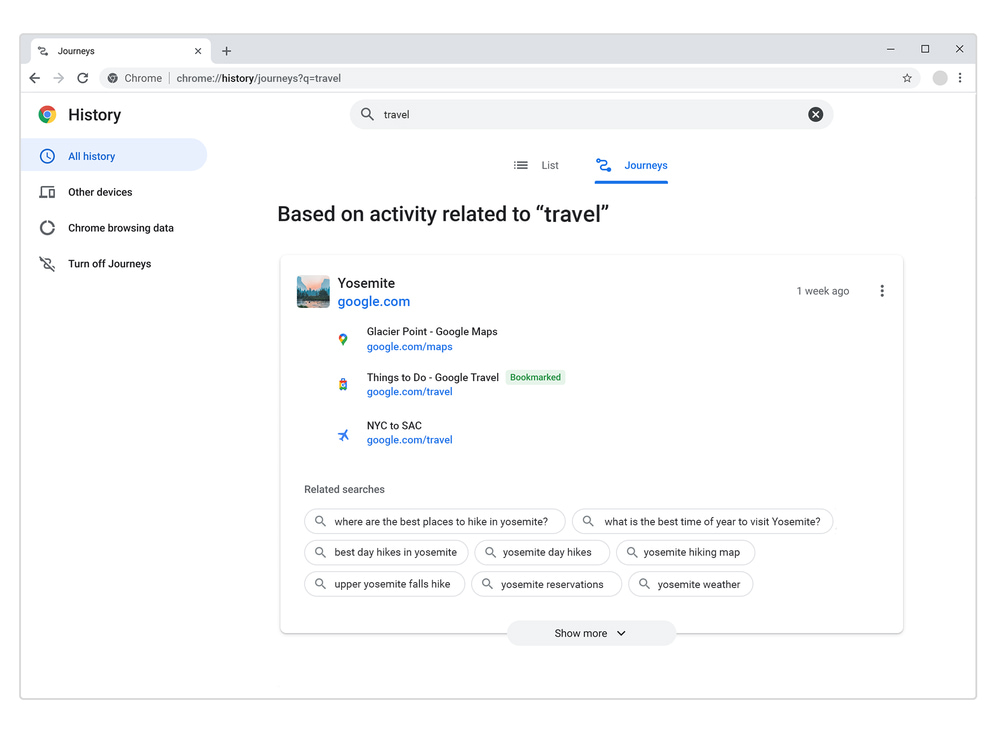
This particular feature allows users to revisit their old browsing sessions based on the subject matter they were searching for.
For example, if users type a word in Chrome's address bar that is related to their past searches (which have gone down the rabbit hole), Journeys will allow users to “Resume your research” to continue where they left.
In a blog post, Google said that:
Clicking on the 'Resume your research' or visiting the Chrome History Journeys page, users can see a list of relevant sites they visited in the past.
Here, users can quickly pick up where they left off, whether it was earlier today or weeks ago.
"Journeys will even take into account how much you’ve interacted with a site to put the most relevant information front and center, while also bringing you helpful suggestions on related searches you may want to try next," Google explained.
Just like browsing history, users can delete websites and clusters of websites they've visited.
"So if your research takes you to places you’d rather not remember, you can delete them just like you would any other part of your browser history," added Google.
Besides Journeys, Chrome is also releasing more Chrome Actions to help users get more things done quickly from the Chrome address bar.
"We first released Chrome Actions a couple years ago, with Actions like Clear browsing data. You can save time with an Action by typing its title. The Chrome address bar also predicts when you could benefit from a Chrome Action based on the words that have been typed, explained Google.
In the announcement, Google introduces some new ones, like “manage settings,” “share this tab,” and “view your Chrome history,” all of which are more convenient than opening and scrolling through Settings.
Google has listed all Actions in a dedicated page.
At this time, Journeys and Chrome Actions are only available on Chrome on desktop.
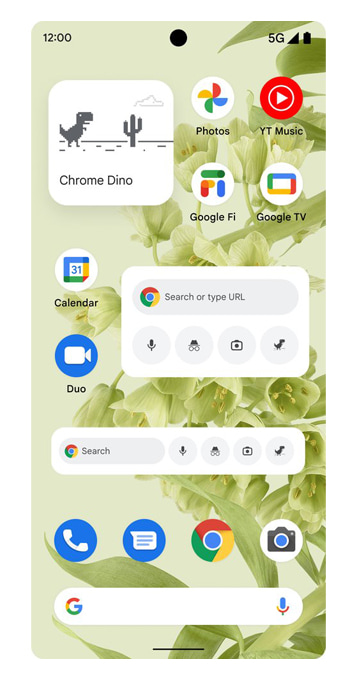
And lastly, Google is introducing new Chrome widgets for Android.
Using the widgets, users can quickly start a text search, voice search, Lens search or open an Incognito tab right from their home screen.




















































































































































































































































































