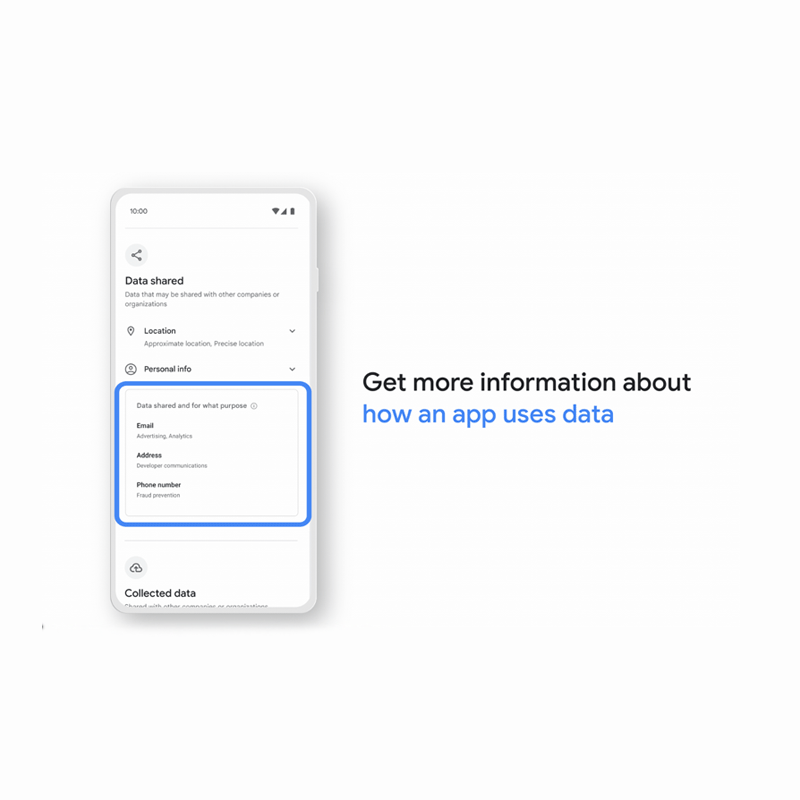
When installed, apps can do all sorts of things. And Google Play Store, the only way to provide information about what an app does, is through 'Permissions'.
But this time, the official app store for Android phones is ditching that. In its place, Google is rolling out what it calls the 'Data Safety' section.
Available to app listings on the Play Store, the feature is pretty much similar to Apple's app privacy labels.
Google Play Store previously used the Permissions section to list all permissions required by each app. It allowed users to easily check all permissions required by an app without installing it on their device, making it a handy feature for privacy-conscious users.
However, Google thinks that the Permissions section is not easy to digest by most Android users.
This is why Google is removing the feature and put 'Data Safety' in in its place.
In other words, Google wants Data Safety to be more useful than the Permissions list, which doesn’t offer an explanation for the required permissions.

The feature essentially provides users with more information about how apps use their data.
Google initially introduced this back in April in 2022, only to limited users.
This time, Google is rolling out the feature to more people.
This move is a good thing, considering that 'Permissions' can be confusing to understand.
'Data Safety' details information about permissions apps need, making it more helpful. For example, if an app needs location data, Data Safety can detail why that app needs that permission.
The thing is, while the Data Safety details do include information about the permissions an app needs, it’s arguably more helpful than before since it shows, for example, that an app needs location data and why it needs location data.
For example, Telegram is a privacy-focused app. This Data Safety section may not work in users' favor, meaning that it may make the popular messaging app look bad. This is because the Data Safety section effectively provides a list of all the permissions and says it needs access to them for "app functionality."
While the Data Safety details are aimed to make things clearer, the listing can actually give so much information that it can overwhelm users.
What's more, Google's Data Safety relies on developers to disclose the information.
While the Permissions section is automatically generated, Data Safety is giving developers full control over what they choose (or don't choose) to disclose.
As a result, he information developers provide can be "misleading or flat-out inaccurate."
What Google is doing here, is following Apple's leads.
Google is putting its trust in developers to provide truthful information about the data their apps collect.
"Google Play reviews apps across all policy requirements; however we cannot make determinations on behalf of the developers of how they handle user data," Google explained. "Only you possess all the information required to complete the Data safety form."
This is why Google said that it will take "appropriate action" if it finds any discrepancies between developers’ reported information and the app itself.
Days later, Google is rolling back its decision.
The problem, as several commentators pointed out, is that the information in the Data Safety section came from developers, whereas the app permissions section was generated by Google.
By removing it, Google is simply making it impossible for users to do a quick fact-check.
In a Twitter thread, Google through its Android Developer account, said that it is reinstating the app permission section because of user feedback.
The Data safety section provides users with a simplified view of how an app collects, shares, & secures user data, but we also want to make app permissions information easily viewable for users to understand an app’s ability to access specific restricted data & actions too.
— Android Developers (@AndroidDev) July 21, 2022

















































































































































































































































































