In a move that flew under the radar, Google recently unveiled a new mobile app designed to make running AI models more accessible—and completely offline.
Called 'AI Edge Gallery,' serves as a curated platform where users can explore and deploy a variety of AI models sourced from Hugging Face, the popular hub for open-source AI. These models span a wide range of capabilities—from image generation and code completion to natural language Q&A—running directly on supported smartphones without relying on cloud infrastructure.
What makes this release particularly noteworthy is its focus on on-device inference. Instead of tapping into data centers, the models utilize the computing power of modern mobile processors. That means no internet connection is required once a model is downloaded, making AI tools accessible anywhere, anytime.
While cloud-based AI often offers superior performance and scalability, it comes with trade-offs. Concerns over privacy, latency, and constant connectivity have led to a growing interest in local AI execution. Google’s new app taps into that sentiment, offering users more control and autonomy over how and where their AI tools operate.
With AI Edge Gallery, Google is giving developers, tinkerers, and privacy-conscious users a lightweight but powerful way to experiment with machine learning models—right in the palm of their hand.
On its GitHub page, Google said that:
The app is initially launched on GitHub to be sideloaded to Android (by downloading its APK file). It's under development for its official release, while the iOS version is expected to follow soon.
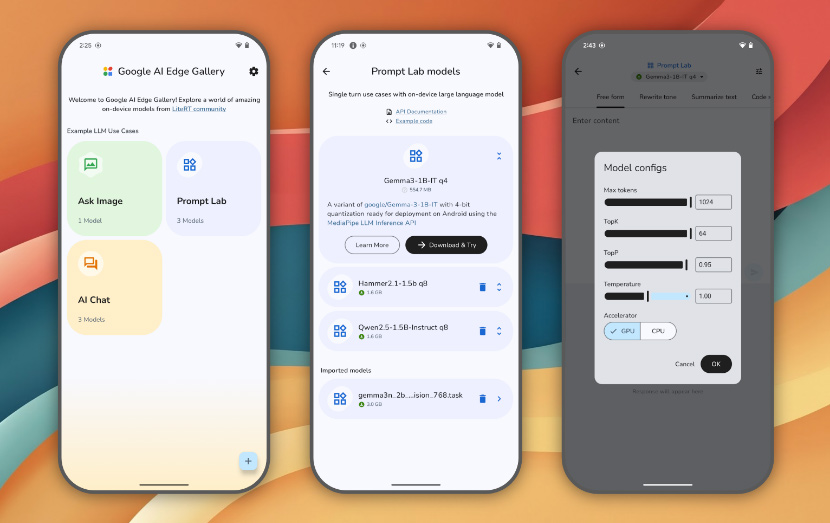
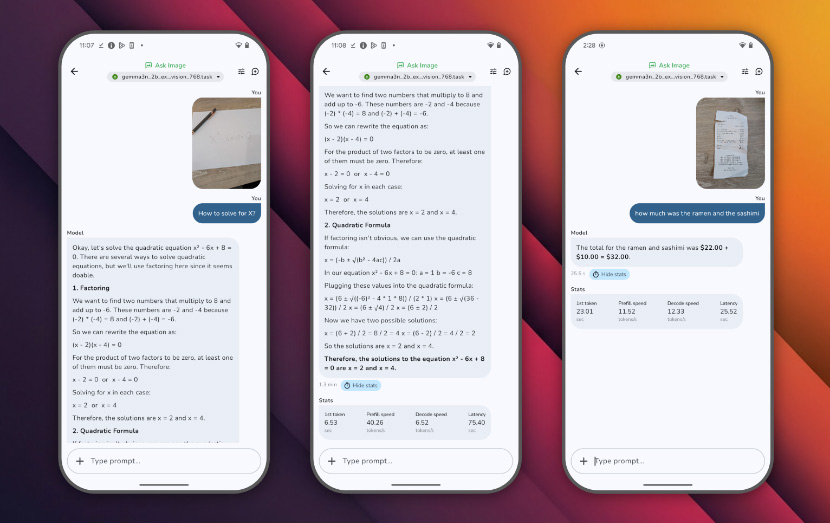
When installed and launched, the home screen of the app shows shortcuts to AI tasks and capabilities like "Ask Image" and "AI Chat." Tapping on these shortcuts will redirect users to a list of models suited for the task.
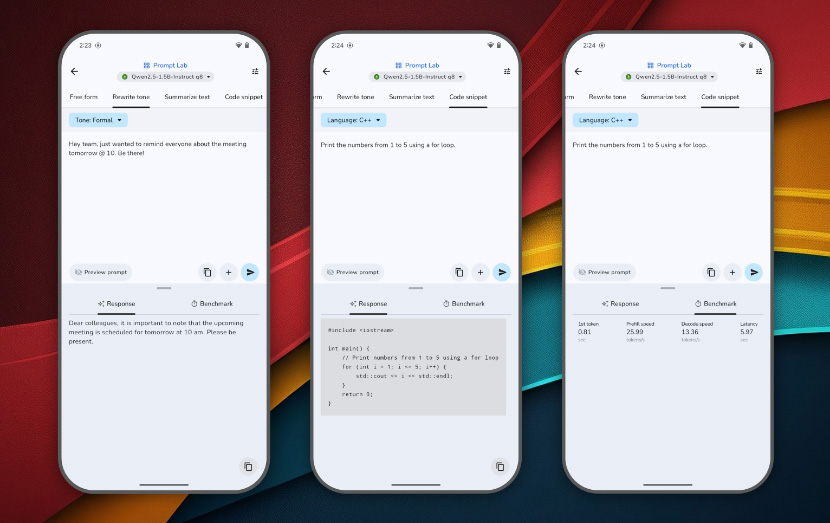
The app also provides a "Prompt Lab" feature, where users can use to kick off "single-turn" tasks powered by models, like summarizing and rewriting text. The Prompt Lab comes with several task templates and configurable settings to fine-tune the models’ behaviors.
Users can choose the model they want, and easily switch between different models from Hugging Face and compare their performance.
The app also provides performance insights, as well as real-time benchmarks (TTFT, decode speed, latency). Since the app is made for users who are curious, it also allows users to bring their own model. There is also a section for developers, where they can access links to model cards and their source code.
Highlights include:
- Google AI Edge: Core APIs and tools for on-device ML.
- LiteRT: Lightweight runtime for optimized model execution.
- LLM Inference API: Powering on-device Large Language Models.
- Hugging Face Integration: For model discovery and download.

With Gemini and ChatGPT, users need to be connected to the internet for them to respond. And before they can ever respond, they must first process the requests to Google or OpenAI servers. What this means, they’re not the most privacy-friendly tools.
AI Edge Gallery opens the gates towards the future, where AI models can be useful without the internet or any data transactions, it comes with one big drawback.
But like previously mentioned, AI models that run in the clouds offer superior performance and scalability because they tap on the resources of data centers. AIs that are listed on AI Edge Gallery on the other hand, are meant to run locally.
While this on-device processing ensures data privacy and reduces latency, it also means that the app's efficiency is heavily dependent on the device's hardware specifications.
What this means, the AI's performance is intrinsically linked to the hardware capabilities of the device it's running on.
High-end devices that are equipped with advanced processors and ample RAM, such as the latest Pixel or Galaxy models, can handle larger AI models like Google's Gemma 3n efficiently, providing swift and seamless user experiences. Mid-range devices however, may experience moderate performance, especially with medium-sized models. Tasks might take slightly longer, but remain functional for most applications.
Entry-level or older devices, tend to have limited processing power and memory. As a result, they may struggle with larger models, leading to slower performance or potential app instability.
Users are advised to opt for smaller models to ensure smoother operation.






















































































































































































































































































