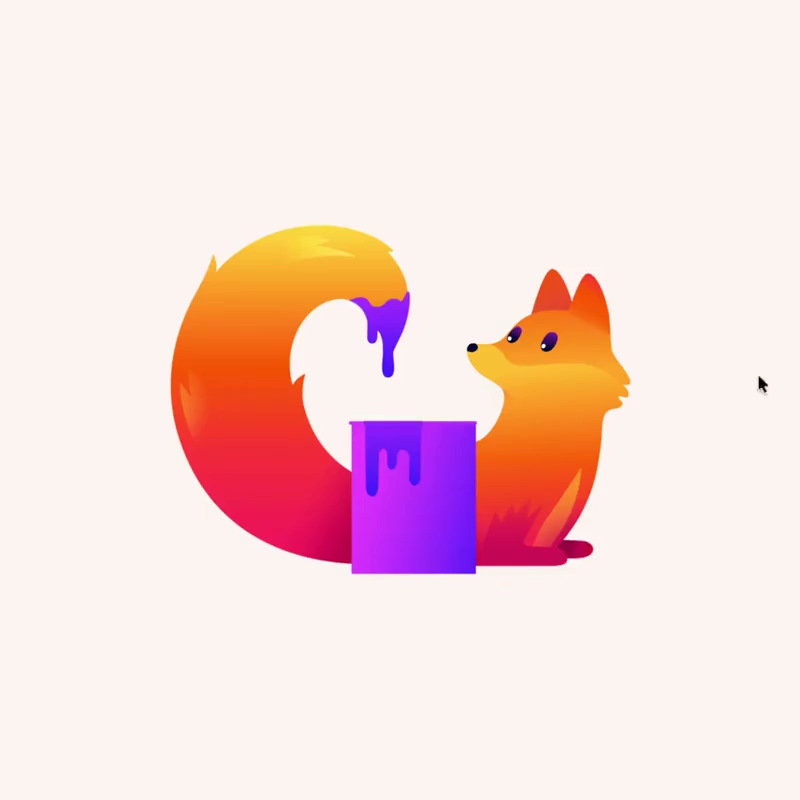
In the long-running browser wars, Google Chrome has maintained its lead for years, capturing over 65% of the market and becoming the default choice for the many users.
Firefox, developed by the nonprofit Mozilla, has held a much more modest position with a share in the single digits, often viewed as the humbler, privacy-focused alternative that prioritizes independence over widespread adoption. This disparity persists despite Mozilla's consistent efforts to differentiate itself through stronger privacy protections, open-source principles, and features tailored to user needs rather than commercial ecosystems.
Yet Firefox is far from out of ideas or momentum.
On the contrary, Mozilla is demonstrating renewed vitality with 'Project Nova,' an internal codename for a comprehensive visual and functional renewal of the browser that promises a cleaner, warmer, faster, and more adaptable experience while staying true to its foundational values.
Announced in detail through Mozilla's official channels, Project Nova is described as a renewal rather than a complete replacement, drawing on the astronomical phenomenon of a nova that brightens existing matter without creating something entirely new.
The redesign is scheduled for a wider rollout later in 2026 will unify the look and feel across both desktop and mobile versions for greater consistency.
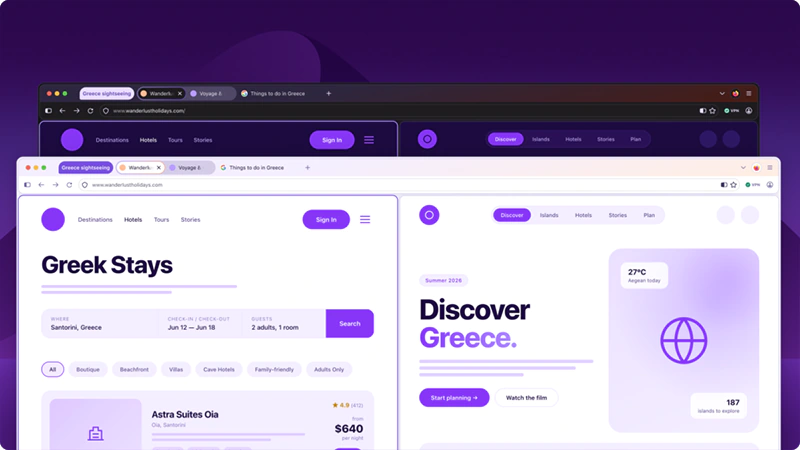
At its heart, the update seeks to make Firefox feel more modern and inviting without sacrificing the familiarity that longtime users appreciate.
Early testing versions are already accessible in Firefox Nightly builds, where enthusiasts can activate the changes by toggling the configuration option browser.nova.enabled in about:config. This approach of building in public allows Mozilla to gather community feedback and refine the experience before the stable release.
Visually, Project Nova introduces a series of thoughtful refinements that enhance cohesion and reduce visual noise.
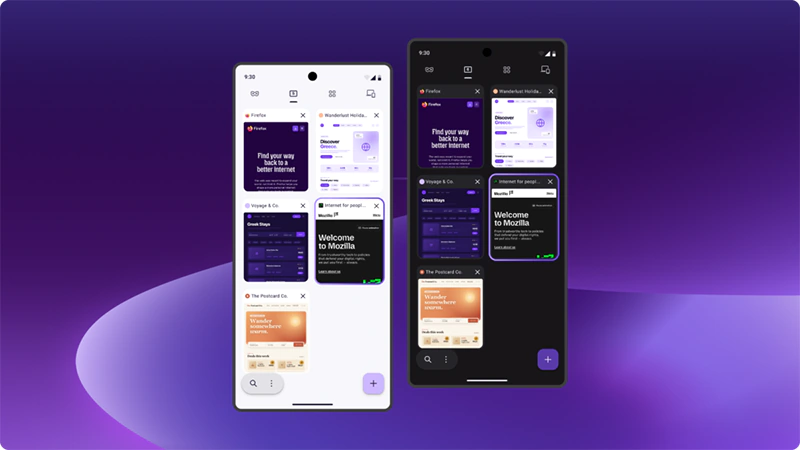
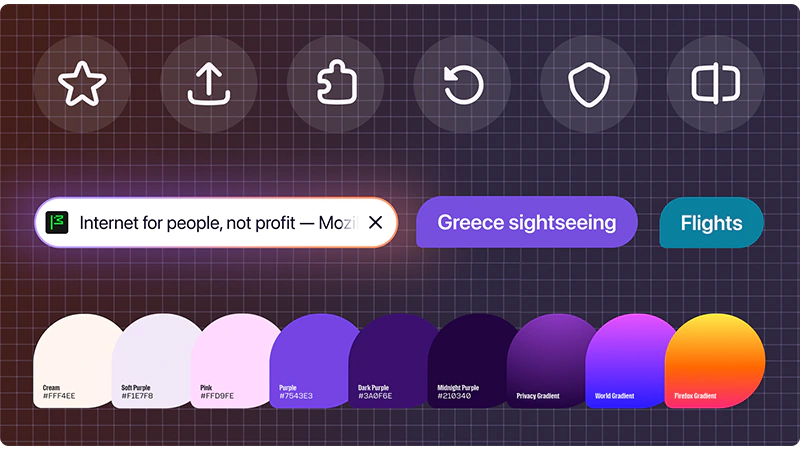
Tabs take on a softer, more rounded appearance, with a subtle gradient effect adding gentle depth and prominence to the active tab while keeping the overall focus on web content.
The color palette draws direct inspiration from fire, incorporating deep smoky purples alongside warmer and lighter tones that create a sense of warmth and harmony throughout the interface.
Icons have been carefully updated for better balance, quicker recognition, and seamless consistency in both light and dark modes. Panels, menus, settings dialogs, and other interface components now share more uniform rounded shapes and carefully rebalanced spacing, resulting in a cleaner layout that feels less cluttered and more integrated as a single, polished system.
Transparency and gradient elements further contribute to a lighter, more contemporary aesthetic without overwhelming the browsing area.
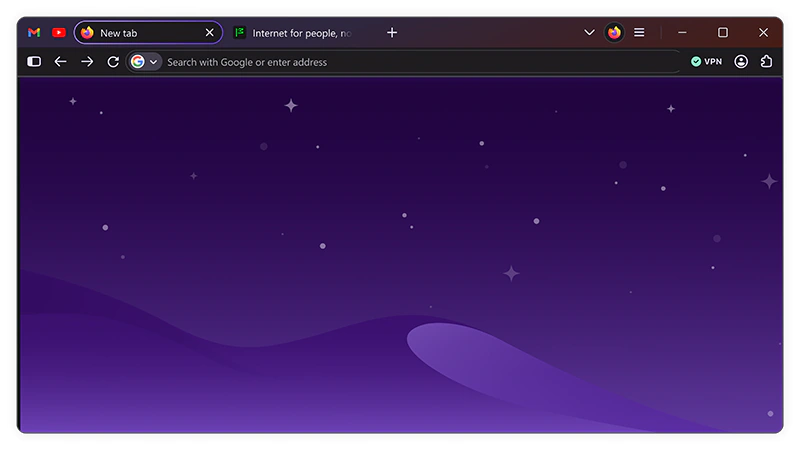
Users who prefer a more minimal layout will welcome the return of compact mode, a long-requested feature that shrinks distances between elements and condenses the interface for greater efficiency on smaller screens or for those who want maximum content visibility.
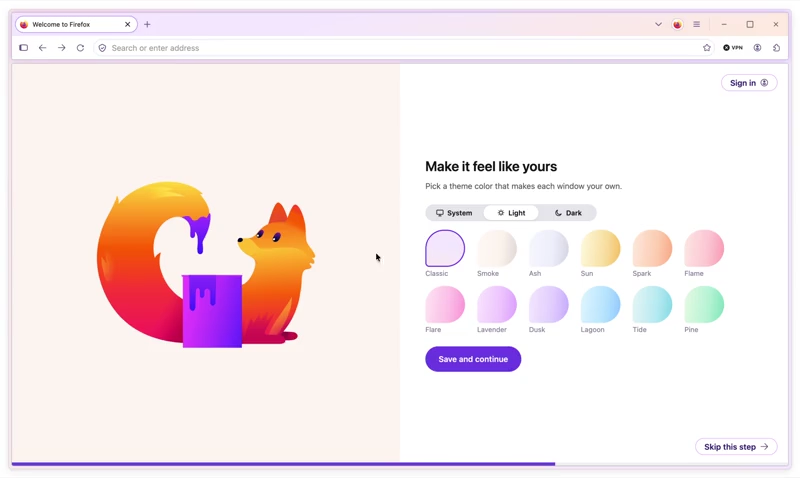
Productivity-oriented tools have also received attention, with tab groups, split view, and vertical tabs repositioned for easier and more intuitive access during everyday workflows. New themes and wallpapers expand the customization possibilities, and Mozilla has hinted at potential future additions such as greater control over interface shapes, allowing individuals to tailor the browser even more closely to their preferences.
These changes aim to support smoother multitasking and personalization while ensuring the browser remains responsive and focused on the task of delivering the web.
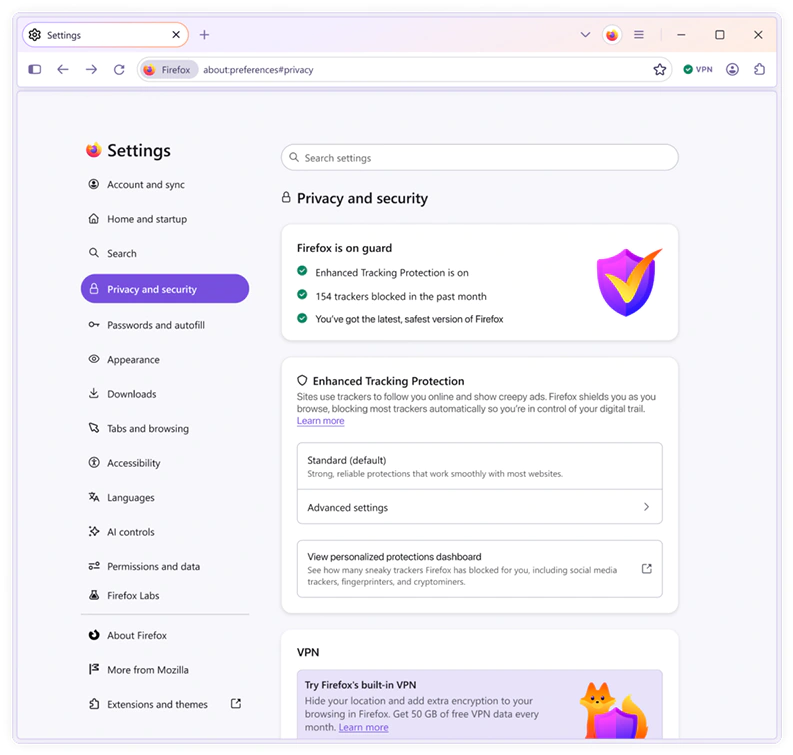
Privacy continues to occupy a central role in the redesign, reflecting Mozilla's longstanding commitment to user sovereignty.
Settings related to data protection have been reorganized and brought more prominently into view, employing plainer and more straightforward language to help users better understand their options and make informed choices. Tools such as enhanced tracking protection, private browsing, and the built-in VPN are now simpler to locate and adjust, with an emphasis on clarity and accessibility.
The redesign underscores the idea that robust privacy measures need not come at the expense of performance, as blocking trackers can often contribute to quicker page loads by eliminating unnecessary background requests.
Accessibility improvements, including better contrast and support for dark mode, ensure the updated interface remains usable for a wide range of people and devices.
One of the most notable aspects of Project Nova is the enhanced and highly visible management of AI features.
Firefox already incorporates several AI-powered capabilities, such as improved translations, alt text generation for PDFs, assisted tab grouping, link previews, and a sidebar chatbot compatible with multiple models. In the new design, these tools are accompanied by clearer controls that put decision-making firmly in the user’s hands.
A prominent toggle in the settings allows anyone to disable all current and future AI enhancements with a single straightforward action, often referred to in discussions as a "kill switch" for AI.
Importantly, no AI models are downloaded or activated on the device unless the user explicitly chooses to engage with them, ensuring that the browser remains lightweight and respectful of individual preferences for those who wish to browse without any AI involvement.
This approach integrates seamlessly with the refreshed settings interface, making privacy and control over emerging technologies more transparent than ever before.
Read: Mozilla Firefox Adds 'Block AI' Switch, Giving Users Full Control Over Its Browser AI Features
The combination of a more efficient design system and ongoing optimizations contributes to a browser that feels snappier in daily use.
As Project Nova progresses through testing, it highlights Mozilla’s determination to evolve Firefox on its own terms, offering a thoughtful counterbalance in a market long dominated by a single major player.
While Chrome’s scale remains unmatched, Firefox's latest renewal demonstrates that the smaller contender continues to innovate with care, focusing on speed, privacy, customization, and user empowerment rather than chasing sheer volume.
The coming months of refinement and feedback will shape the final form of this update, but the direction suggests a browser that remains committed to independence while adapting to modern expectations.
Further reading: Mozilla Formally Revealed The Idea Behind The Firefox Mascot It Calls 'Kit'














































































































































































































































































