
The professional-oriented social media LinkedIn has updated ts Campaign Manager, redesigned its interface and also rebuilt its backend to for faster data delivery.
With the update, LinkedIn offers a more intuitive experience for marketers running multiple campaigns on the platform, with one-click breakdowns of campaign data and personalization options for reports.
This should make LinkedIn more appealing for those who operate high-volume accounts.
Changes also include a redesigned navigation structure that allows users to switch between accounts and campaigns, an updated search feature so ad managers running multiple campaign can easily locate their data for specific campaign, ID or ad format.
This makes it pretty similar to Facebook Ads.
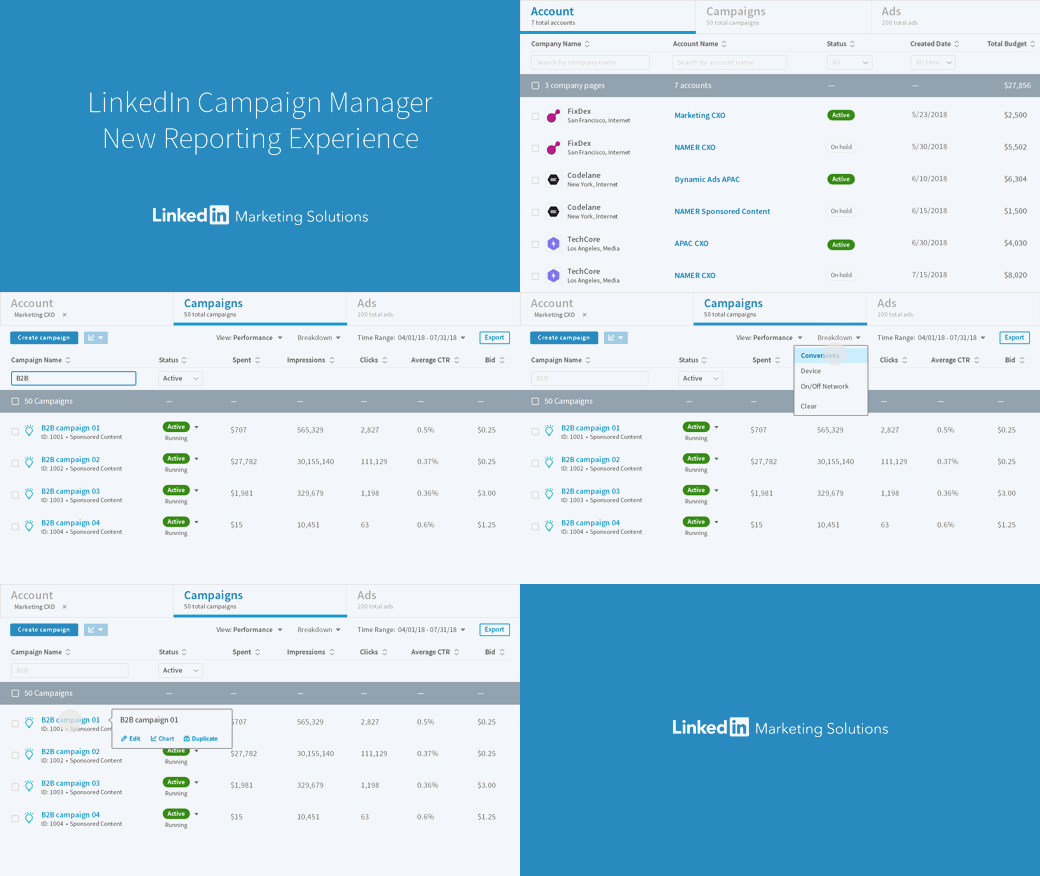
Breaking them down, updates include:
- Streamlined interface and data options: This eases marketers to monitor their overall campaign performance, and compare each of them. Marketers can also switch between accounts and campaigns more easily. As previously noted, LinkedIn is also adding more search options and improved the navigation.
- New Insights: LinkedIn has improved its access to campaign insights, which should help marketers identify key performance indicators faster, and avoid misplaced ad spend.
- Display Personalization: There are options that enable users to customize the data they see on their home screen, highlighting the metrics most relevant to their business. The format has taken cues from Facebook's Ads Manager tool.
The professional social network has gone beyond the above, and also announced a range of enhancement to its messaging options, providing more ways for users to communicate within its app.
First of all, LinkedIn has added an option to expand the composition window for on-platform messages:
"You can now move out of the chat-like interface and expand the message compose box across platforms for those times when you just need a little more space to compose longer, thoughtful and more formal messages. This is available now on mobile, and coming in the next few weeks to desktop."
The updated messaging tool also includes the option to add attachments when composing messages via the mobile app, a new way to create group messages, the ability to copy and paste images from screenshots and on the web into LinkedIn messages via desktop.
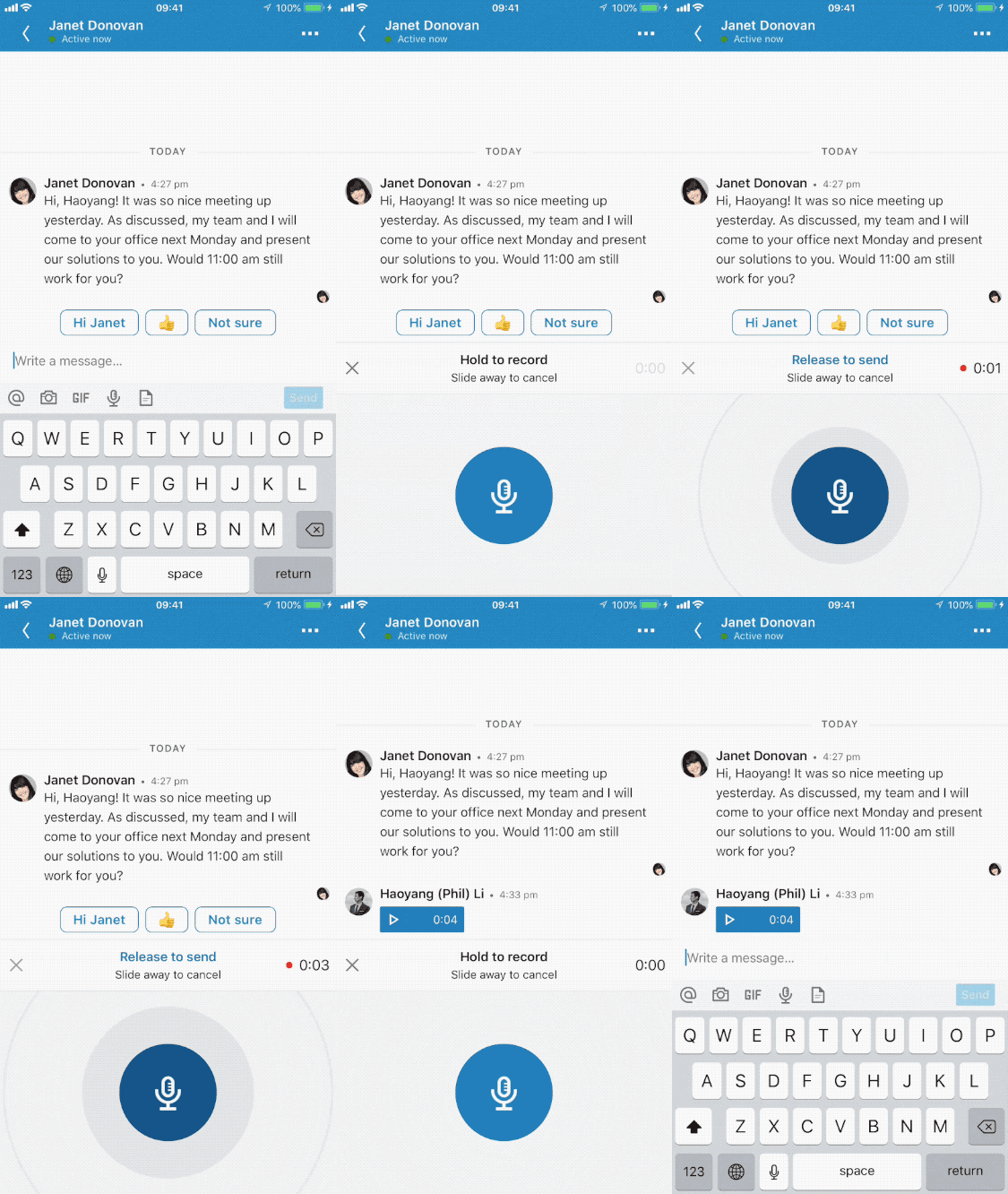
Second, there is an added VoiceMail, which may seem a little outdated, but can alleviate the requirement for users to be able to type in different languages, which can sometimes prove more difficult than speaking them.
The case is somehow common for people that are regularly exposed to regular conversation rather than typing.
This should make experience a bit more practical, particularly on mobile devices.
With all the above, LinkedIn is becoming a more valuable business tool. With more users using LinkedIn, it makes sense that the platform is improving itself in the eyes of marketers and users.






















































































































































































































































































