Not long ago, large language models (LLMs) felt like charming party tricks—AI chatbots capable of composing essays, or even playfully bantering in Shakespearean English.
But behind the entertainment was a seismic shift waiting to happen. When OpenAI unveiled ChatGPT to the public in late 2022, the response was immediate and profound. That release didn’t just spark headlines—it marked a turning point.
In its wake, an AI arms race ignited, with tech giants and startups alike scrambling to define the future of cognitive automation.
Since then, LLMs have grown beyond simple text generation.
Today’s models can create and manipulate not only language, but also images, audio, video, and interactive content—all with a striking level of sophistication. They’ve evolved from digital assistants to capable collaborators, adapting to user intent with remarkable fluency.
Microsoft, never one to miss a tectonic shift in technology, has gone all-in. With its Copilot initiative, the company isn't merely participating in the LLM wave—it's weaving these capabilities directly into the fabric of its ecosystem. From Office to Windows, from Azure to GitHub, Copilot is becoming an integral part of how users write, build, and create.
And this time, Copilot is no longer peeking through narrow windows because it can now see everything.
Much like a screensharing assistant that’s always present, Copilot now has full visual awareness of users' desktop environment.
Copilot on Windows: Vision Desktop Share begins rolling out to Windows Insiders https://t.co/ANkMxEewt0 ^BLB
— Windows Insider Program (@windowsinsider) July 15, 2025
Calling it the 'Vision Desktop Share,' the feature is rolling out to all Windows Insiders, as explained by Microsoft in a blog post.
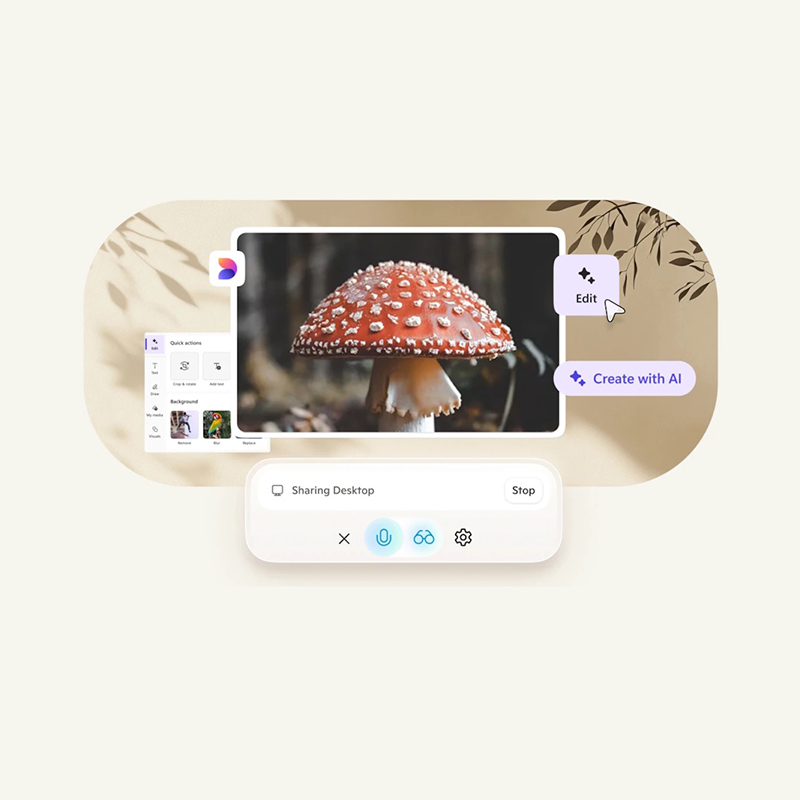
Microsoft said that with the feature, users can choose to share their entire screen, a browser tab, or a specific app window directly with Copilot. Once enabled, it’s like having an intelligent assistant watching alongside them in real time.
This isn’t just passive observation.
Copilot can analyze on-screen content, answer questions, provide tailored insights, and even coach users through tasks—all by seeing exactly what they see.
Whether you're editing a resume, designing a presentation, navigating a tricky game level, or exploring a dense spreadsheet, Copilot becomes their co-creator, tutor, and strategist.
To use this feature, users can click the glasses icon in the composer, select the desktop that they’d like to share, and ask Copilot to help with whatever they’re working on.
To stop sharing, press ‘Stop’ or ‘X’ in the composer.
Additionally, Microsoft said that this Vision ability can also be activated during voice conversations,
Copilot can blend what users say and what they show. Talk, share, and get assistance in real time—all without switching context.

Microsoft's recent advancements in AI, particularly with features like Copilot Vision and also the controversial Recall feature, have sparked significant discussions about user privacy and data security.
While these tools aim to enhance user experience by providing contextual assistance and activity recall, they also raise important questions about the extent of data collection and user control.
But these two serve different purposes.
Copilot Vision's Desktop Share functionality allows users to share their screen with the AI, enabling real-time assistance across applications. This opt-in feature ensures that users have control over what is shared, addressing some privacy concerns. In contrast, the Recall feature captures periodic screenshots of user activity.
Because everything Recall has saved can be recalled, the feature faced more scrutiny.
In conclusion, while AI-driven features like Copilot Vision and Recall offer promising enhancements to user productivity, they necessitate a thoughtful approach to privacy. By staying informed and exercising control over these tools, users can navigate the evolving landscape of AI assistance with confidence and awareness.

















































































































































































































































































