Web browsers, the gateways to the web, have been evolving since the first time they were introduced.
While major browsers like Chrome, Firefox, Edge and Safari command huge percentage of the market, Vivaldi standa apart primarily through its extreme focus on customization and built-in productivity tools designed for power users. While Chrome and Edge prioritize simplicity and integration with their respective ecosystems, Vivaldi treats the browser as a highly adaptable workspace.
Users can rearrange almost every element of the interface, including toolbars, buttons, tab positions, and panels, without relying on extensions.
This level of control extends to themes, layouts, and behaviors that adapt to individual workflows, something the major browsers offer only in limited ways.
Vivaldi also boasts tab management, privacy features, built-in apps, and more. And since it's a Chromium-based browsers, Vivaldi delivers full compatibility with Chrome extensions and modern web standards, but it avoids the data collection practices common in Google Chrome and Microsoft Edge.
And now, comes version 8.0, which is an update that looks more like a huge upgrade.
New Vivaldi just dropped.
And by new, we mean NEW pic.twitter.com/9LNRJnhcjr— Vivaldi Browser (@vivaldibrowser) May 21, 2026
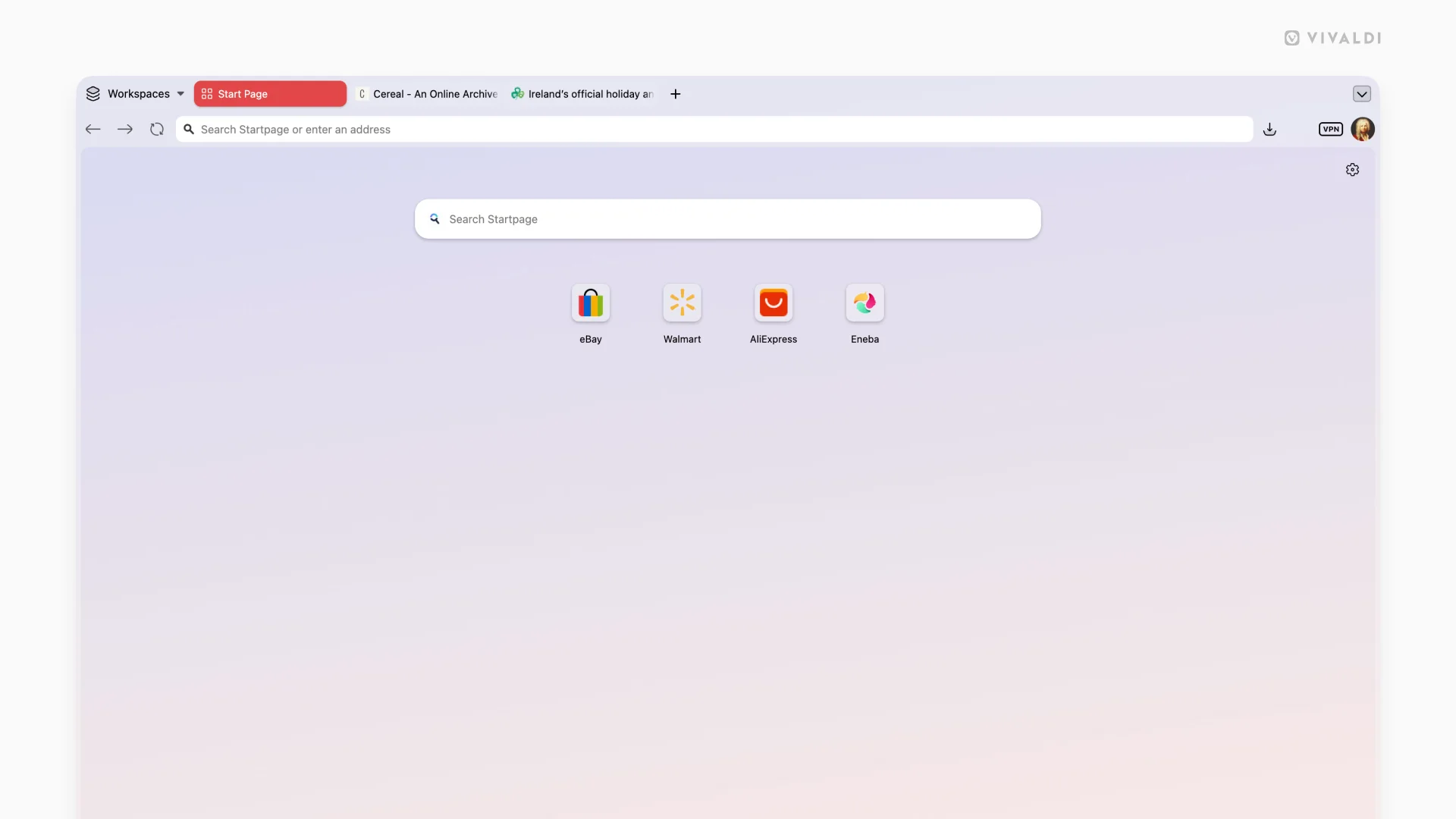
First off, Vivaldi version 8.0 for desktop brings its most substantial visual update in years.
According to the announcement, the browser now uses a Unified design approach where toolbars, tabs, panels, and other elements sit on a single continuous surface rather than in separate layered regions. This creates a more cohesive appearance with precise alignment and intentional spacing that makes the interface easier to navigate and read.
Themes integrate more deeply across the entire window. Backgrounds and colors flow without interruption from the tab bar through panels and edges. Translucency and blur effects blend wallpapers into the environment more naturally. New default themes include options like Zen, Soria Moria, Sunset Forest, and Kawaii Clouds, alongside refreshed light and dark variants.
Users with custom themes can choose the new Unified coloring mode or stick with previous styles through the theme editor settings.
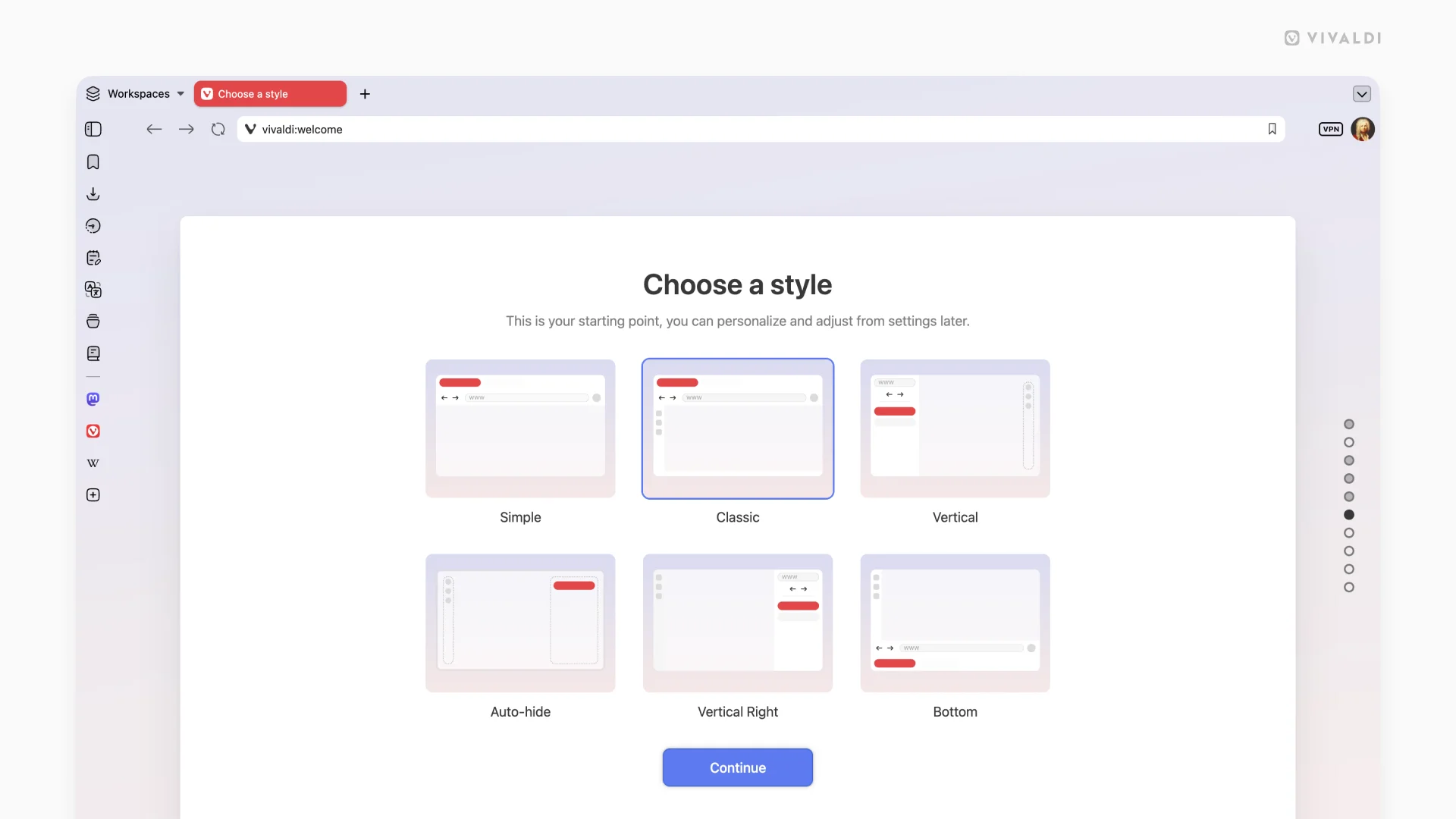
Onboarding and layout options have expanded to help both new and returning users.
Six preset layouts are available right at startup and remain accessible later in Settings under Appearance.
Simple provides a clean top-tab experience with minimal distractions. Classic retains the familiar toolbar and panel arrangement now updated with the Unified look.
Vertical Left and Vertical Right shift tabs and address bar to the sides for better use of wide screens. Bottom places navigation at the lower edge, while Auto Hide keeps the interface out of view until the cursor reaches a screen edge, maximizing content space.
These layouts serve as starting points that users can further customize using Vivaldi's extensive tools. Tab management remains powerful with stacking, tiling, and grouping options that adapt to individual workflows. Panels, workspaces, and built-in features like mail and calendar stay fully accessible and integrated.
The update also includes backend improvements such as a rewritten tabs management system, combined site preferences and tracker blocker dialogs, and refinements to translation and permission handling.
Since Chromium itself has been updated to version 148 for better compatibility and security, Vivaldi is able to bring various fixes address mail functionality, tab behaviors, auto-hide interactions, and platform-specific issues across Windows, macOS, and Linux.
The result is a browser that feels more unified in structure while preserving the depth of customization that has defined Vivaldi over time.
While AI dominates the headlines and social media consumes ever more of people's attention, Vivaldi 8.0 aims to make the good old web feel "worth coming back to."
— Vivaldi Browser (@vivaldibrowser) May 21, 2026






















































































































































































































































































