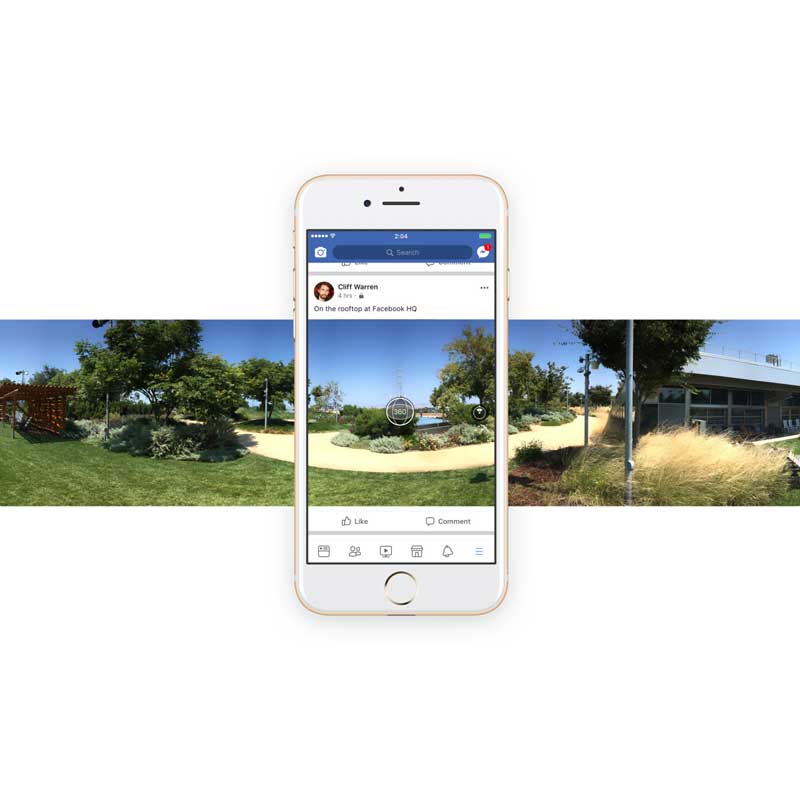
Facebook is a big supporter of 360-degree photos.
Since Facebook first introduced 360-degree photos, Facebook users have uploaded more than 70 million of them.
However, out of that many, none were taken from Facebook's built-in camera feature.
In order to have their 360-degree photos uploaded to Facebook, they need to use other apps or their device's camera. And this is inconvenience for users of the social giant.
For that matter, Facebook made some changes to its app to allow users to take 360-degree photos directly from the Facebook app itself, and upload them instantly for viewing on Timeline, albums and groups.
So no need to get help from third-party application or an extra device.
It’s also possible to use 360-degree images (taken from any source) as Cover Photos. This is the first time Facebook has given the Cover Photos feature a refresh.
Rolling out to both iOS and Android, it also includes the ability to zoom and tag friends. Similar to ordinary pictures and videos.
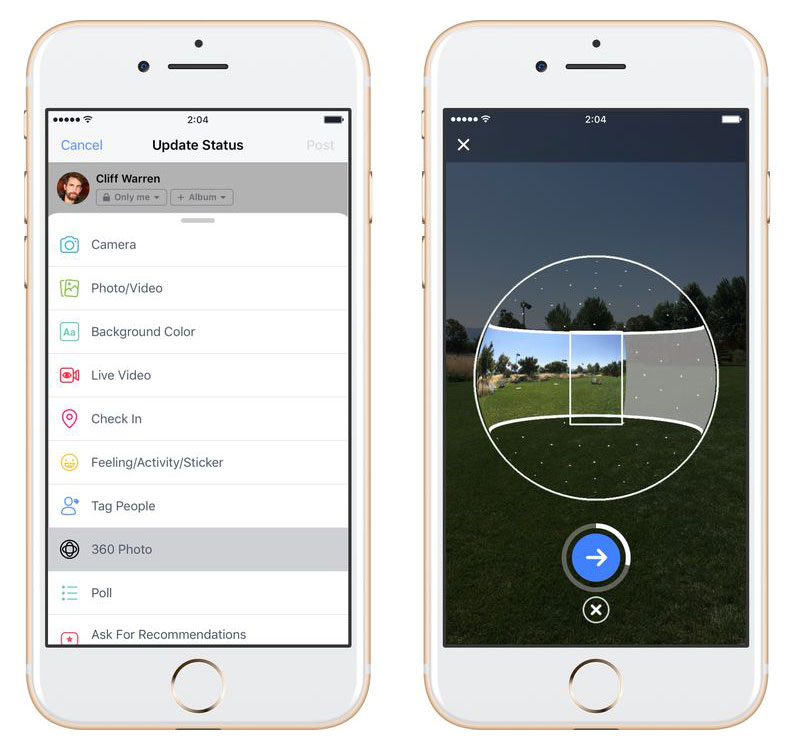
Since mobile devices don't have 360-degree camera built-in yet (at least), the process to take 360-degree photos inside Facebook's app resembles how users usually create panoramas using their phone's camera app.
To create a 360-degree photo inside Facebook's app, users need to tap on the '360 Photo' from the top of their News Feed that is located near the update status icon.
Then users can tap and press the blue button and take panoramic images like usual (spin around slowly for a full turn while keeping the graphic centered at the middle).
After finish taking the panoramic image, they need to select the the preferred starting point for the photo, and publish that photo on Facebook.
Since that capture process isn't instantaneous, the update initially applies to only 360-degree photos. While Facebook supports 360-degree videos, users still need cameras dedicated for 360-degree videos such as Samsung Gear 360, Insta360, or Nikon KeyMission 360, and upload them separately.

















































































































































































































































































