
The web browser search bar, is where the magic of the web browser happens.
Often referred to as the "address bar" or "omnibox," the search bar is one of the main components of a web browser, and that it's the very place where users can enter URLs, search queries, and even commands. And this time, Google is giving Chrome on mobile a big update to its search feature.
The tech titan is making big changes to Chrome, in order to help make searching on mobile just as easy as it would be on desktops and laptops.
In a blog post, Google revealed that it is adding Chrome Actions for businesses, shortcut suggestions in search results, a redesigned address bar on tablets and several other updates to improve the search experience.

First up, is more Chrome Actions to reach local places.
"We’ve added new Chrome Actions to help you save time when you’re trying to engage with places like a local business. For example, when you search for a restaurant, you’ll see shortcut buttons in the search results to quickly do things like call, get directions and read reviews," explained Google.
With it, Google hopes that searching for local businesses should be easier.
And because users can do more with fewer taps on their mobile, this should save them a lot more time.
At this time, the feature has been made available in Chrome on Android, and is coming to Chrome on iOS later this 2024.
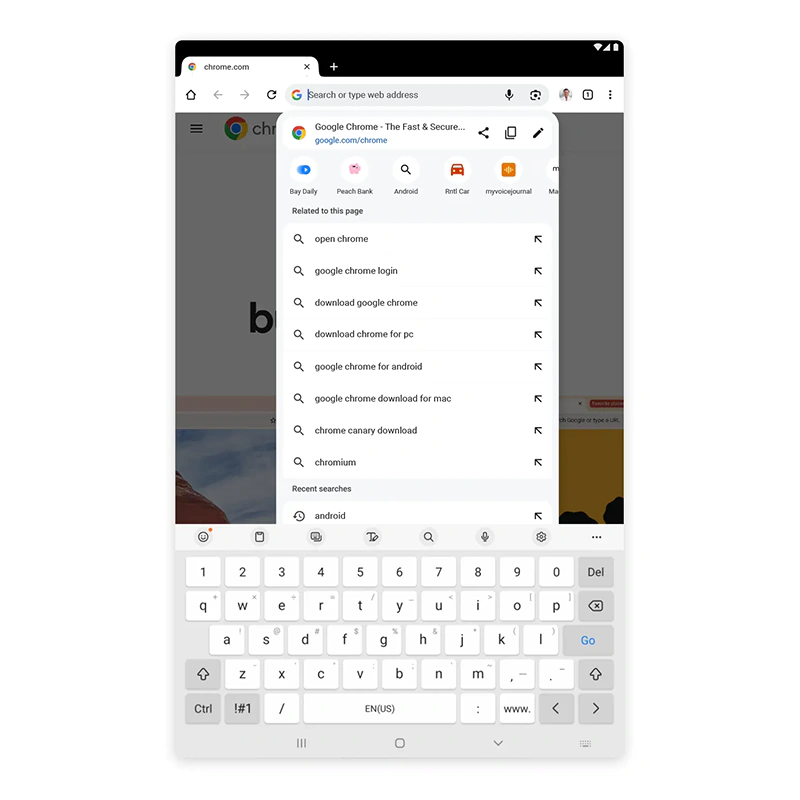
Then, is a redesigned address bar on tablets.
"We’ve refreshed the Chrome address bar on iPads and Android tablets to take advantage of their larger screen sizes and match our Material You design language. Now, when using the address bar, the website is always visible below the drop-down in case you decide to go back to it," said Google.
Here, the address bar in Google Chrome on Android and iOS is getting a similar upgrade but with a more personalized touch.
Instead of having to type in exactly what users want, Google’s browser can now pull up previous websites based on what users type in the address bar in their phone’s browser.
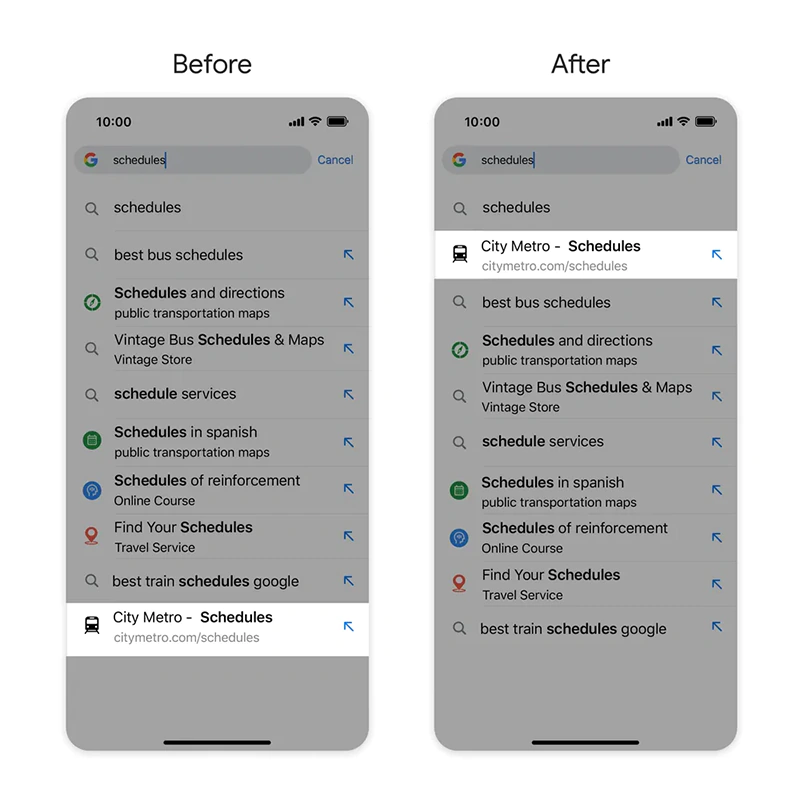
Google is also giving Chrome on mobile shortcut suggestions feature for both Android and iOS.
This allows users to bring their personalized touch to the address bar, helping them navigate to a website based on what they normally type to get there.
"For instance, maybe you usually type in 'schedules' to see times for the City Metro because that word is a part of the site’s description. Thanks to this new feature, City Metro will now appear higher up in your search suggestions whenever you search 'schedules,'" said Google.
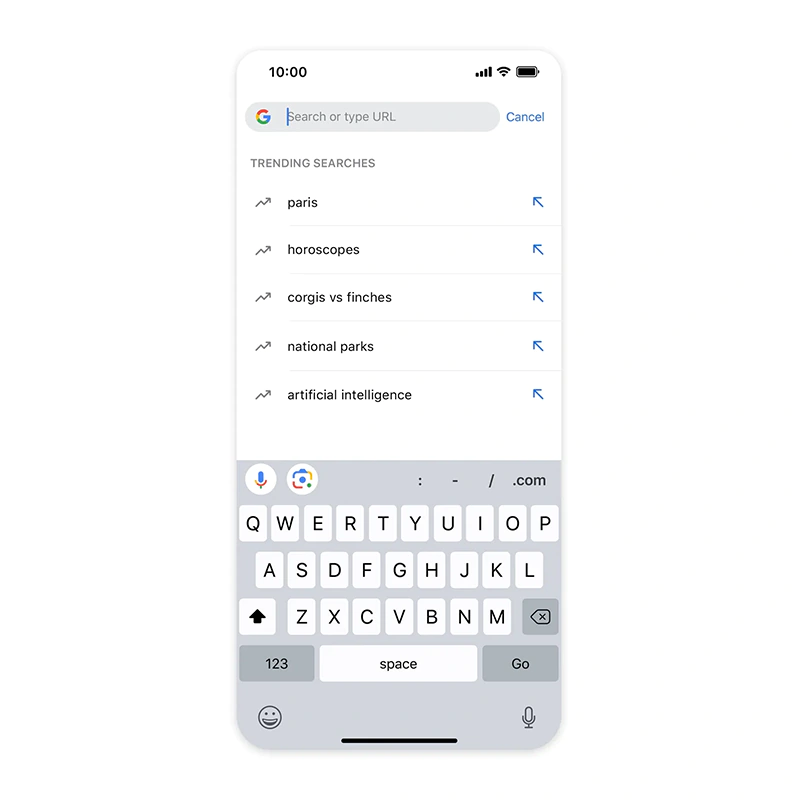
And to make the web browser a lot more interesting, Google is giving users the ability to get their daily dose of what's trending.
"Need some inspiration when searching the web? You’ll now see trending search suggestions in your Chrome address bar on iOS, a feature already available on Android," said Google.
"These trends will show up below your recent searches when you click the address bar from the New Tab page."
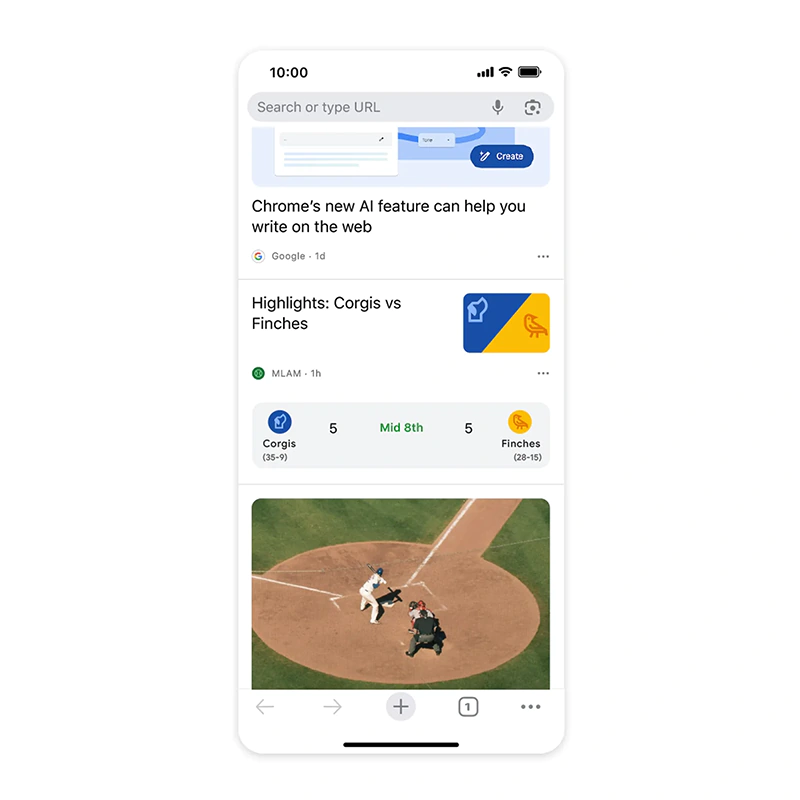
And finally, Google is adding live sports cards to Chrome’s Discover Feed in the New Tab page on iOS and Android.
"This will give you automatic updates on how a game is going when your favorite team is playing based on the teams you’ve followed or searched for in the past. Of course, you can always use Chrome’s three-dot menu to customize your Discover Feed," explained Google.
"Searching on your laptop or desktop has usually been easier but with these new features in Chrome, you might stick to using your phone or tablet instead."

















































































































































































































































































