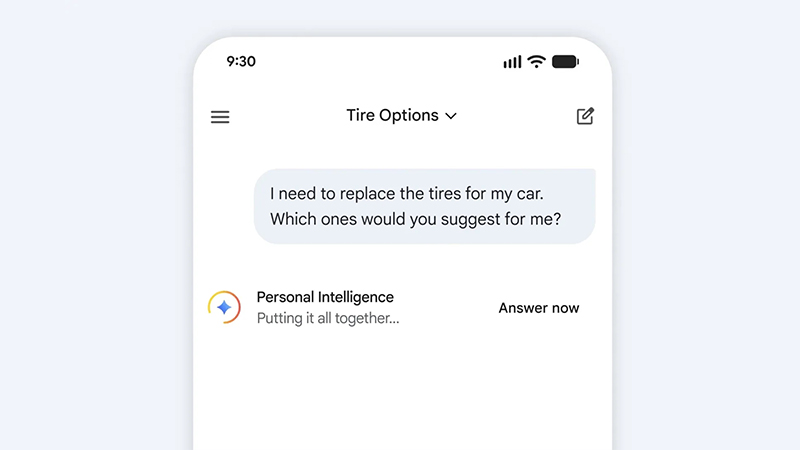
Google has rolled out a handy new feature in its Gemini AI assistant.
Gemini offers three main model options in its latest iteration: Fast for quick, everyday queries; Thinking, which builds on Fast with extra reasoning for moderately complex tasks; and Pro, the most powerful but slowest option ideal for coding, advanced math, or thorough research. The catch has always been that if users forget to switch models or simply prefer sticking with a stronger one for consistency, even basic questions can drag on as the AI overthinks them.
For anyone who's spent time waiting for Gemini to process a straightforward question, like asking for the capital of a country or a simple fact, while it's stuck in deep reasoning mode, this update addresses that exact frustration.
As a solution, Google introduces a feature called the 'Answer Now' button, which simply changes that dynamic. .
This feature is designed to make responses from the more capable Pro and Thinking models significantly quicker without forcing users to switch to the basic Fast model.
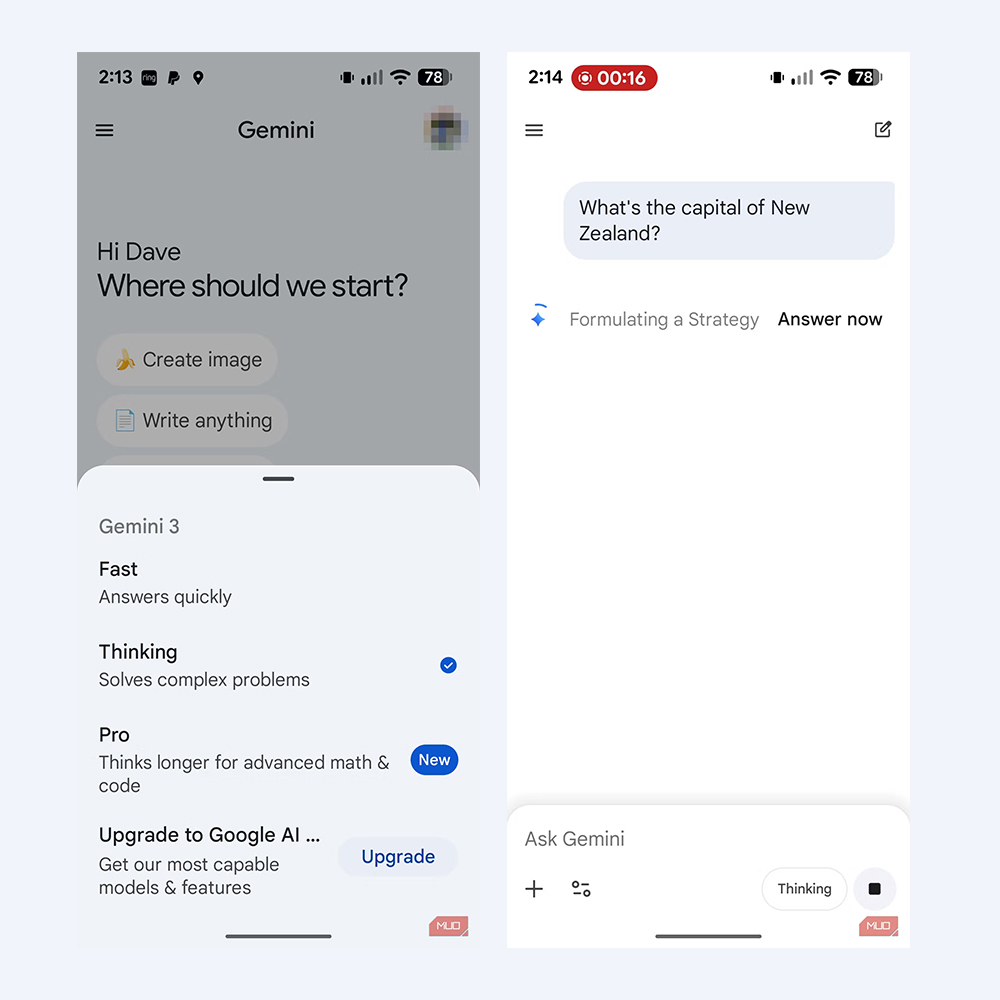
When you submit a query to the Thinking or Pro model, Gemini begins generating its response and displays what it's considering, complete with a spinning indicator.
Right alongside that, an 'Answer Now' option appears.
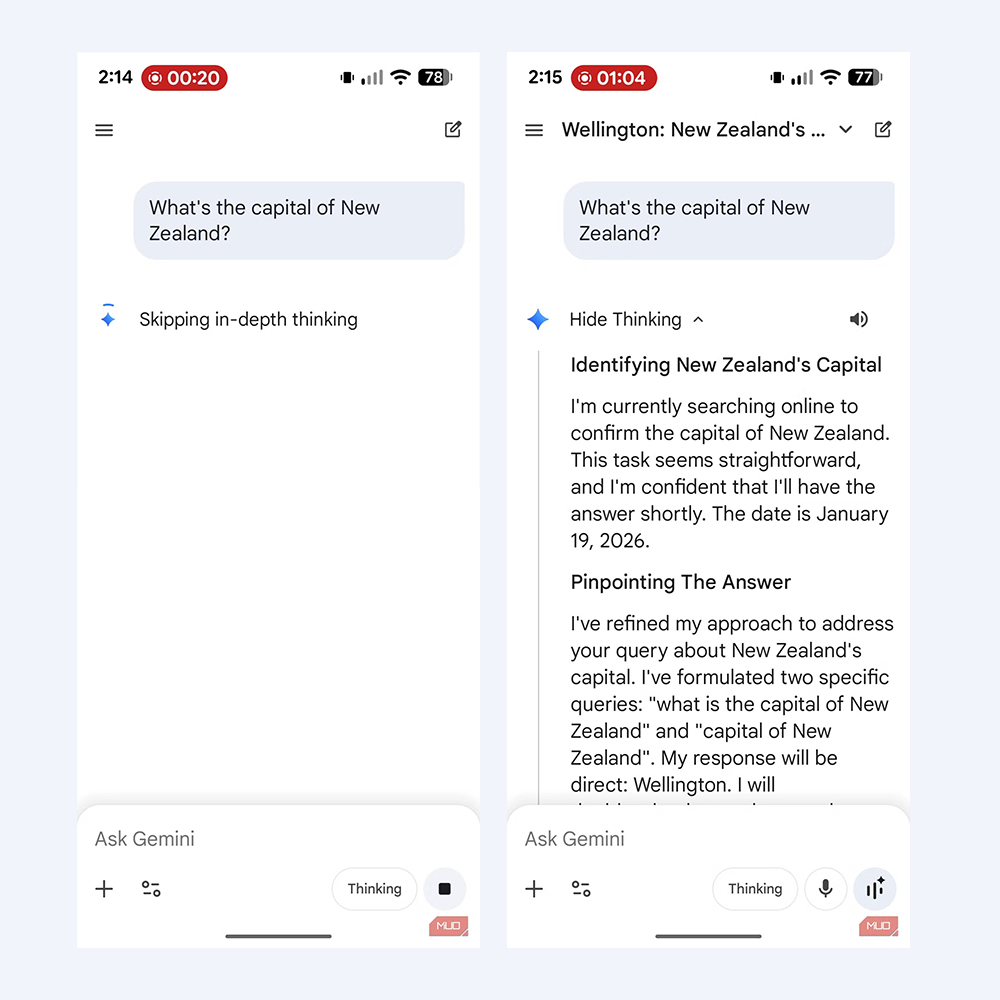
Tapping it instructs the AI to skip the more intensive, in-depth thinking steps and jump straight to delivering the final answer using the currently selected model. Users should see a brief confirmation that it's "skipping in-depth thinking," and the response arrives much faster. This is a clear improvement over the older 'Skip' button, which simply downgraded to the Fast model and could sometimes result in noticeably lower-quality output.
Importantly, 'Answer Now' doesn't switch models at all.
Instead, it keeps the power of Thinking or Pro but trims the unnecessary deliberation for simpler prompts.
What this means, users retain more of the model's capability compared to a full downgrade, though they do give up the detailed "Show thinking" breakdown that normally reveals the step-by-step reasoning process.
The button won't show up if users are already using the Fast model, since that one is built for speed from the start.
The feature is rolling out now across the Gemini app on Android and iOS, as well as the web version, and it's available to both free users and those on paid tiers like AI Pro or AI Ultra.
Recent reports also note that Google has updated usage limits, for instance, separating quotas for Thinking and Pro prompts, in order to give users more predictable access without hitting caps as quickly on one mode.
This addition comes on the heels of other Gemini enhancements, like Personal Intelligence features that let the AI pull from your Google services (Gmail, Photos, Search, YouTube, and more) for more tailored responses, though those are opt-in and off by default for privacy reasons.
Overall, 'Answer Now' streamlines the experience, letting users harness Gemini's smarter models for everything while cutting wait times on the questions that don't need all that brainpower.
It's a small but practical tweak that makes the AI feel more responsive in daily use.

















































































































































































































































































