

Android is notable as one of the most popular mobile operating system in the market. Competing closely to Apple's iOS, it has own goods and bads. Four newly discovered vulnerabilities have again showed how fragmented Android is when security is a concern.
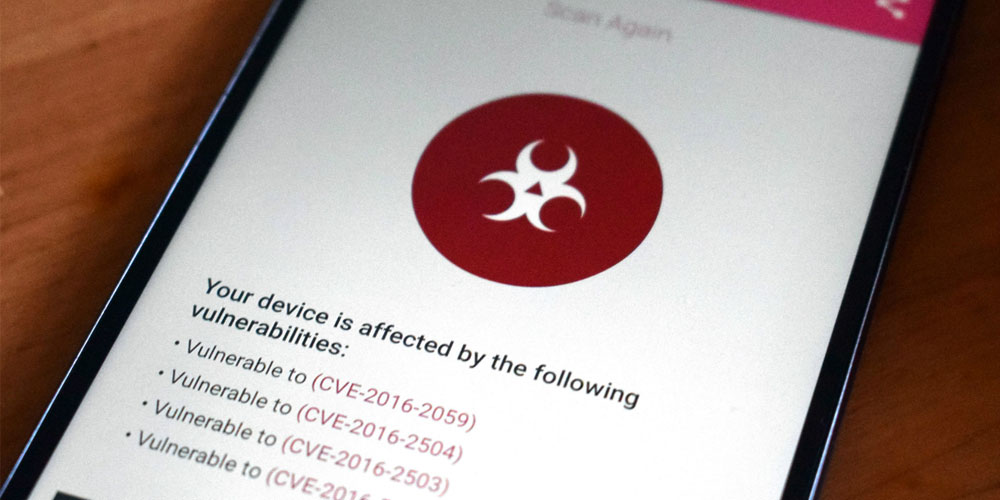
The issue here is known as QuadRooter which is a set of four vulnerabilities. It was disclosed by a security software checker Check Point on August 7th, 2016. What the flaw does, is allowing attackers to take complete control of Android devices, potentially exposing sensitive data to cybercriminals.
The flaws enable root access to hackers, enabling them to do practically anything from unrestricted access to sensitive personal and enterprise data on them, the capabilities for keylogging, GPS tracking, and recording video and audio.
The flaws are affecting the whole host of Android devices running one of Qualcomm's Snapdragon chips.
What this means is that hundreds of millions of devices could be at risk. And the risk isn't limited to a particular vendor or phone, top-end and highend smartphones such as the Samsung Galaxy S7, HTC 10 and Google's Nexus devices.
Even security-focused devices like BlackBerry's Priv and Silent Circle’s Blackphones are posed to be at risk.
Other popular smartphones at risk include: LG G4, LG G5, Motorola's New Moto X, OnePlus One, OnePlus 2 and OnePlus 3 and Sony's Xperia Z Ultra.
According to Check Point, QuadRooter vulnerabilities are found in software drivers that ship with Qualcomm chipsets. So any Android devices built using these chipsets are at risk.
"The drivers, which control communication between chipset components, become incorporated into Android builds manufacturers develop for their devices."
Every product has its own flaws, and so does Android. But the open ecosystem the operating system is into, has made it more fragmented and more prone to varieties. This is a weak segment in Android that Apple's iOS isn't having.
Apple releases security updates for the iPhone that are only one step in the process. Android couldn't do things that easy.
in this case, once Qualcomm or Google releases a fix, handset makers have to tweak the patch for their phones and then make the update available to customers. This takes time. In some countries, software updates need to go through cellphone carrier as well, this again takes more time.
Situation like this highlights the inherent risks in the Android security model. Security updates must pass the entire supply chain before making them available to end users. And once users receive the updates, they need to install the updates to protect their devices and data.
Is a long process, and that is Android at its worse: it's fragmented. This major disadvantage means that the time from when a flaw is identified or disclosed to when it is fixed is longer than it should be. This inevitably leave many Android users vulnerable for weeks or even months.
"The problem continues to be that Android security updates are really hard because of [their] fragmented ecosystem," said Check Point mobile security evangelist Jeff Zacuto.
Google has been the fastest to patch Android. As of August, the company says that three out of four flaws tied to QuadRooter were patched in a security update.
Users can get affected by his high-risk flaw when they download malicious apps. Most risked are present when they're downloading apps that aren't from Google's Play Store. Zacuto noted that official apps from Plat Store may still pose risks since there is no guarantee of safety.
"They do a great job catching malicious apps, but they don't catch 100 percent," he said.
To prevent QuadRooter, or any other flaws to arise, users are recommended to organize the best practices to keep their Android devices safe from attacks. This include, and not limited to, the following:
- Download and install the latest updates as soon as they become available.
- Understand that rooting poses its own risks.
- Check any app's installation requirements before accepting it.
- Avoid side-loading Android's
.apkfile or downloading apps from third-party sources. - Read permission requests when installing any apps.
- Use only trusted WiFi connections.
- Use security solutions designed specifically to detect suspicious behavior on devices.
Further reading: Mobile Apps Asking for Permission: Grant or Deny?