OpenClaw is an open source personal AI assistant intended to run entirely on infrastructure controlled by the user.
Its architecture centers on a Gateway that handles sessions, routing across messaging channels, tool execution, and coordination, while the assistant itself processes requests and takes actions.
What's unique about it is that, it's essentially not an AI by itself.
Instead, it's a system that supports interaction through a wide range of existing platforms including Telegram, WhatsApp, Slack, Discord, and others, and it incorporates voice capabilities as well as a live visual workspace known as Canvas that the agent can control and update in real time.
And this time, OpenClaw released official native companion applications for iOS and Android.
These apps do not host the AI model or the Gateway themselves. Instead they function as mobile nodes that establish a secure WebSocket connection to a Gateway already running on macOS, Linux, or Windows.
OpenClaw is now on iOS + Android 🦞
📱 Native mobile apps, finally
💬 Agents in your pocket
🔔 Channels, tasks, replies on the go
Run agents from wherever your thumbs are.
iOS: https://t.co/7LHHc9htgM
Android: https://t.co/X0Wuh2uA8w— OpenClaw🦞 (@openclaw) June 29, 2026
When users want to use the app, they must first pair their device with a QR code or a setup code generated from the Gateway, after which the phone becomes an extension of the assistant with access to device features granted through standard permission prompts.
In other words, users can grant the AI assistant access to different components of their device, including the camera, screen, location, photos, contacts, calendar and reminders.
With that, and once connected, the OpenClaw apps can start allowing users to make direct text conversations with it, including streaming replies and access to conversation history.
Voice interaction is supported through a Talk mode that can operate in real time or in the background, using on device speech recognition and either ElevenLabs or system text to speech for responses.
Users can also review and approve actions or automations that the agent proposes, receive push notifications about workflow status, and share text, links, or media from the phone directly into the assistant for immediate context.
A central capability involves selective device integration.
With explicit permission the assistant can access the camera to observe the immediate environment, use location data for context aware reminders or triggers, read incoming notifications and prepare replies, capture the screen, or draw on contacts, calendar entries, and other phone resources.
The agent can additionally render its Canvas interface on the phone screen for dashboards, controls, or interactive elements it manages.
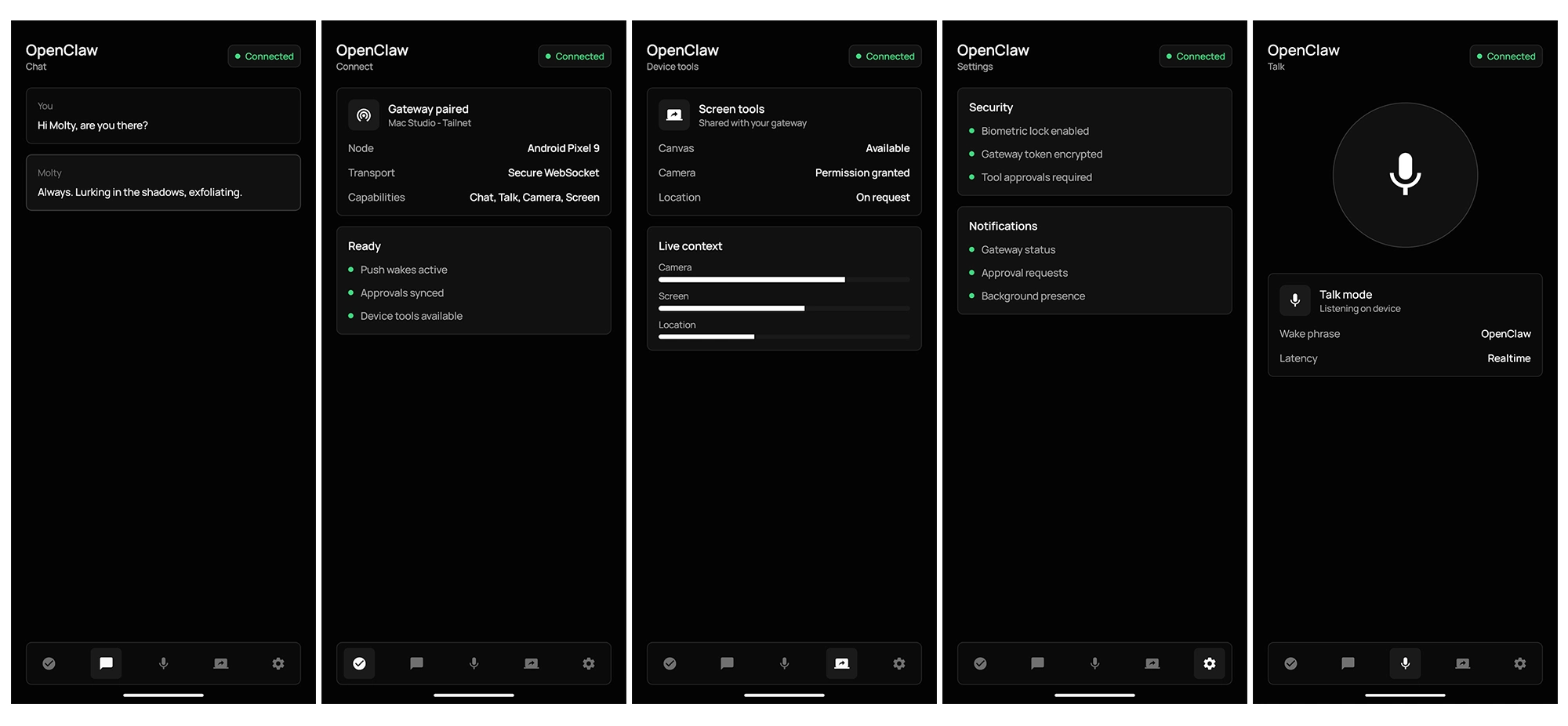
All such access remains gated by user approval and Android or iOS permission systems rather than automatic or persistent privileges.
The overall approach keeps core operations local first.
The Gateway retains control of encryption keys, configuration, and processing, while the mobile apps serve only as interfaces and permissioned extensions. No separate cloud account or third party intermediary is involved beyond whatever infrastructure the user already maintains for the Gateway.
The iOS version further includes support for Apple Watch and a system share extension that simplifies sending content into the assistant.
Early reports on the apps have highlighted both the appeal of extending a self hosted agent to mobile contexts and some friction in the initial release. Observers have noted challenges with the pairing workflow and aspects of interface refinement on both platforms, even as the underlying idea of portable, device aware interaction has drawn attention from users already running OpenClaw on desktop or server setups.
The launch marks a step toward making the assistant more continuously available without shifting away from the self hosted model that defines the project.














































































































































































































































































