Apple's iOS 15 in 2021 introduced one of the most controversial changes: repositioning of Safari’s address bar from the top to the bottom of the screen.
For many users, it felt strange, even uncomfortable at first. After all, for decades, the address bar lived up top—like a sacred rule in browser design. Suddenly flipping that convention felt like Apple was fixing something that wasn’t broken. That however, was done on purpose.
Apple's reasoning: ergonomics.
Smartphones had gotten larger and taller, and the top of the screen was becoming harder to reach—especially with one hand. By placing the address bar at the bottom, Apple made it significantly easier to tap, swipe, and navigate, especially on phones like the iPhone 13 Pro Max, which was introduced at the time.
Despite the initial resistance (and memes), users gradually realized that this placement wasn’t just cosmetic—it was practical. It made one-handed browsing smoother, brought tabs and controls closer to the thumb, and ultimately made Safari more usable on big screens. Apple also allowed users to switch back to the top bar if they preferred, easing the transition.
Over time, the new placement gained acceptance. Some even began to prefer it, praising the fluid gesture support, better reachability, and more immersive browsing experience. Now, it’s seen less as a radical change and more as a thoughtful adaptation to modern phone design—a design choice that actually makes sense once you're used to it.
Google, it seems, finally took note.
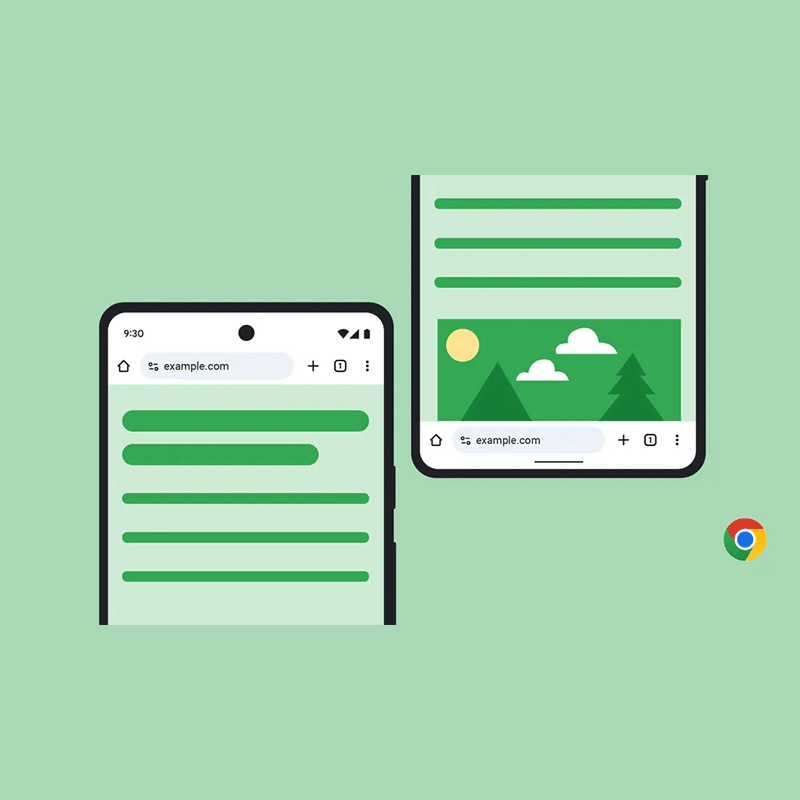
After years of anticipation (and wairing), Google is finally giving Chrome for Android users the ability to move the address bar to the bottom of the screen—a feature long requested by those juggling oversized smartphones with one hand.
This update allows users to shift not only the address bar but also the tab switcher, three-dot overflow menu, and other key shortcuts to the bottom of the interface, making them far more accessible.
Google is presenting this change as a matter of personal comfort and flexibility.
"Depending on the size of your hand and your device, one address bar position may feel more comfortable than the other. We designed this update to give you the flexibility to choose your preferred location — so you can browse with more ease," said Nick Kim Sexton, Senior Product Manager of Chrome, in a blog post.
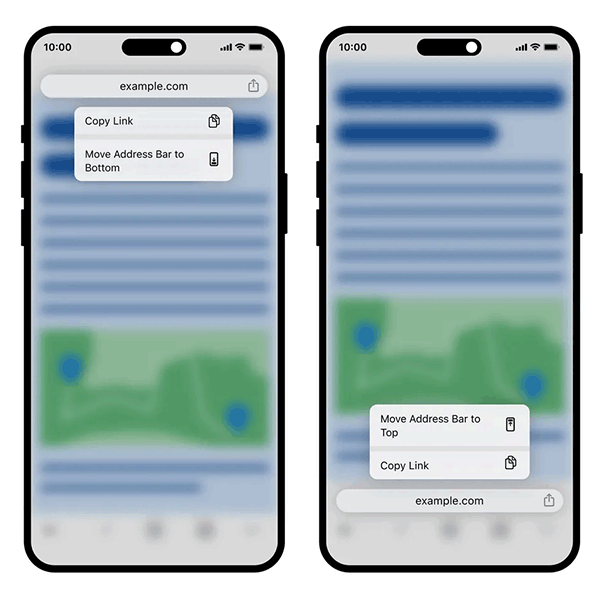
To activate the feature, long-press the address bar and select “Move address bar to bottom.” A handy “Copy link” option also appears in the same menu.
Alternatively, once the feature is live, users can also toggle the setting manually by navigating to Settings, and select Address Bar.
For those who prefer the traditional layout, the top Omnibox remains an option.
As smartphones grow not just wider but noticeably taller, one-handed use is becoming a real challenge for many users.
Devices with edge-to-edge displays—and especially foldables or all-screen flip phones—can be so vertically stretched that reaching the top of the screen with one hand feels awkward, or even risky.
That’s why allowing users to move the address bar to the bottom is more than just a cosmetic tweak. It’s a meaningful step toward making key navigation elements more ergonomic and accessible. By putting vital functions like the Omnibox, tab switcher, and menu buttons within easier thumb-reach, Google ensures that Chrome—one of its most-used apps—is actually usable on modern hardware.
This small change reflects a larger shift in mobile design: adapt the software to fit the realities of the hardware, not the other way around.
While Chrome for iOS gained this functionality back in 2023, Android users had been waiting since earlier concepts surfaced years ago. The modern development gained traction in October, and it's now rolling out graduall.






















































































































































































































































































