
For most if not all people, Adobe Photoshop is a must-have app on their computers if they want to edit or manipulate photos.
For good reasons, the software packs lots of features, that get better in each and every new version and update. To those people, Photoshop is a necessity. For the job done, it's a requirement that they can't live without.
And this time, through an update via Adobe's Creative Cloud, the software received a number of updates. Among them, is a feature in Adobe Camera Raw (ACR) called 'Super Resolution.'
It's a AI-powered feature, that can literally change the photo industry.
Using it, Adobe is capable of enlarging images, "while maintaining clean edges and preserving important details."
Users can literally quadruple the number of pixels in photos.
Shipping through Camera Raw version 13.2, before coming to Lightroom and Lightroom Classic, Super Resolution uses machine learning model that has been trained with millions of photos.
According to Adobe in a blog post:
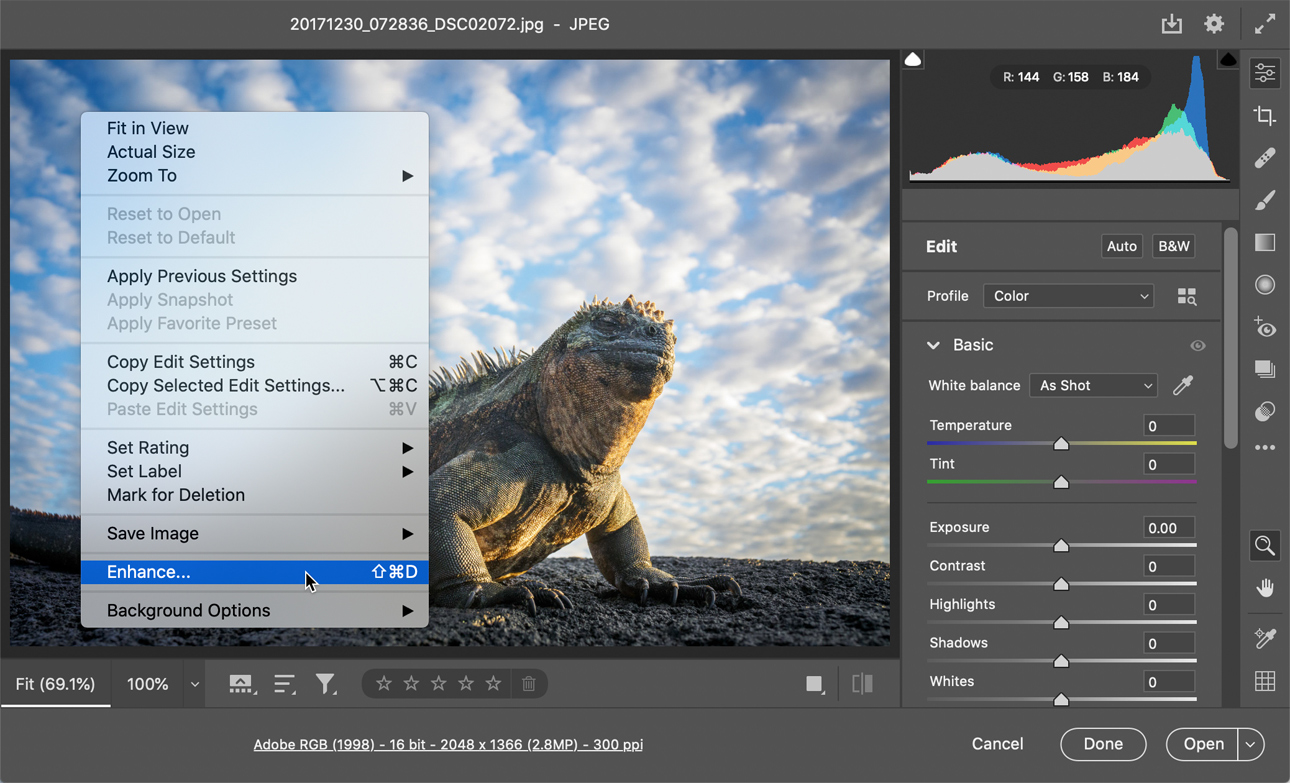
When using the Super Resolution by selecting the 'Enhance' option, a dialog window will come up, so users can see how the image will look like, allowing them to also toggle back-and-forth between the original image and the enhanced version. The dialog will also give users an estimate on how long it will take to create the enhanced image, which will show up as a separate image file.
Simply put, Super Resolution is an easy-to-use feature that can literally upsize "an old photo taken with a low-res camera for a large print."
Super Resolution began as a project in 2019, the time when Adobe released Enhance Details, a feature that uses AI to interpolate RAW files with an "uncanny degree of fidelity, resulting in crisp details with few artifacts."
Enhanced Details work by interpolating mosaic patterns that are created by camera sensors, into RGB color images.
Seeing the results, the team at Adobe began to wonder if they can use AI to also improve image quality.
This was when the team taught an AI with millions of photos, in order for it to understand how to enhance images without having to compromise their quality.
"The term 'Super Resolution' refers to the process of improving the quality of a photo by boosting its apparent resolution," Adobe explained.
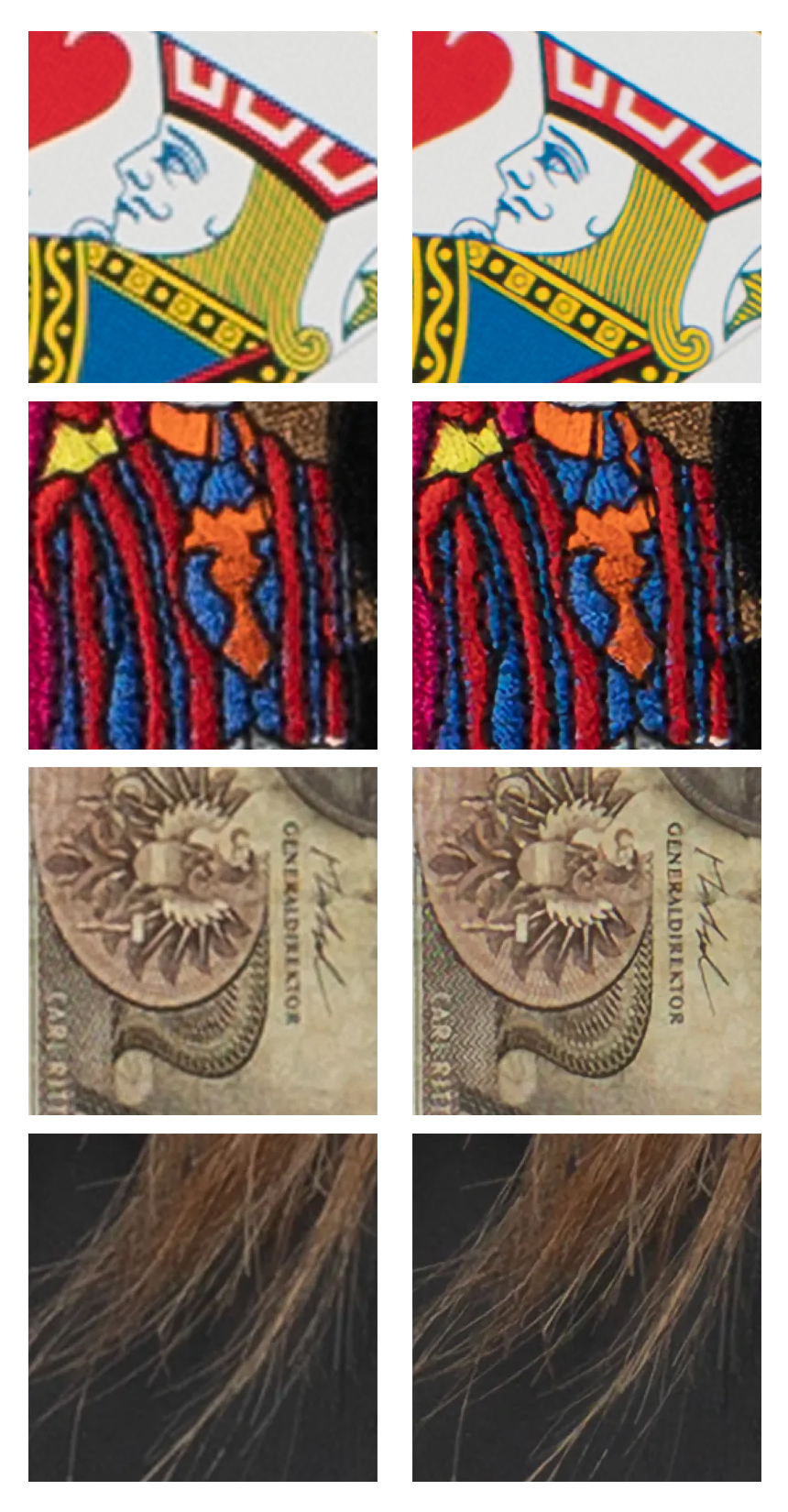
With this particular feature, for starters, Adobe shows how far AI technology has developed, and how the it can give a huge impact on photography in general.
While the AI can surely breathe new life to photos taken by low-resolution cameras, it should be noted that it won't generally be as handy for modern high-resolution cameras.
Modern cameras have quirks on their owns, capable of receiving lots of data through their large sensors, more than ever before, in order to provide all the essentials for the RAW files so that they can be easily manipulated. This kind of information is real information, not some information "imagined" by some AI.
In other words, most if not all of the advancements in the image quality come from the software side of the equation, and not from the camera sensors themselves.
This is also why Super Resolution should not be a replacement to more-modern cameras.
At the very least, Super Resolution can prove useful for certain tasks, like working on tightly-cropped photos, for example.
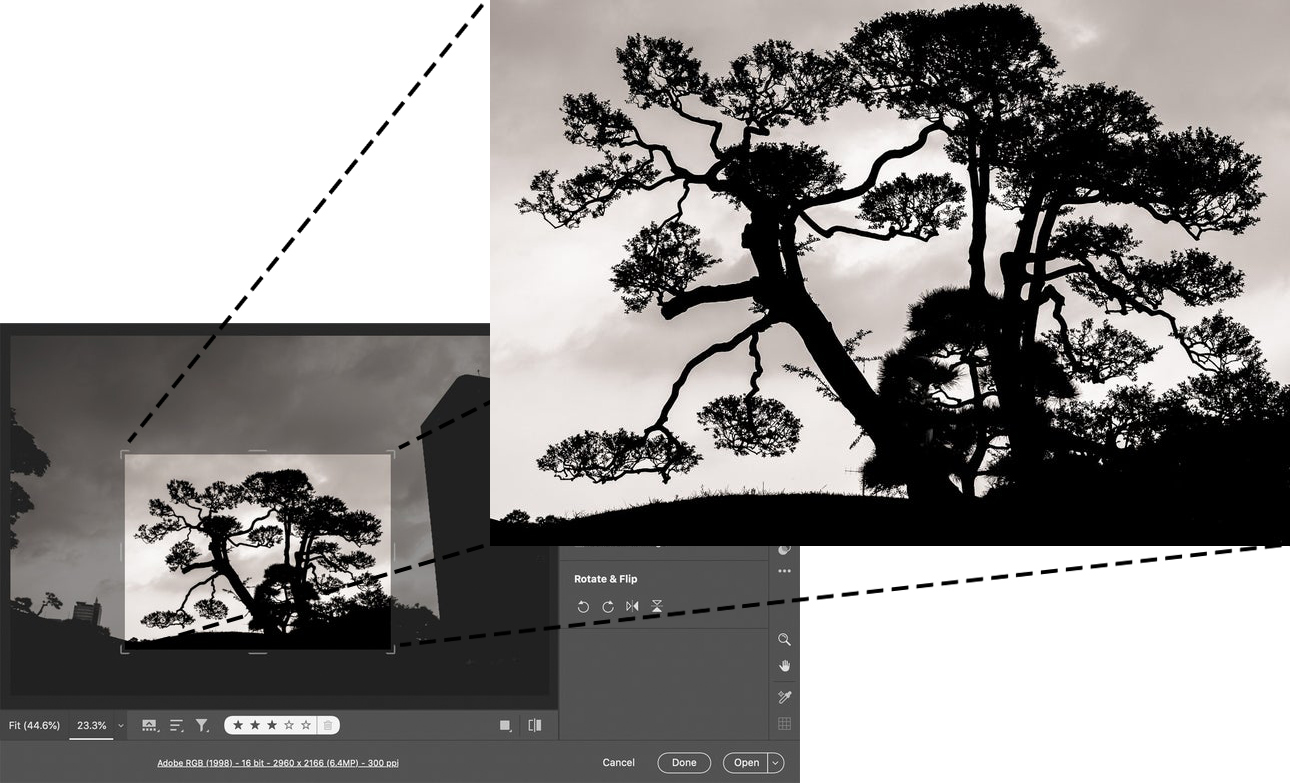
In this case, cropped photos that wanted to be enlarged can usually have details compromised.
Super Resolution can prevent this, and allow Adobe to upscale the cropped image while maintaining the details.
For convenience, the AI can also create an enhanced Digital Negative (DNG) file that can be edited like any other image.
It should be noted that Super Resolution works best on RAW files taken straight from a camera. But nevertheless, it can also enhance other formats, like JPEGs, PNGs, and GIFs.
At this time, the feature is only limited to images smaller than 500 megapixels, an image resolution that is big enough for most use cases.






















































































































































































































































































