Apple iPhones are very powerful tools, as long as they are unlocked that is.
According to Apple on a support page, as long as an iPhone is locked behind a passcode, the phone will turn on data protection, "which encrypts your iPhone data with 256-bit AES encryption."
Besides using a passcode, depending on the phone, Apple also allows users to set their fingerprint for Touch ID authentication, or their face for Face ID authentication.
For the latter, Face ID works by projecting more than 30,000 invisible infrared dots onto a face and producing a 3D mesh.
To do this, the technology uses "true depth camera system", including an infrared camera, flood illuminator, dot projector, and proximity sensor.
With neural networks designed to work like a human brain, the information is then used to create a mathematical model of the user's face using the dot pattern and stores this model in a "secure enclave" on the iPhone X itself. For security reasons, the facial recognition information is stored locally and is not stored in the cloud.
This technology has had an issue, and that is properly working when users use face masks.
In the world infected by 'COVID-19' coronavirus, people are urged to wear face masks when they go to public and when in close vicinity with others that are infected with the virus.
Face masks cover part of people's face. And this disrupts the way Face ID works, as the masks prevent it to properly recognize users.
So here, the tech isn't exactly pandemic-proof.
Because COVID-19 is still around, Apple has made it possible to easily unlock iPhones as long users also have an Apple Watch with them while masked.
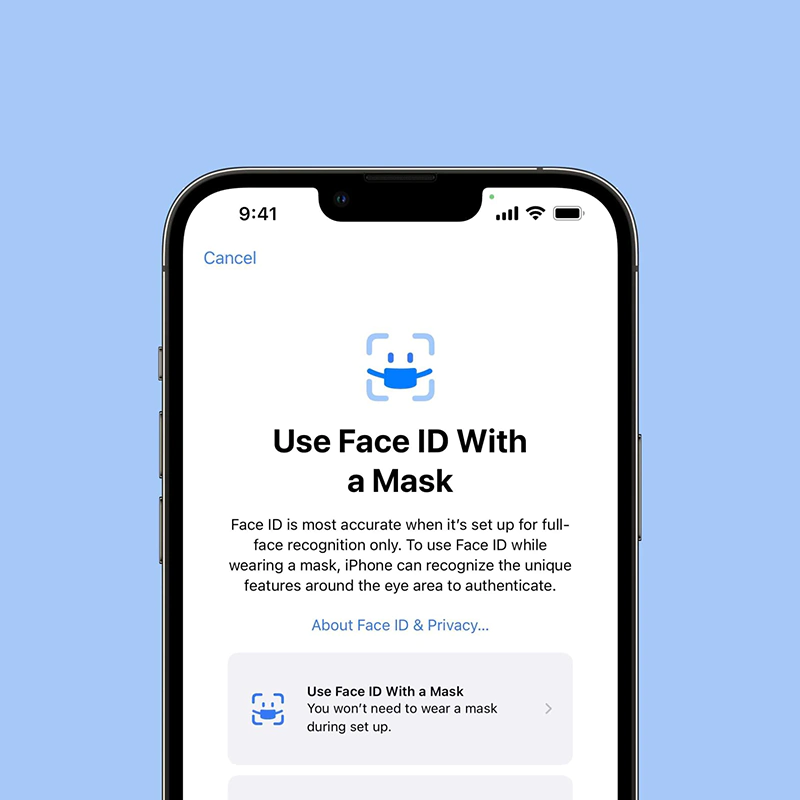
This time, Apple goes a step further, by tweaking the original facial recognition software to be able to recognize owners even when they are wearing masks.
Starting iOS 15.4 beta, Face ID can do this by focusing the true depth technology on the unique features around users' eyes.
This quickly raised a number of privacy concerns.
First of, the technology is not as accurate as the original full-face recognition, since its focus shifted from the face to the eyes.
And second, this would allow unwanted people to unlock iPhone owners' phones without having to force them to remove their masks.
Regardless of the legality of the matter, using Face ID to secure an iPhone is safe, but it is still less secure than using an alphanumeric passcode.

Touch ID was a breakthrough feature when it was first introduced with the iPhone 5S.
Apple boasted the feature as a fast and secure way to unlock iPhones, and that it is also very easy to use.
But everything changed when Apple introduced Face ID with the iPhone X.
At the time, the company said it was two years ahead of the competition. Five years later since the launch of iPhone X, in 2022, Apple is still ahead of the competition about facial recognition.
It's worth noting that during the years, fingerprint sensors have gotten much better. But the easiest way to unlock a device is still by looking at it.
Despite most of the competition on Android is still relying on fingerprint sensors, Apple that is ahead of the game in terms of face recognition, is certainly not going to step back to Touch ID, at least for its flagship phones.
And this tweaked Face ID that allows users to unlock their phones while wearing a mask, is a proof that Apple is certain that the technology is a gamechanger, even for the future.
This is why it is pushing ahead.
In the perfect world, Apple would recommend users to use the full facial recognition. With the pandemic, the update is convenient, and should be useful for most users.
Further reading: How A Pair Of Glasses And Tape Bypassed Apple's Face ID




















































































































































































































































































