Desktop assistants have been trying to hang around without becoming just another window to chase for years. The default route has been for a launcher, a shortcut, a main app that still lures you away from the spreadsheet, editor, or calendar you were in. ChatGPT's own desktop client went that route after OpenAI rolled Chat, Work, and Codex into one macOS and Windows app in 2026.
But the latest change is smaller than those app mergers, and easier to miss if users only open the full window when they need a long back-and-forth.
'Pets' started as a status overlay.
A tiny animated pet companion can hover over any other window and display whether a background conversation is running, waiting for a choice, finished, or stuck. Clicking or hovering over the companion or selecting an item in its activity tray jump back to that specific thread.
The appearance of the pet doesn't affect the underlying model, which is still working on the conversation rather than pretending to be another agent.
Built-in sprites are included, custom ones can be produced locally with a supplied hatch-pet skill, and animation takes the OS's reduced-motion setting into account.
Custom pets stay local on the machine and won't sync to the web app.
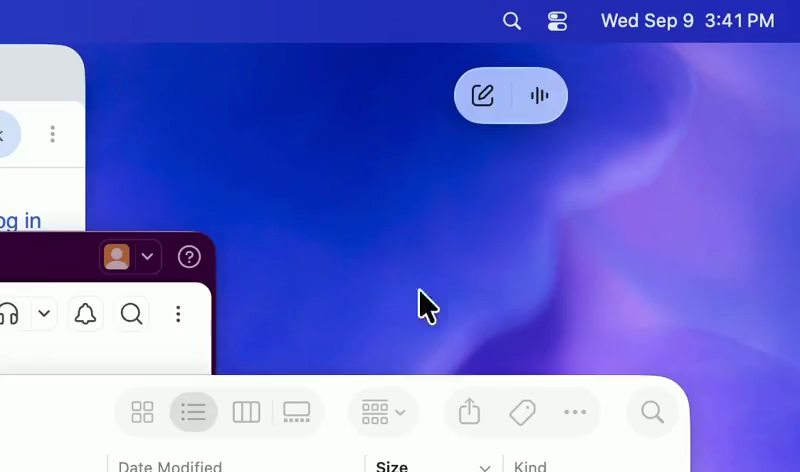
Now OpenAI is giving that feature an update, which makes the overlay do that feature another trick. Controls below the companion can click or speak out to start a typed or spoken chat with the main ChatGPT window kept in the background.
Hover controls, utilize the pencil box, add context with @, choose a skill with $, and hit Enter. Progress can be monitored from a notification-like activity view, then opened up in the full conversation when a quick reply isn't enough. Official notes identify Option+Space on Mac and Windows+Alt+P on Windows as the default hotkey to bring up the controls and focus Quick Chat.
Using the shortcut again instead of dismissing the panel keeps it open.
Shortcut can be changed in Settings > Keyboard shortcuts. Mini is the same interface strip minus the character. It is made for folks who want the input box and status updates but not a sprite sitting on a thick document. Pet or Mini can be selected in Settings > Pets. /pet or the command menu toggles the overlay on/off.
It can also be resized, and the previous position is saved for next time OpenAI's desktop app launches.
Organizational policy can still disable the feature, and conversations initiated from the overlay start outside a Project. If contextual workspaces are required, the main window is the fallback input. For example, on macOS, an Appshot may be dragged onto the pet when the main window is in the background; on Windows, Appshots still open in the main app.
Availability comes from an upgraded client and deployment. Some users who tried the promo notice said they reached usage cap before they could evaluate it.




















































































































































































































































































