Gemini is Google's advanced family of multimodal large language models (LLMs), developed by Google DeepMind as the successor to LaMDA and PaLM 2.
Designed to process various data types—text, images, audio, video, and code—Gemini, the LLM that Google focuses on since the rise of ChatGPT from OpenAI, represents a significant evolution in AI capabilities.
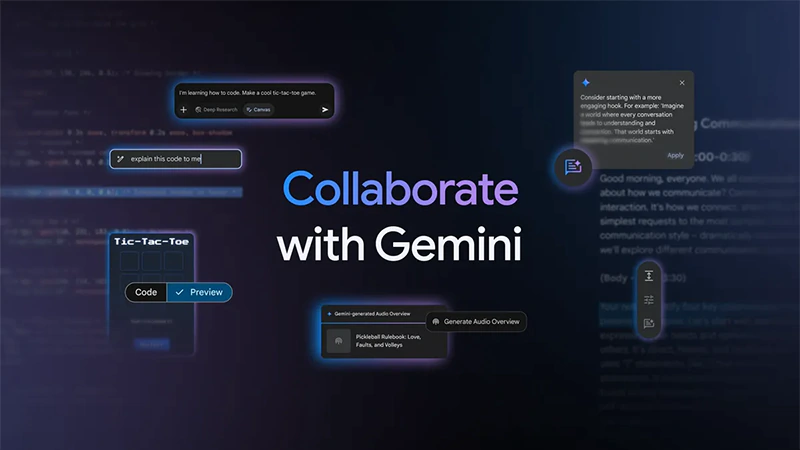
This time, in an attempt to keep itself competitive in this ever-growing competition, Google is introducing 'Canvas,' a collaborative effort from Gemini to help users with documents in real-time, and 'Audio Overviews' that can turn documents or research into podcast-style conversations to listen to.
Both Canvas and Audio Overview are available for Gemini users worldwide.
Today, we’re excited to introduce two new features for collaborating and creating in Gemini:
Canvas, a new interactive space for creating and refining your documents and code; and Audio Overview, which transforms your files into engaging podcast-style discussions:… pic.twitter.com/17ao9FqICl— Google Gemini App (@GeminiApp) March 18, 2025
Canvas, a feature within Google's Gemini AI assistant, offers an interactive workspace designed to facilitate real-time collaboration on both writing and coding projects.
Users can generate initial drafts and refine them with Gemini's assistance, adjusting tone, length, and formatting as needed. For coding endeavors, Canvas enables the creation and live preview of code snippets, allowing users to iteratively edit and observe changes instantly.
This dynamic environment streamlines the creative process, making it easier for users to develop and perfect their work efficiently.
With Canvas in Gemini, you can:
Write, iterate & preview React/HTML code
Draft & edit comprehensive documents
Build interactive prototypes, games & visualization
…and more.
Simply select ‘Canvas’ in your prompt bar and you can write and edit documents or code, with… pic.twitter.com/gtRNfWXiPh— Google Gemini App (@GeminiApp) March 18, 2025
In a blog post, Google said that:
"Effortlessly generate high-quality first drafts, then quickly perfect your work using Gemini’s feedback to suggest edits."
To use Canvas, users can simply open Gemini on the web and click on the 'Canvas' button within the 'Ask Gemini' box.
Welcome to the Gemini app, Audio Overviews
We've seen incredible excitement around Audio Overviews in @NotebookLM, which helps people make sense of complex information. Today, we're making Audio Overviews available in the Gemini app, too.
Transform your documents, slides,… pic.twitter.com/xsWslnn05V— Google Gemini App (@GeminiApp) March 18, 2025
As for Gemini's Audio Overview, it's a feature that can transforms documents, slides, and Deep Research reports into engaging, podcast-style audio discussions.
By uploading files to it, Gemini can create a dynamic conversation between two AI hosts who summarize the material, draw connections between topics, and provide unique perspectives.
This feature enhances learning by allowing users to listen to summaries of class notes, research papers, or lengthy email threads while on the go.
To create an Audio Overview, simply upload the document or slides in the Gemini app, and click the suggestion chip that appears above the prompt bar. Users can then listen to the AI-generated discussion to gain new insights and stay informed, even while multitasking.
One of our favorite ways to use the Audio Overviews feature is to pair it with Deep Research.
Now, with just a click, you can turn your Deep Research reports into a lively conversation for learning on-the-go. Your AI hosts will summarize the material, draw connections between… pic.twitter.com/WWuoBu9Rhu— Google Gemini App (@GeminiApp) March 18, 2025
In the escalating competition among LLMs, the focus extends beyond sheer power to encompass the breadth of practical applications.
Google exemplifies this approach by integrating innovative features into its AI offerings, such as conversational coding and AI-generated podcast discussions, enhancing user engagement and utility.




















































































































































































































































































