Developers working with AI coding agents have spent the past couple of years assembling personal setups across multiple tools.
To ensure things do work, instruction files, custom skills, plugin configurations, project folders, conversation histories, and memory stores accumulate on local machines as people move between environments.
For example, Claude Code, Cursor, and similar agents each store these elements in their own formats and locations, which means switching tools has often required manual reconstruction or starting over with incomplete context. This creates friction whenever users want to switch from one tool to another.
The same accumulation of local state has made it difficult for anyone who experiments across agents to keep continuity without extra effort.
OpenAI published an update that addresses part of that gap by letting work from other agents stay in sync with ChatGPT Work and Codex.
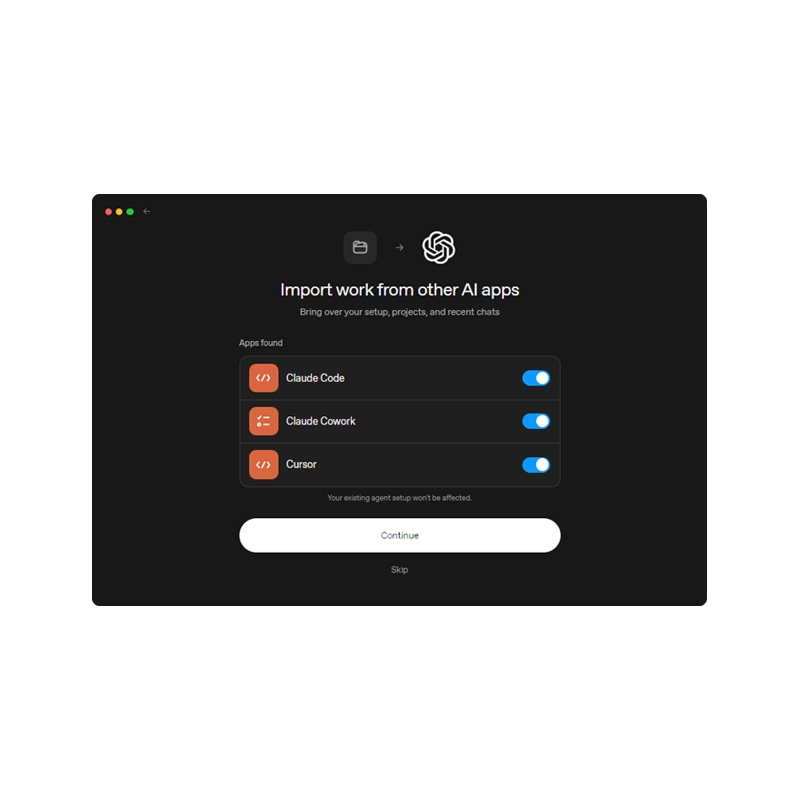
According to OpenAI in a webpage, in the ChatGPT desktop app, the import can pull from Claude Code, Claude Cowork, or Cursor. The Codex CLI handles imports from Claude Code or Cursor through the /import command.
Selection remains under the user's control.
Inside the desktop app a person opens Settings, chooses Import (or locates the option under General), picks the source agents, and decides which items to transfer.
The CLI offers a parallel interactive sequence after the slash command is typed. Everything that comes across is placed alongside existing configuration rather than replacing it.
Instruction files map to AGENTS.md, settings.json is converted to config.toml, skills and slash commands land in the Skills section, plugins remain plugins, project folders keep their original local paths, Claude Code project memories move into Memories, and chats from the past 30 days appear as ChatGPT chats.
MCP server settings, hooks, and subagents are relocated into the matching Codex structures.
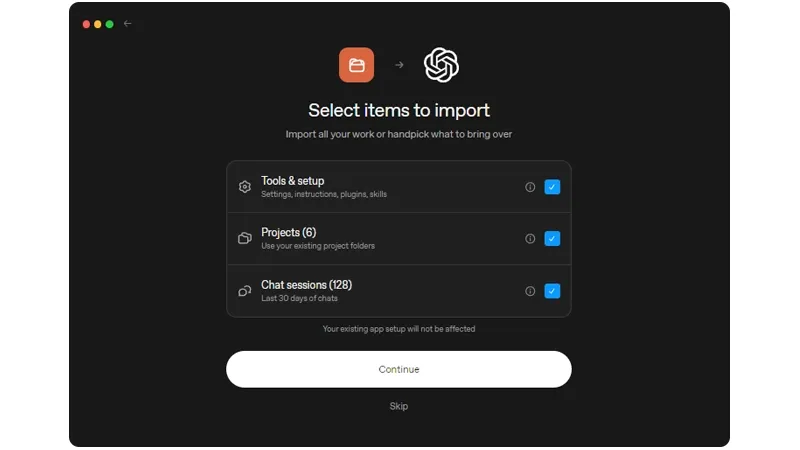
After the first import the desktop app includes an optional automatic-update toggle so subsequent changes made in the source agent can appear without a full repeat of the process.
Import history is visible in the same settings area.
Status cards flag any plugins or connections that still require authorization or additional steps.
The CLI side is narrower: it accepts at most 50 chats from the preceding 30 days, and the command cannot be used while a task is running, during a remote session, or while connected to a local app-server daemon.
A few categories still benefit from direct inspection after the transfer.
Tool restrictions or permissions inside skills and agents, MCP configurations that rely on custom authentication, hooks that may behave differently in the new environment, and prompt templates that contain arguments or placeholders are listed in the documentation as points worth checking.
The import operation itself leaves the original agent's files untouched.
What results is a limited, one-direction pathway that reduces the practical cost of carrying selected context from one agent environment into another.
A developer who has already invested in project structure and conversation history can move chosen pieces into ChatGPT or Codex while the prior setup remains intact. The capability is restricted to the named source agents and to the specific data types the documentation enumerates, and it does not include an export route in the reverse direction.






















































































































































































































































































