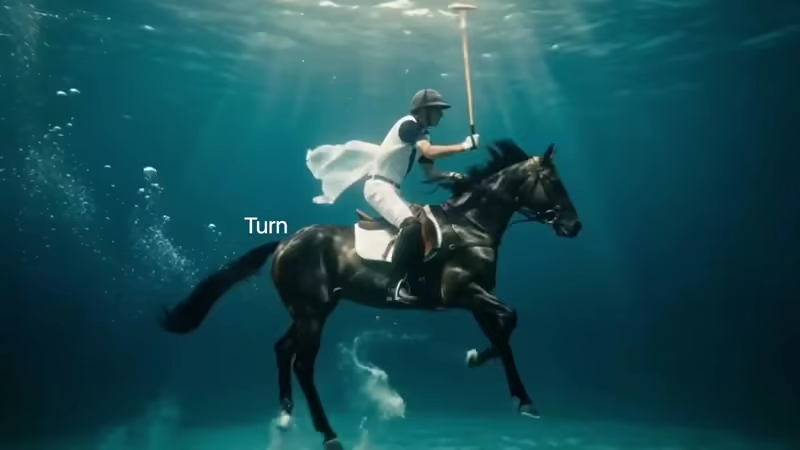
Runway, an AI company known for its creative tools in video and image generation, is pushing the boundaries of cinematic storytelling.
With the launch of its new Multi-Shot App, the platform aims to dramatically simplify how complex video scenes are created. Instead of generating short, disconnected clips, users can now go from a single text prompt or an uploaded image to a fully realized multi-shot narrative. The system automatically handles camera cuts, varied angles, pacing, dialogue, sound effects, and cinematic framing, all within a single, seamless workflow.
This release comes at a time of intense competition in the generative AI space.
What began as a race in text generation, sparked by the launch of OpenAI’s ChatGPT, quickly transformed how people interact with language, turning simple prompts into essays, stories, and code. That momentum soon expanded into visual creation, evolving from text-to-text into text-to-image generation.
The next leap, from static images to motion, ushered in the era of text-to-video. While many companies have entered this space, Runway took an early lead, and later with more sophisticated models like the Gen-4, and Gen-4.5, showcasing AI's ability to generate scenes with realistic physics, character motion, and dynamic camera work.
However, most existing tools still produce short, isolated clips, often only a few seconds long. Creators are left to stitch scenes together manually, maintain visual consistency across shots, and add audio using separate editing software.
With the Multi-Shot App, Runway is aiming to eliminate these limitations. By integrating narrative structure, visual continuity, and audio into a single system, it represents a significant step toward fully automated, end-to-end video creation, bringing AI-generated filmmaking closer to a truly cinematic experience.
Introducing the Multi-Shot App. An easy way to go from a simple prompt to a thoughtfully crafted scene. All with dialogue, sound effects, intentional cuts, pacing and cinematic framing. Start from an image or go purely Text to Video for total creative exploration. Available now… pic.twitter.com/ek5uuuVf06
— Runway (@runwayml) March 26, 2026
The Multi-Shot App pushes beyond limitations by automating the storytelling process itself.
Users can start with a pure text description of an overall scene or concept, or anchor the generation with a reference image that the AI then expands into a dynamic sequence. The system intelligently decomposes the input into up to five logically connected shots, managing composition, camera movements, rhythm, and synchronization of visual and audio elements.
Outputs are typically around 15 seconds long in 1080p resolution, making them suitable for short-form content, concept testing, or quick narrative prototypes.
Built-in audio generation adds dialogue, voiceovers, and sound effects that align naturally with the on-screen action, eliminating much of the tedious post-production that once followed raw video output.
But what sets the app apart is its flexibility through different modes. In automatic mode, the AI fully interprets the prompt to decide shot breakdowns, transitions, and stylistic choices for a hands-off cinematic result.
For creators seeking more control, custom multi-shot mode allows individual text prompts for specific shots while the system still handles automated editing and consistency. This builds directly on Runway’s Gen-4 series strengths, particularly in maintaining character, object, and environment coherence across multiple perspectives and lighting conditions.
A prompt describing a family of characters exploring a landmark, for instance, can yield wide establishing shots, intimate close-ups, and transitional moments where the same figures appear naturally without visual glitches.
Prompt: Two small mice in a discussion about whose idea it was to go fishing on a Thursday. A damn Thursday. They know it rains every Thursday. And the other says… I think it’s Wednesday. pic.twitter.com/NIUcRsHXAh
— Runway (@runwayml) March 26, 2026
In the broader context of the ongoing AI race, Runway’s move highlights a shift from raw capability to practical usability.
While competitors continue to compete on raw visual fidelity, longer clip lengths, or photorealistic human motion, Runway focuses on workflow tools that lower barriers for filmmakers, advertisers, content creators, and hobbyists alike. Traditional video production demands scripting, multiple takes, editing timelines, and sound design—skills and resources that many lack.
Multi-Shot condenses much of that complexity into a browser-based experience accessible via Runway’s web platform (currently not yet in the iOS app or API).
Creators can now focus more on ideas and emotional beats rather than technical hurdles.
Prompt: The two sit in awkward silence as the tension rises. pic.twitter.com/mMhAjkIaPL
— Runway (@runwayml) March 26, 2026
Ultimately, Runway’s Multi-Shot App represents another meaningful step in democratizing cinematic creation during this explosive phase of AI advancement.
From the text-only era dominated by ChatGPT, through the image explosion, to today’s sophisticated text-to-video systems, the trajectory has been one of increasing multimodality and intelligence.
By handling multi-shot narratives with sound and editing baked in, Runway is helping turn imagination into moving, sounding scenes with remarkable ease, inviting anyone with a prompt to explore storytelling in ways that were once reserved for well-equipped production teams.
The tool is available now on the Runway platform, ready for creators to experiment and see what unfolds from a single idea.
Prompt: A cinematic feature film about humanoid-toad wearing a wide brimmed hat and a long cloak visits an old hag to get medicine from her potion shop in a foggy marsh in the swamp. pic.twitter.com/7lOw12gwNj
— Runway (@runwayml) March 26, 2026
That said, like most emerging AI video tools, Multi-Shot comes with important caveats.
Outputs are currently capped at around 15 seconds, which may require manual stitching for longer sequences. While the built-in audio is a major convenience, results can sometimes feel slightly robotic or misaligned with complex dialogue, and overall visual fidelity or motion realism may not yet match the absolute top photorealistic competitors in every case.
Character and scene consistency, though greatly improved, can still produce occasional artifacts depending on prompt complexity, subject matter, or lighting changes.
Generation quality also varies with prompt clarity, and vague or highly ambitious descriptions often need multiple attempts and refinements.
And since it lives in the Apps collection within a Generative Session and operates in Credits mode, the feature consumes credits on a paid plan, so experimentation adds up quicklywith usage costs visible in-app.
Regardless, results naturally improve with clear, descriptive prompts, and combining the app with Runway’s image reference tools or post-generation refinements can elevate output even further. As generative video technology matures, features like this signal a move away from producing mere footage toward enabling full-scenario storytelling.
The Multi-Shot App makes it easy to go from a simple prompt to a thoughtfully crafted scene. All with dialogue, sound effects and cinematic framing.
Start from an image or go purely Text to Video. Available now in the App drawer on the web app. pic.twitter.com/1eRvMCiU6y— Runway (@runwayml) April 1, 2026






















































































































































































































































































