It isn't the most popular website from Apple, let alone in the world.
It's not frequently visited, and even most Apple device owners may not visit this website in their entire life. But still, https://appleid.apple.com is considered the gateway of access for the many Apple products and services.
More or less, the website is like Apple's version of Google Accounts settings page.
Through the website, people can create their own Apple ID, or sign in to their Apple account to control everything Apple has that they use.
And this time, the website has been redesigned.
The Apple ID website had looked the same for the past few years, and to some people, the website may be considered one of the most least-updated property of Apple.
Fortunately, Apple has finally given it an overdue facelift.
And this redesign completely replaces the old interface.
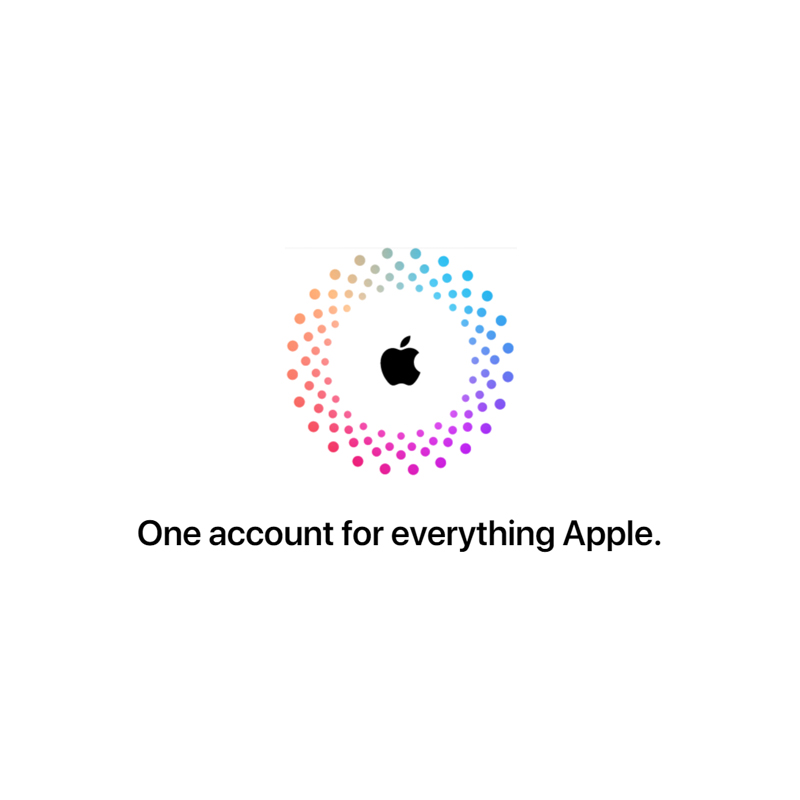
First off, on top, the Apple ID landing page has been redesigned with a series of animated colorful dots and an Apple logo at the center.
It introduces the tagline “One account for everything Apple,” with the website explaining why users should sign up for an Apple ID and the benefits it can bring, including easy access to music, the Apple Store, your credit card details, and much more.
As the website reads, users are in control with an Apple ID.
“Review or update important information like your name, password, and security details. See how others can reach you, check your payment information, and manage the devices connected to your account,” Apple writes.
In short, the redesign also showcases information on what the Apple ID website does and what it can be used for.
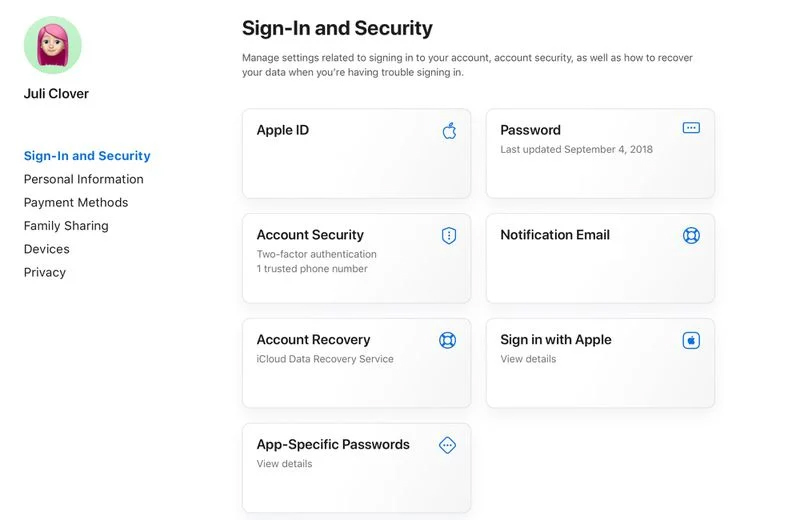
After signing in, users will see all of their available Apple ID management options showcased in a card-style view.
The card view offers information at a glance, like the users' Apple ID, their notification email, whether they have two-factor authentication enabled, and the last time that their password was updated.
The navigation interface on the left has been updated to show a list of sections related to users' Apple ID data and settings, such as Personal Information, which includes their name, birthday, and more. Payment Methods, as its name suggests, and includes all of users' saved bank cards and relevant information.
In the Family Sharing section, users can find the members of their iCloud Family.
As for Devices, users can check and remove all Apple devices that are linked to their Apple ID.
“Privacy and security are built in. With account security features like two-factor authentication, Apple helps keep your account secure, protects your privacy, and keeps you in control of your information,” the Apple website continues.
Previously, the landing page was graphics heavy, featuring a large banner with random people using various Apple devices.
It was kind of heavy to load as well.
The updated design here, introduces an entirely refreshed look that is much more modern and clean than the prior design that was used.
More or less, the updated design makes the website look more like Apple's iCloud website.
Besides being simpler and responsive, Apple has redesigned the website to be easy to navigate, and also faster.
The new look is a definite improvement over the previous design for those who need to manage their Apple IDs on the web.
Apple in redesigning its Apple ID website follows its strategy, in which the company is putting an increased attention to its web apps, including maintaining the Apple Music and Apple TV web clients.






















































































































































































































































































