Instagram is the photo-sharing platform that has changed how people see and share photos. When taking photos and applying filters onto them are your things, you may have experienced the time consumed to get those pictures "perfect" before public consumption.
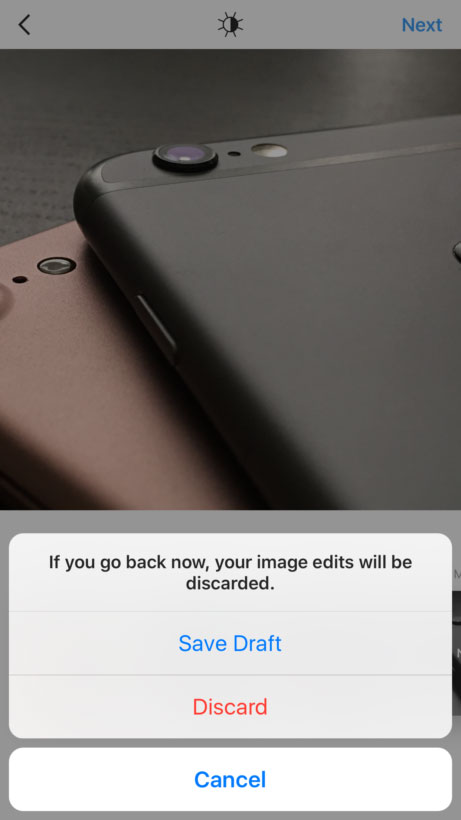
This is when Instagram's "Save Draft" feature can come in handy.
Starting September 21st, 2016, Instagram users can rejoice as they can save a draft on their post to come back later for further editing. The Facebook-owned company has tested the feature back in July, but this is when it made it official.
To use the feature is plainly easy: when you create an image, whether it's a filter or caption or others, you just need to hit back to return to the filtering and editing step, then tap the back arrow in the top left. Here you'll see the "Save Draft" at the bottom of the screen.
It should be noted that if you don't edit the post, tag people or add a caption or location, you won't be able to save a post as a draft.
When you want to return to it, you just need to tap on the Camera button like you usually do, then go to "Library". Here you'll see the image under a new section called "Drafts" at the bottom of the screen.
Trying to create a post that's just right? With the latest update, you can save as a draft & come back to it later. https://t.co/7lZ0eyNtBC
— Instagram (@instagram) September 20, 2016
The update is relatively a minor addition. But that little thing can be indeed be one of the most wanted feature ever on Instagram.
The Drafts option was met with joyous tweets by all those who happened across the feature earlier. The feature isn't just useful when you're too busy to post, but also could help businesses to prepare in advance whatever they want to publish.
Previously, users need to so some tricks to save their work. From putting their phones to Airplane Mode to other means. By introducing this little update, Instagram instantly made its user-experience a lot better.