
Google is doing a little house cleaning. Announcing on Google+, the company said that it's killing off some of its App Indexing features inside Google Search Console.
Specifically, Google is shutting down the "Fetch As Google for Apps" feature to "avoid unnecessary duplication".
Google has been focusing its mobile attention on AMP and PWAs, responsive website technologies, as well as other technologies over mobile apps within search and Google Search Console. For this reason, Google sees Fetch as Google for mobile apps, just like a feature that would just clutter its work.
Google added Fetch As Google for mobile apps back on May 22, 2015. A year after Google launched the tool in Google Search Console for mobile apps, Google renamed Google App Indexing to Firebase App Indexing.
According to its statement:
"Making your apps' content indexable has gotten much easier over the years. If you’re making smartphone apps now, please check out Firebase App Indexing at https://firebase.google.com/docs/app-indexing/ for more information."
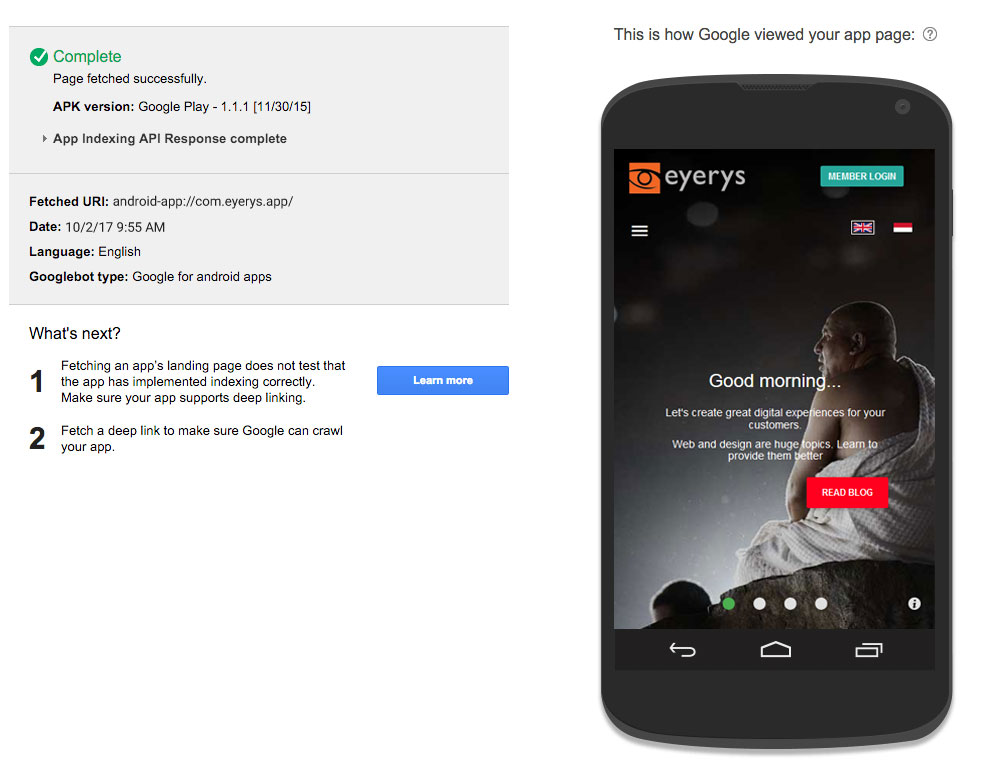
Fetch as Google tool is a real-time test to see whether Google can index and render things correctly, without having developers to wait for Google's normal crawl schedule. With the test, developers can simply see any errors, if they are any, and handle them accordingly.
Since the tool only reports a subset of errors within the Crawl Status report, developers can use it for a quick crawlability test for an app page rather than a comprehensive quality check.
According to Google, any errors that Fetch as Google reports, "are not necessarily important or guaranteed to occur during an actual crawl attempt."
Google gave an example about partial fetch error. The tool may see the error because of a result of a timeout encountered. But that won't happen when Google crawler visits the website. For more comprehensive data, Google advises developers to see the Crawl Status report to know what errors actually occurred during crawling.




















































































































































































































































































